

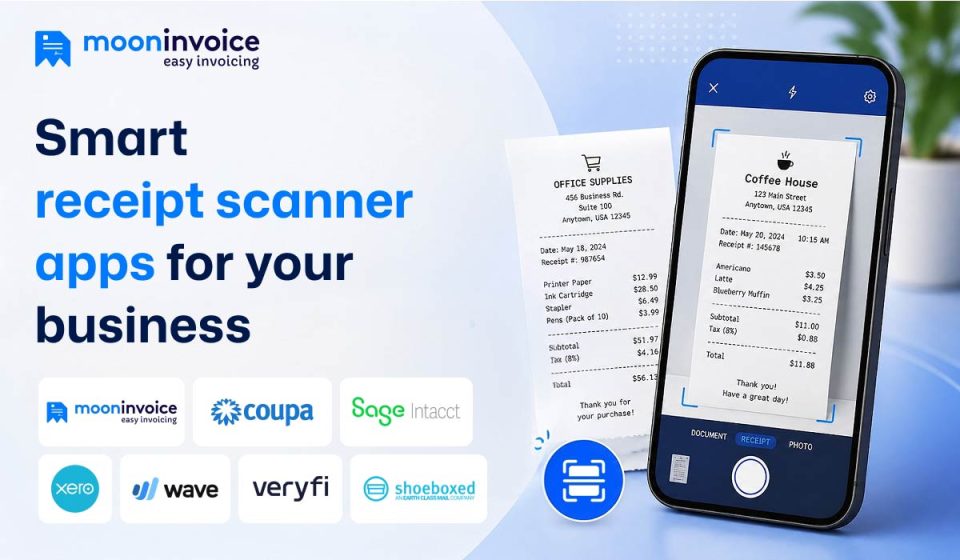

Gone are the days when every paper receipt was manually checked and stored in lockers to maintain records. Currently, digital receipts have become the new norm in receipt management, especially for small and medium businesses. Using a receipt scanner app, you can store receipts digitally and access them whenever you need.
In today’s era, when we talk about the best receipt scanner app, it’s not limited to scanning features alone. They offer other essential features for your business, including invoicing, estimate creation, expense management, and many more.
So, which are some of the top receipt management software that bind all these features together? And which receipt scanner app would be ideal for you? Let’s find answers to all these questions in this detailed blog…
📌 Key Takeaways
- A receipt scanner app converts physical expenses into digital expense receipts using Optical Character Recognition (OCR).
- A receipt scanner app eliminates the need for manual data entry and stores digital receipts in cloud storage.
- OCR accuracy and automatic expense categorization are among the primary features to consider in a receipt scanner app.
- To reduce delays and errors and ensure real-time financial visibility, you should always look for a reliable receipt-scanning app.
7 best receipt scanner apps in 2026 compared and reviewed
In this guide, we compare the top receipt scanning apps for businesses in 2026 based on features, pricing, ease of use, automation capabilities, and integrations. The quick comparison table below gives you an overview of the leading options, followed by a brief overview of each app to help you choose the right fit for your business.
Quick comparison of popular receipt scanning apps
The comparison table below provides a brief insight into how each app for scanning receipts is different based on specific business needs.
| Apps | Best for | Pricing (billed annually) |
Key feature |
|---|---|---|---|
| Moon Invoice | Large to mid and small businesses, startups, and freelancers | $6.67/month | Advanced invoicing, along with expense tracking and online receipt management |
| Coupa | Global businesses | $45.75/month | Advanced spend management and approval workflows |
| Sage Intacct | Mid-sized businesses and finance teams | $750/month | Real-time financial reporting and accounting automation |
| Xero | Small businesses and accountants | $50/month | Expense management |
| Wave | Freelancers and startups | $19/month | Easy to store receipts at lower costs |
| Veryfi | Businesses that require dedicated account management and technical support | $500+/month (contact sales) | AI-powered OCR technology, real-time data extraction |
| Shoeboxed | Businesses handling paper receipts | $9/month | Physical receipts to digital receipts conversion |
Top receipt scanner apps reviewed
Below are some of the best apps for scanning receipts that help businesses automate expense tracking, reduce paperwork, and simplify financial management, discussed in detail.
1. Moon Invoice
Moon Invoice is an AI-powered receipt scanner app that comes with invoicing, expense tracking, and financial report creation. It eliminates manual work and minor errors with an AI-backed quick scan. It allows you to scan your expense receipts, invoices, or other financial documents and convert them into digital documents within seconds.
Moon Invoice can extract all necessary information from paper-based expense receipts and quickly convert them into digital receipts. It can be a great fit for SMBs and startups, due to its strong support for receipt scanning, expense management, and top-tier invoicing.
Manage expense receipts without manual data entry
Manual receipt entry can eat up your productive time. Let Moon Invoice help you manage your receipts using an AI-powered quick scan.
2. Coupa
Coupa is second on our list of best apps for receipt scanning. It is primarily designed for large-scale businesses that struggle to manage employee expenses and lack global spending visibility. It uses OCR (Optical Character Recognition) to extract data from photos, emails, or uploads.
Coupa is primarily suitable for global businesses where using a single platform for receipt management and expense reporting is a top priority.
3. Sage Intacct
Sage Intacct is a cloud-based accounting platform designed for businesses and finance teams where expense automation and advanced accounting are critical needs. Businesses can scan receipts in Sage using the mobile app by capturing a picture of the receipt. Sage also offers the ability to scan multiple receipts, with each receipt’s data extracted accurately.
The best thing about Sage Intacct is that it comes with core accounting features and multi-entry consolidation.
4. Xero
Just like Sage Intacct, Xero is also a cloud-based accounting software built specifically for small and medium-sized businesses. Xero’s receipt scanning app “Xero Me” allows mobile receipt capture for expense management. Using the Xero Me app, users can capture receipts, and the app automatically creates expense claims.
If you want all of the receipt scanning, payroll, and expense management features, you may need to choose a subscription-based plan with Xero Me.
5. Wave
Wave is widely recognized as accounting software because it has all the necessary features for accountants. With Wave, users can scan their receipts or upload them via Wave’s mobile app or desktop app. After scanning is complete, the extracted data is immediately synced with Wave’s accounting features. For businesses, paid plans are mandatory to scan business receipts in Wave.
6. Veryfi
Veryfi is another receipt scanning app that is well-known for its AI-powered OCR technology that extracts data in seconds. It allows businesses to scan receipts through images, PDFs, and batch uploads. Veryfi offers real-time data extraction and multi-language OCR capabilities, which can be ideal for large-scale businesses.
However, businesses that handle high volumes of expense receipts and require more storage may need to purchase a premium plan to access unlimited storage.
7. Shoeboxed
Shoeboxed helps businesses convert physical receipts into digital receipts. It is a popular name among small businesses, accountants, and bookkeepers who prioritize digital receipts and audit-ready documentation.
Unlike other receipt scanner apps, Shoeboxed doesn’t rely solely on digital uploads. It allows users to email their physical receipts, which are later scanned, categorized, and stored.
Why should you use a receipt scanning app?
A receipt scanner app solves real-life problems of small businesses and saves time and money. Here are a few reasons why you should always opt for using a receipt scanner app.
1. No manual data entry
Once you use a receipt scanning app in your business, you no longer need to enter receipt details manually. Typing dates, merchant names, and other details is a repetitive task that consumes valuable business time and reduces productivity. With a receipt scanning app, receipts are automatically recorded in your system, allowing you to focus on more productive parts of your business.
2. Reduces dependency on paper receipts
Physical receipts are fragile, and the thermal paper fades in a few days. But when you scan expense receipts, the app creates an indestructible record in your system. You will never have to worry about missing receipts, as they are all stored in your system
3. Simplifies expense reimbursement
In businesses, every time a team or employees spend money, they like to get it back as soon as possible, but following a paper-based process can delay everything. This is where receipt scanning comes into the picture. Using a receipt scanning app, you can submit your receipts instantly, and the accounting team will process your reimbursement shortly.
4. Prepares you for tax seasons
Tax authorities in the U.S., such as the IRS, generally accept digital documents as long as they are legitimate. By scanning expense receipts, you create an organized record and can retrieve data whenever needed. The organized digital receipts capture tax deductions quickly and make tax season easier.
5. Real-time financial visibility
Real-time tracking helps identify spending patterns and issues. Scanning each expense receipt provides greater clarity on where money is being spent and helps track profitability. It allows you to plan your budget for the next month or year more effectively by eliminating unnecessary spending.
6. Better accounting and bookkeeping integration
Most modern receipt scanner apps integrate with accounting software and expense management systems. Once an expense receipt is scanned, the data automatically syncs with bookkeeping records. It reduces duplicate entries and improves financial accuracy.
Features to consider in the best receipt scanner app
A receipt scanner app is more than just capturing images of your receipts. It should be capable of automating expense tracking and simplifying the financial management of the business.
Below are some of the key features to consider before selecting a receipt scanner app for your business.
1. OCR technology
Optical Character Recognition (OCR) is one of the most important features in any receipt scanner app. OCR technology determines how the software extracts information from the expense receipt, such as the date, merchant name, tax amount, and total cost. Currently, many top-rated receipt scanning software offer OCR technology powered by AI, which improves bookkeeping accuracy.
2. Expense categorization
Apart from scanning receipts, the app should be capable of organizing expenses into different categories. For example, travel expenses, utility expenses, office supplies expenses, and fuel expenses all should be listed separately.
Categorizing expenses has several advantages, such as:
- Faster monthly bookkeeping
- Better budgeting insights
- Easier tax preparation
- Simplified financial reporting
After scanning expense receipts, you should be able to organize them in separate categories. For specific expenses, you should be able to create custom categories and add them for better receipt management.
3. Cloud storage and data security
Cloud storage has become essential for businesses managing large volumes of expense receipts. A receipt management app must include secure cloud storage so businesses can store and access receipts whenever needed. In case of paper receipts, there is a maximum chance that they can fade or get lost, whereas cloud backup can help you maintain long-term financial records.
4. AI-powered quick scan
AI-powered scanning is another feature that can’t be ignored in a receipt scanner app. AI-powered quick scanning helps users scan receipts within seconds using a smartphone camera. Apps that use new-age AI technologies can easily detect receipt edges, extract important fields, and process data automatically.
Modern receipt scanner apps with an AI scanning feature can support:
- Batch receipt scanning
- Unlimited receipt scan
- Real-time extraction
- Smart duplicate detection
- Instant expense syncing
- Multi-language recognition
Some expense management software includes an AI-powered quick scan that delivers high field-level extraction accuracy while significantly reducing processing time.
5. Simplifies report generation
An ideal receipt scanning software should be capable of generating expense reports for businesses without manual spreadsheet work. Some receipt scanner apps also provide automated reporting features like automated reporting and customizable dashboards, which help businesses monitor spending trends, prepare taxes, maintain financial transparency, and make better financial decisions.
Start managing expense receipts smartly
Choosing the best receipt scanner is a difficult task. The apps mentioned above are some of the best when the topic is about receipt scanning. If you are looking for a receipt scanning app for the long term, you can choose Moon Invoice, Xero, or Coupa based on your business needs.
Moon Invoice comes with advanced features such as AI-powered quick scan, expense categorization, and helps you generate audit-ready tax reports. Beyond receipt scanning, it offers other financial essentials, including invoices, estimates, delivery challans, purchase orders, credit notes, and debit notes, all within one app.
So, don’t waste your time. Start your free trial today and sign up now with Moon Invoice!
| Apps | Best for | Pricing (billed annually) | Key feature |
|---|---|---|---|
| Moon Invoice | Large to mid and small businesses, startups, and freelancers | $6.67/month | Advanced invoicing, along with expense tracking and online receipt management |
| Coupa | Global businesses | $45.75/month | Advanced spend management and approval workflows |
| Sage Intacct | Mid-sized businesses and finance teams | $750/month | Real-time financial reporting and accounting automation |
| Xero | Small businesses and accountants | $50/month | Expense management |
| Wave | Freelancers and startups | $19/month | Easy to store receipts at lower costs |
| Veryfi | Businesses that require dedicated account management and technical support | $500+/month (contact sales) | AI-powered OCR technology, real-time data extraction |
| Shoeboxed | Businesses handling paper receipts | $9/month | Physical receipts to digital receipts conversion |


Jayanti Katariya is the founder & CEO of Moon Invoice, with over a decade of experience in developing SaaS products and the fintech industry. He holds a degree in engineering. Since 2011, Jayanti's expertise has helped thousands of businesses, from small startups to large enterprises, streamline invoicing, estimation, and accounting operations. His vision is to deliver top-tier financial solutions globally, ensuring efficient financial management for all business owners.


