

Quick Answer:
A POS system is a one-stop solution to complete the sale, from ringing up items and taking payments to generating receipts and managing inventory.
You might have seen somewhere the cashier waves each barcode over the glass, the screen beeps, and later, your receipt pops out. Well, that’s all because of the technological marvel called the point-of-sale system: a modern setup that confirms the sale, prints your receipt, and quietly counts the leftover cans on the shelf.
However, if you sneak under the hood, it’s more than just a beeping machine. From counting the total items and their costs to printing receipts, it does everything. That’s why it’s no surprise that businesses, especially retailers, wish to have one.
Right then, let’s unearth more about what is a POS machine and how does a POS system work.
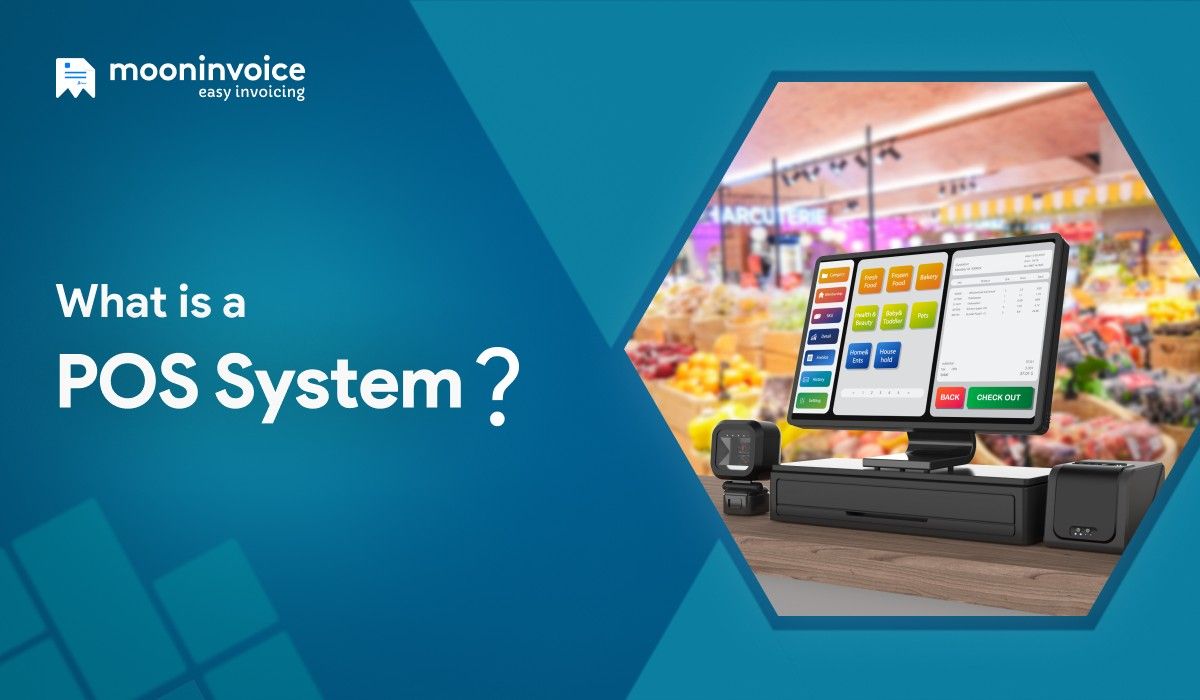
What is a POS system?
A point-of-sale system is a mixture of both hardware and software that helps retailers complete the checkout process as fast as they can.
At its core, it is a system that rings up sales, accepts online payment, and generates a thermal receipt, leaving no chance of errors or customer dissatisfaction.
In short, it is a POS machine that enables the duo (hardware and software) to sell the items and, simultaneously, update what and how much is left in your inventory.
Sick of Reconciling Cash-register Receipts?
Try Moon POS that auto-reconciles everything and maintains clear records without keeping you up late at night.
Benefits of a POS System
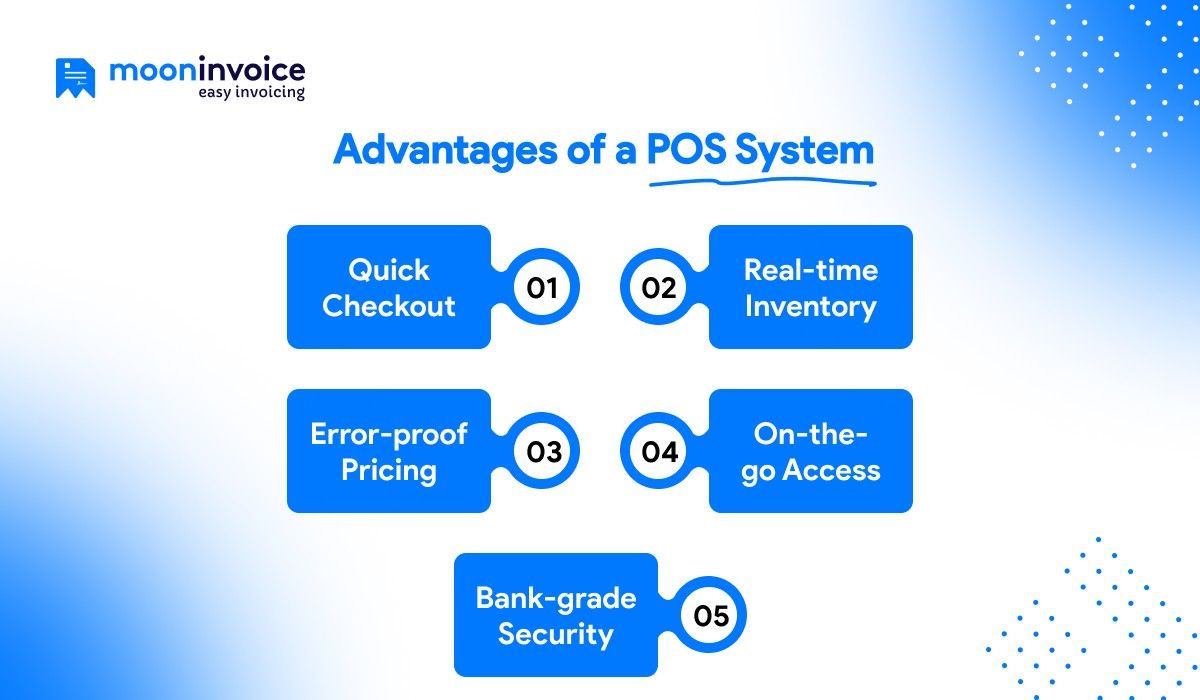
1. Quick Checkout
A reliable POS system will never insist that you punch prices into a vintage calculator. Just what you have to do is wave the barcode and let the POS billing software do the rest. So, you check out faster, burst the queue, and see fewer abandoned carts.
2. Real-time Inventory
A POS system makes sure your stock counter drops by one as soon as an item crosses the scanner. Therefore, you always have real-time visibility into what’s running low, what’s dead weight, and what to reorder before the last unit walks out the door.
3. Error-proof Pricing
Since the POS system demands no human intervention, there is no chance of billing errors. Because every price lives in one central dashboard. The moment the price is updated, the new figure will appear on the checkout screen. Hence, no “it rang up wrong” disputes.
4. On-the-go Access
The point of sale system is accessible when you are holidaying with your family, at a supplier meeting, or even tucked in bed. A few clicks and you can see live sales, adjust prices, and track payments without engaging in phone calls with your team.
5. Bank-grade Security
Handwritten purchase slips or receipts often leave customer numbers lying around, making it easy for anyone to copy. But that’s not the case with a POS system. Fortified with bank-level security measures, the POS software never leaks your information to anyone.
What are the Different Types of POS Systems?
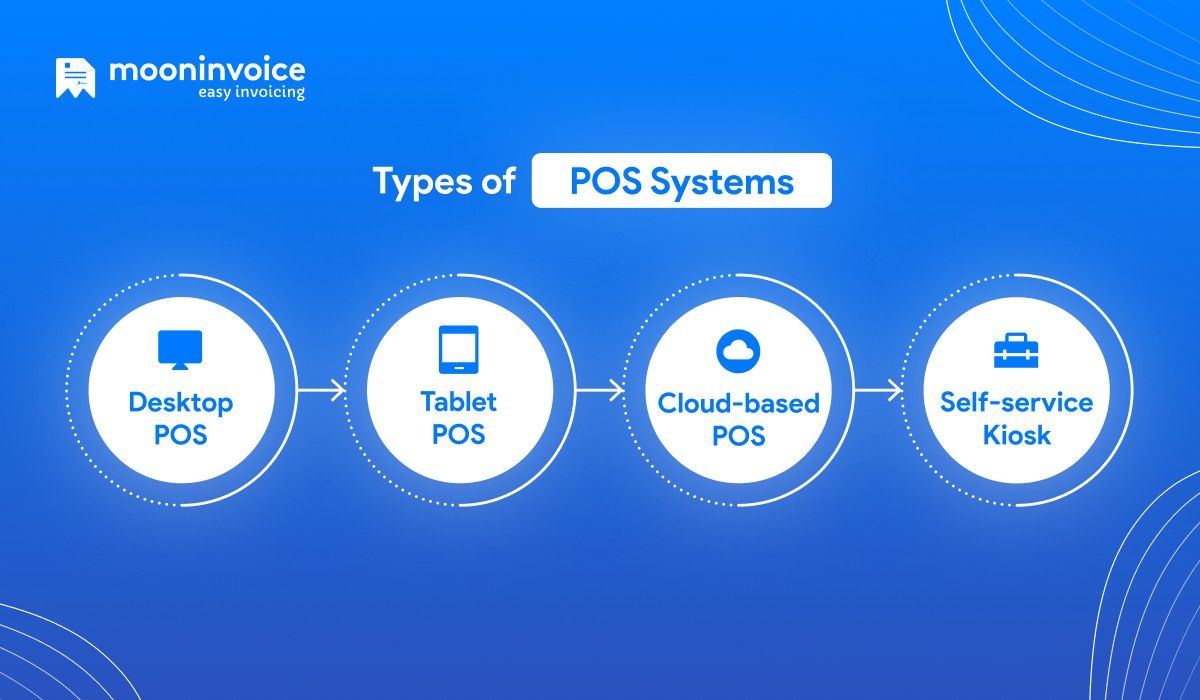
1. Desktop(Traditional) POS
It refers to a simple POS machine that has a cash drawer, scanner, and printer wired together. Basically, it is a fixed machine that talks to the computer via USB or serial cables. The cashier needs to swap rolls for receipts frequently in this traditional POS system.
2. Tablet POS
It is a very lightweight device, usually mounted on a stand and paired with Bluetooth or Wi-Fi. Cafe or restaurant owners seeking mobility and adopting pay-as-you-go models can rely on tablet POS to boost their sales and drive customer satisfaction.
3. Cloud-based POS
Cloud-based POS does everything on the provider’s secure internet servers. You ring up sales on a tablet, and every price, payment, and stock count is beamed to the cloud in real time. Thus, it has become a first-choice POS for multi-located retail stores.
4. Self-service Kiosk
Kiosk offers a customer-facing self-checkout screen where the user can place an order, pay online, and receive a payment receipt without a cashier’s intervention. Eatery outlets or food courts usually consider a kiosk to trim labor costs and slash long queues.
How Does a POS System Work?
Now, let us dig deeper into the working process of the POS system.
1. Placing the Order
Firstly, your guest walks into your store and places an order, either using a customer-friendly kiosk or requesting at the counter. Then, the store attendant starts preparing the order upon the customer’s request. If needed, they can still modify the order or ask for add-ons. Later, they can move to the next step, i.e., to complete the payment.
2. Completing the Payment
Once the order is placed, the user will be prompted to pay the total amount as soon as they hit the next button. At this point, your guest can select the payment method as per their wish. They can choose a variety of payment options like Venmo, Stripe, PayPal, or any other. Based on the user’s preference, the POS system will ask for payment details in order to complete the payment.
3. Generating Slips or Receipts
The moment the payment is done, the POS starts preparing a receipt, which later pops out from the thermal printer. In case the guest prefers a paperless receipt, a POS will fulfill their wish and send a digital receipt to their personal email or WhatsApp. At the same time, it will also keep a duplicate copy of the receipt for internal records.
How Much Does a POS System Cost?
The basic cost of a trustworthy POS system ranges from $0 to $1500.
However, several other factors, like the number of businesses, users, or chosen platform, may influence the final cost of POS.
For instance, if you go for reliable point of sale software like Moon POS, then it will cost as low as $4.17 (If billed yearly).
Many other POS software charges recurring fees that may vary depending on your monthly or yearly usage.
How to Choose a Point of Sale System
If you are on a hunt for a point of sale system, then here are steps that will help you get the most reliable one.
1. List Your Requirements
First of all, buy some extra time to figure out what exactly your business needs. You can examine challenges in current operations and check which tasks usually steal your time. Also, outline the industry-specific requirements that help you serve your guests better, improving overall sales numbers.
Below are some questions for which you will need to find answers:
- Can I manage my inventory smoothly?
- Do I need mobile POS for queue-busting?
- Which payment methods do my customers mostly prefer?
- Do I sell online that needs to sync with in-store inventory?
2. Quick Comparison
Once you have a clear idea of what you are looking for, try out a popular POS system and do a quick comparison. Check available features and later compare them with other POS software. At this point, jot down what are stand out features you get in comparison to different systems.
In addition to that, ask for a live demo of the software or go with the free trial. By doing so, you can see what’s lying beneath the surface. Do it for every system on your wishlist in a bid to get a sophisticated POS billing software that not only looks good on the surface.
3. Software/Payment Integrations
Initiating the detailed check of the software, don’t overlook available integration options. Confirm whether the POS system offers third-party app integrations as well as payment integrations. You might not realize it at first, but these integrations play a pivotal role in fetching old data and collecting payments.
Ask the software provider for a live API walk-through because it should handshake flawlessly with your existing system. Similarly, double-check if it lets you integrate payment methods that are frequently used by your guests.
4. Assess Hardware Compatibility
Thereafter, examine if the chosen POS is compatible with the hardware you use in your daily life. If not, the system will no longer help you in the checkout process. So, it is recommended to try connecting normal and thermal receipt printers like Epson’s TM-T88VI or any other.
Similarly, you can even try connecting your cash drawer for easy cash exchange, especially amid peak-hour rush.
How to Set Up a POS System
Setting up a POS system will only take a few minutes. Here, let us educate you on how to do it in detail.
1. Download & Log in to the Software
Download the best POS billing software from the Play Store or App Store. Then, enter your credentials to log in successfully. If the system forces two-factor authentication, including OTP-based login, then enable it now before your staff gets involved.
2. Add Users & Their Roles
Now, based on the number of businesses or retail stores, you can include different store members. Add team member names, assign their roles, and provide access to your desired modules. They will later be able to log in with their credentials once you create & share them.
3. Integrate Online Payments
Now comes the most important part, which is to integrate your favorite payment methods. For that, head to the integrations module and link the payment modes that are essential for your buyers. If needed, you can even connect the apps/software you often use.
4. Connect a Printer
Lastly, connect your hardware, such as a printer or cash drawer, from the main settings. You can add a new printer by adding its details in just a few taps. Later, you will be prompted to choose whether you want a normal or thermal print of the document. To make sure everything is working smoothly, run a test print once the printer is connected.
Long Queues Forcing Guests to Leave?
Harness Moon POS to bust long queues and allow your guests to check out 2x faster without waiting for too long.
Conclusion
A reliable POS system can make or break your business. This is because it handles your core operations by simplifying the checkout process and driving user satisfaction. So, don’t just settle for a ‘good-looking’ point of sale system. But, instead, bring in all-in-one invoicing & POS solutions that meet your complex needs.
When we say invoicing, as well as a POS solution, we mean next-level and cloud-based platforms like Moon Invoice and not traditional software. After all, it’s not only about satisfying buyers but also about boosting a business’s growth, right?
Grab a free trial and discover how it makes a difference in your business.
POS System Questions Answered
What is an example of POS?
How do retailers help prevent fraud at POS?
What are the four types of POS systems?
What is the full meaning of POS?



We at Moon Invoice, are the best minds behind smarter invoicing and seamless business growth. We love to solve financial problems and keep providing effective tips through our blogs, newsletters, and social media channels. As a team, we continue exchanging ideas about growing financial challenges and smart use of automation tools.



![QR Code Menu: How to Create a Contactless Menu [A Complete Blueprint]](https://cdn.mooninvoice.com/mi-live/blog/wp-content/uploads/2025/12/15112114/QR-code-menu-feature-imag-01.jpeg "QR Code Menu: How to Create a Contactless Menu [A Complete Blueprint]")