Window cleaning invoice template
Now keep your payments running for every window cleaning service you offer. Explore our customized window cleaning invoice template from Moon Invoice. Ensure accuracy and a professional layout on every invoice to make a lasting impression on your customers. Choose the right template from the wide range of templates available in Word, Excel, Google Sheets, Google Docs, & PDF. Level up your invoicing game with our invoice generator.
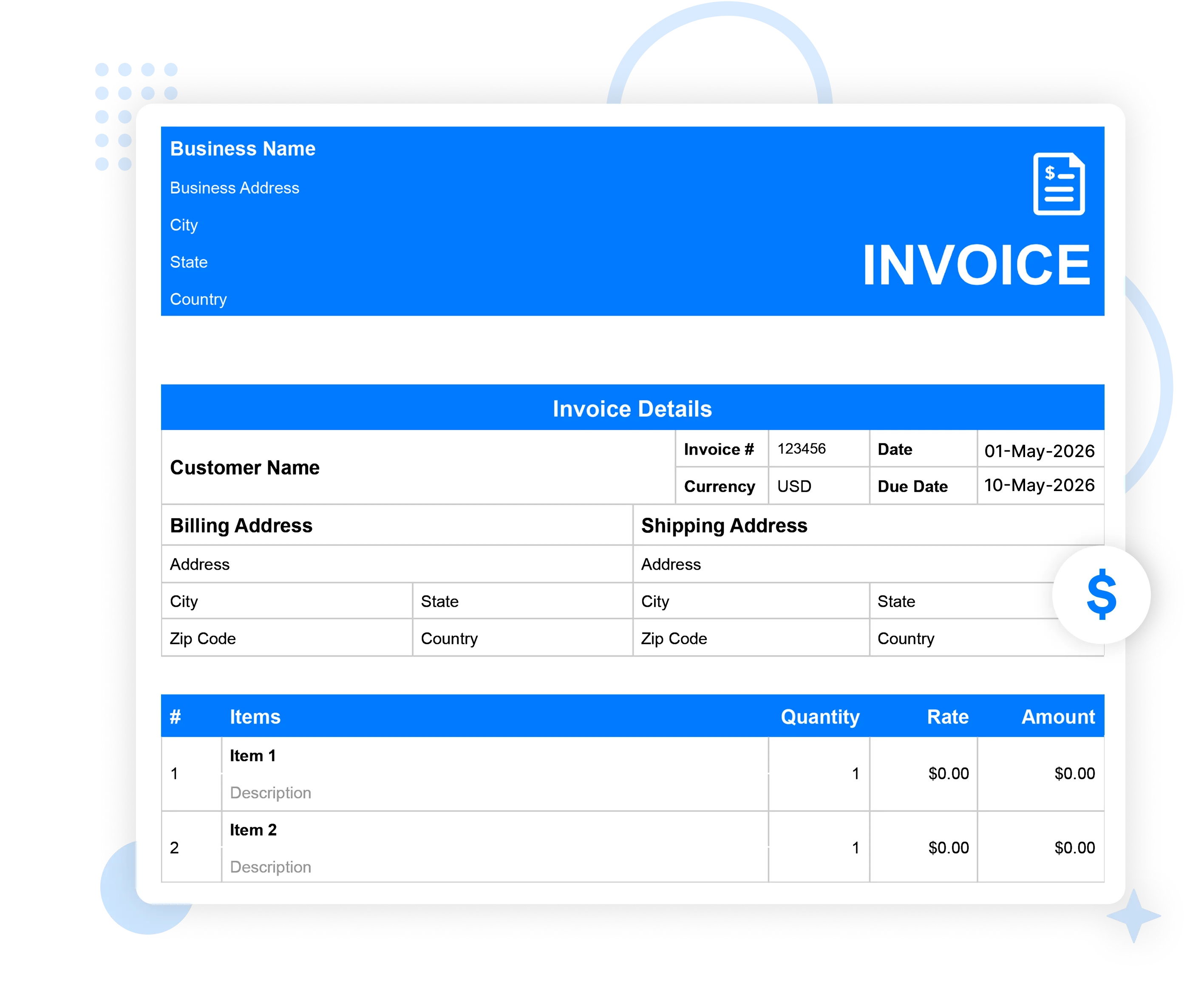
Download the window cleaning invoice template
Step up to an advanced invoicing solution with our billing templates. Get your desired window cleaning invoice sample & create an impressive & digital invoice in a minute.
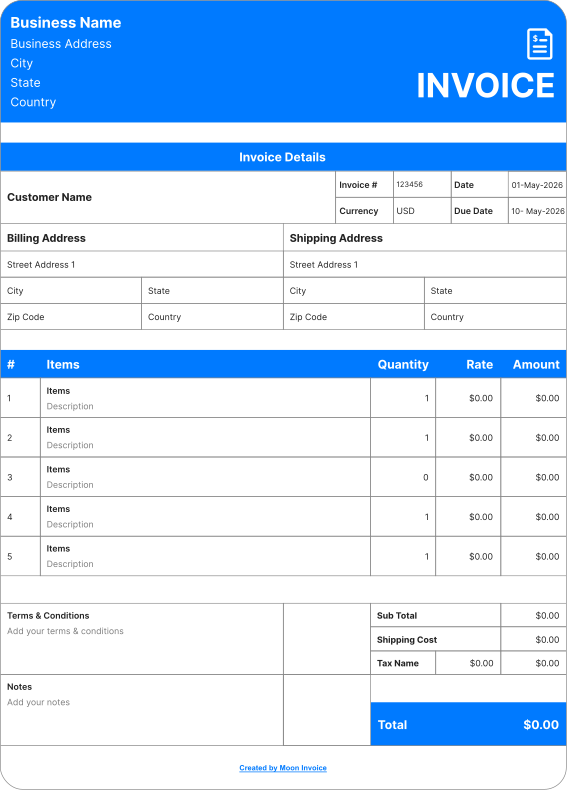
Window cleaning invoice template
Create a professional invoice for your window cleaning services quickly. Enhance your window cleaning business billing with our customized invoice templates. Save your time by filling in the details to create an impressive invoice.
 Microsoft Excel
 Microsoft Word
 Google Doc
 Google Sheets
 Adobe PDF
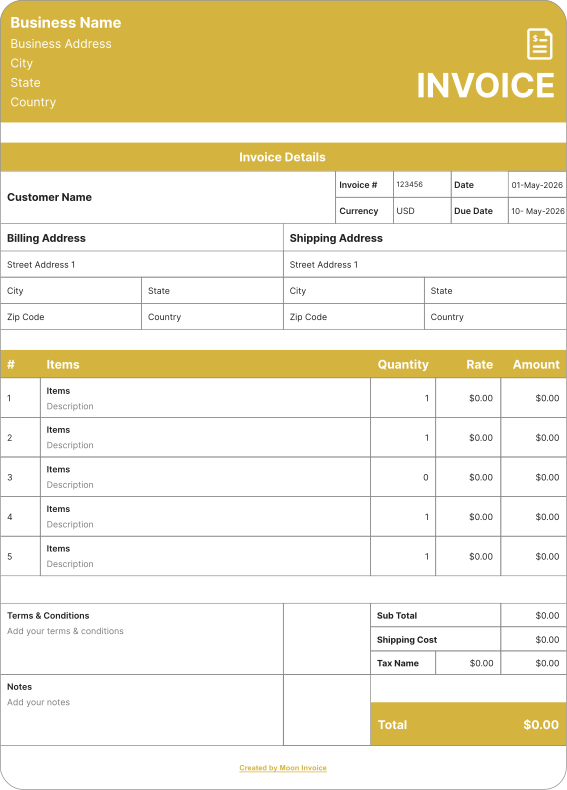
Office cleaning invoice template
Do you provide office cleaning service? Generate a clean & professional office cleaning invoice with our customized templates. Promise accuracy and let your invoice enhance on-time payment on every window cleaning deal.
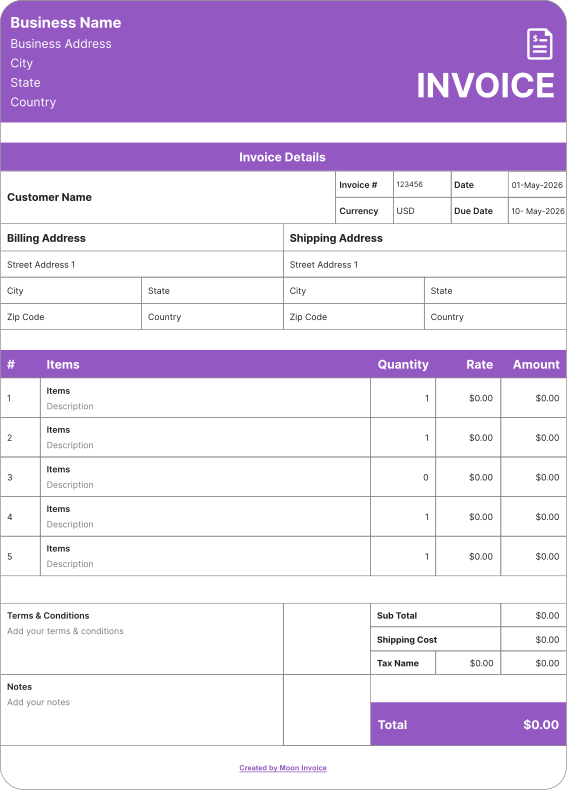
Printable window cleaning invoice template
Regardless of the size of your window cleaning business, our invoice templates are suitable for businesses of all sizes. Send a digital copy or print an invoice with our printable window cleaning invoice templates. Maintain professionalism and consistency on every invoice.
How do you fill out or create a window cleaning invoice?
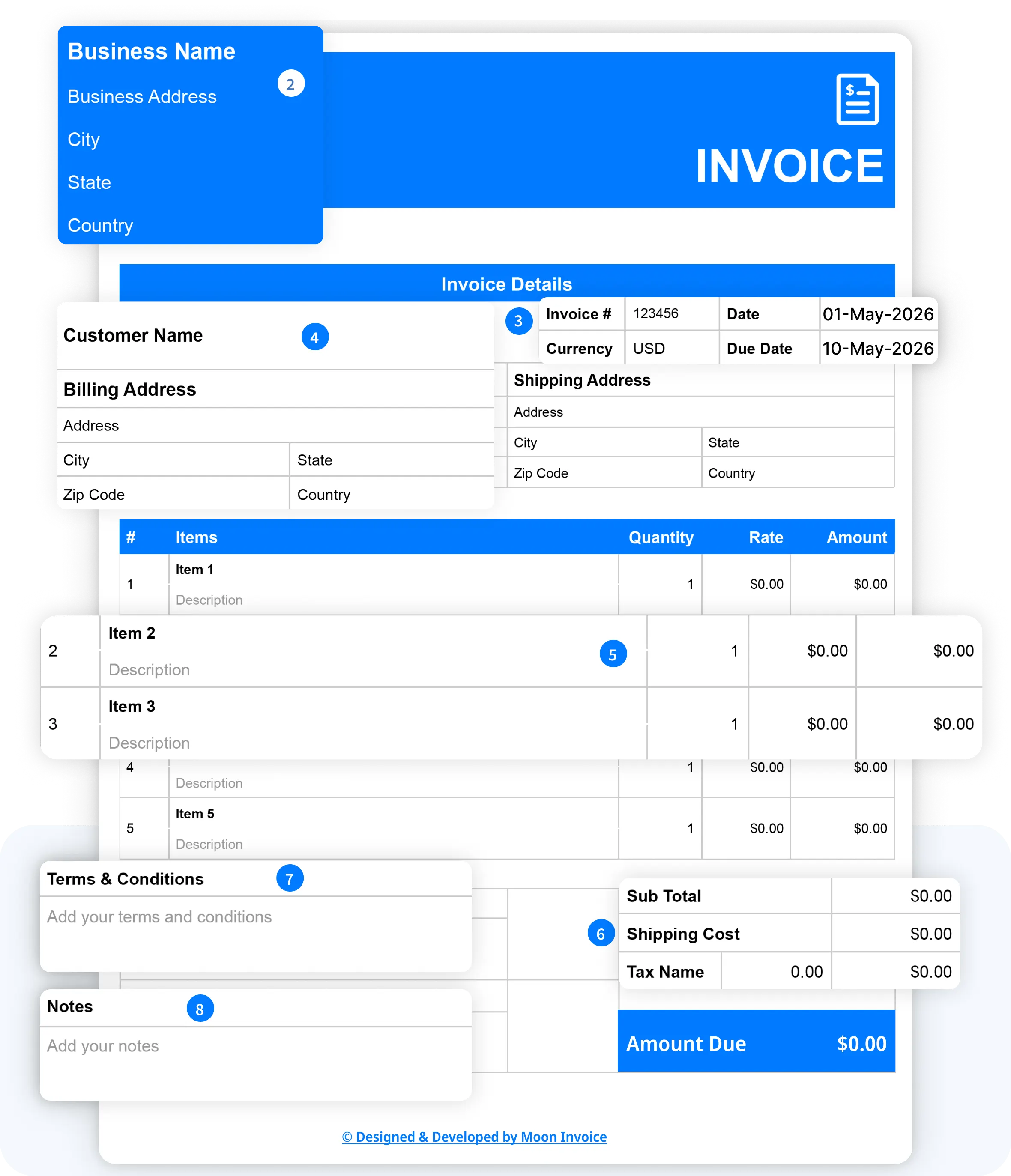
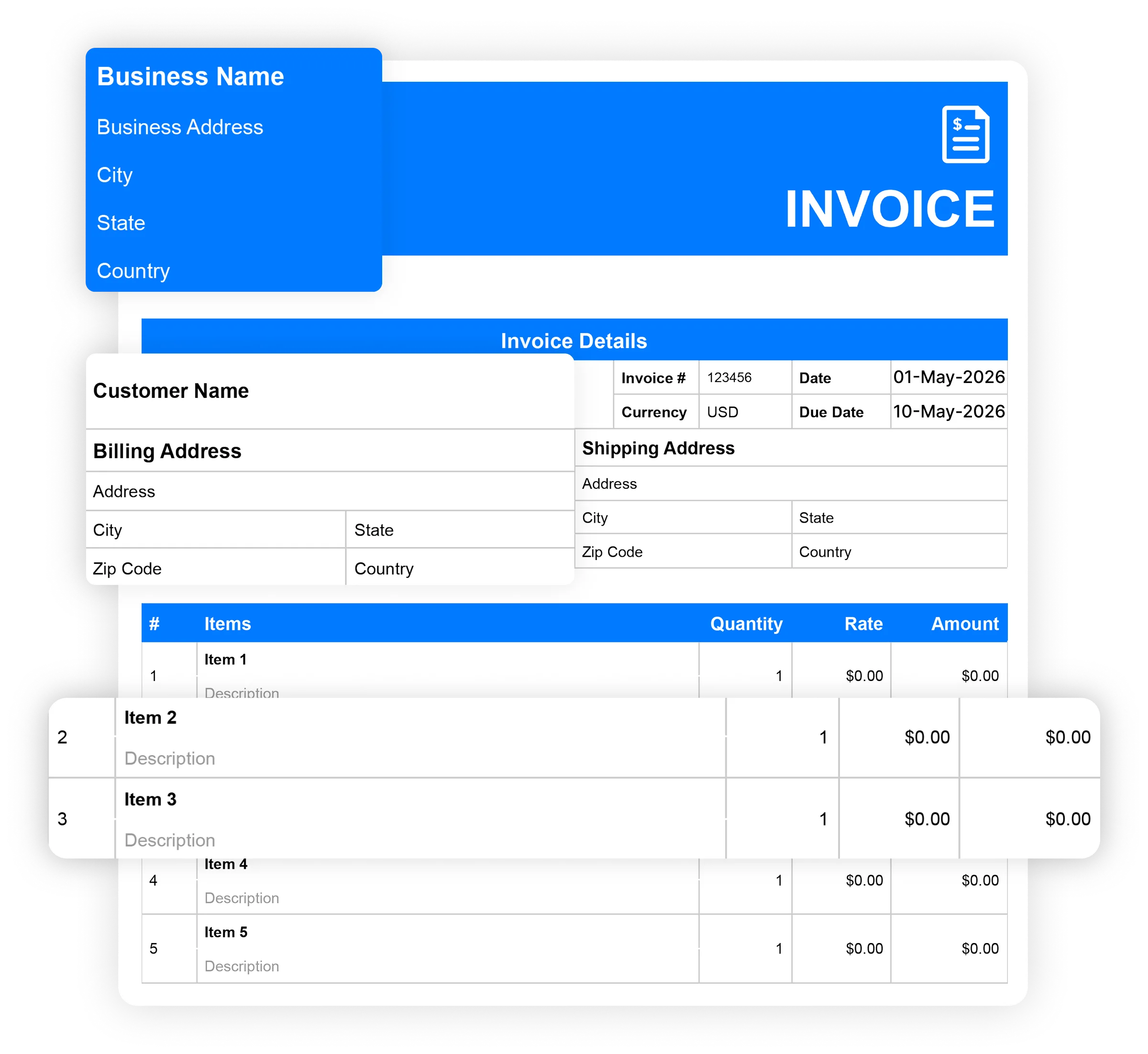
Creating your own window cleaning invoice is quick and easy with Moon Invoice. The software offers 66+ customizable invoice templates. Users can easily fill in the details and generate invoices. Here are the key steps to generate an invoice for a window cleaning service.
- Download the free window cleaning invoice template in your preferred format (Word, Excel, Google Docs, Google Sheets, or PDF).
- Mention the business name and address, including the city, state, and country.
- Start entering the basic invoice details, such as the invoice number, currency, date, and due date.
- Add your customer name, followed by the billing address and shipping address (if required), with city, state, and country details.
- Include complete & necessary details of your offered window cleaning service, including quantity & rate.
- Add applicable tax.
- Include the terms and conditions.
- Add your notes.
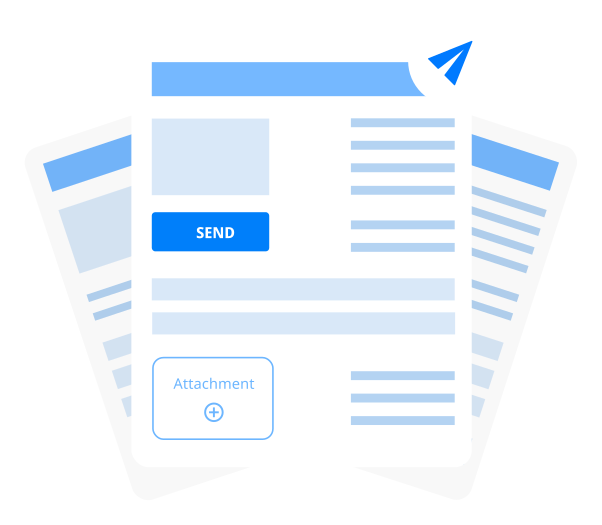
Share an invoice with the client once it is ready. The sharing can be via WhatsApp or email in an online form. The other method is to share a hard copy after printing.

When should I use a window cleaning invoice template?
Window cleaning invoice forms are highly useful for professionals who need to send clean & professional invoices during billing. Moreover, the approach also enhances on-time payment. Here are the key scenarios where window cleaning professionals need invoice templates.
To bill the client
Window cleaning professionals can easily create an invoice with the window cleaning invoice sample. They can easily create an invoice with the ready-made fields. This simplifies the overall billing process & leads to time savings and improved efficiency.
Simplify record keeping
Window cleaning invoice templates are also helpful in maintaining record-keeping. The well-structured format ensures uniformity & consistency across every record. Professionals can easily track the invoice through the invoice number & other details.
For the recurring billing
A window cleaning template to create an invoice is also helpful for recurring cleaning billing. Whether it is weekly, monthly, or quarterly, professionals can easily set up recurring billing without having to rebuild the invoice over and over.
Tips for improving your window cleaning invoice
Professionals should follow the tips below to create an outstanding window-cleaning invoice.
- Keep the invoice format simple, professional, & clean to avoid confusion.
- Add your business logo, name, address & contact details.
- Always mention the correct, relevant & necessary information.
- Highlight due date & overdue payments.
- Offer multiple payment options to the customer.
- Keeps the payment terms language clean and easy to understand.
- Use the cleaning invoice template/invoice generator to create the outstanding invoice.
- Attach all the relevant and supporting documents when required.
- Showcase the pricing in a breakdown form for better understanding.
- Cross-check the invoice details before sharing it with the client.
Tips for improving your window cleaning invoice
What is the best time to send a window cleaning invoice?
What is the best time to send a window cleaning invoice?
The best time to send a window cleaning invoice is immediately after the job is completed to avoid late payments. It is a common and effective approach for keeping billing on track. It enhances the on-time payment.
Professionals can also send an invoice before the work begins when a partial payment, such as an advance, is required. This practice is more applicable to large cleaning projects and to companies that accept advance payments.
The timing of an invoice also depends on the window cleaning company's policies and agreed payment terms. Window cleaning professionals can send invoices after 15, 30, or 45 days, depending on the billing agreement.
Industry-Specific Online Invoice Templates
Streamline your workflow and get paid faster with pre-built industry-specific invoices. Download your desired invoice template for free.
Service
- Car Detailing Invoice Templates
- Auto Repair Invoice Templates
- Tutoring Invoice Templates
- Makeup Artist Invoice Templates
- Travel Agency Invoice Templates
- Professional Services Invoice Templates
- Pest Control Invoice Templates
- Courier Invoice Templates
- Interpreter Invoice Templates
- House Cleaning Invoice Templates
- Consignment Invoice Templates
- Junk Removal Invoice Templates
- Carpet Cleaning Invoice Templates
- Hair Stylist Invoice Template
- Car Rental Invoice Template
- Snow Removal Invoice Templates
- Towing Invoice Template
- Shipping Invoice Template
- Web Design Invoice Template
- Massage Therapy Invoice Template
- Nanny Invoice Template
Business
- Bakery Invoice Templates
- Catering Invoice Templates
- Small Business Invoice Templates
- Hotel Invoice Templates
- Freelancer Invoice Templates
- Consulting Invoice Templatess
- Commercial Invoice Templates
- Architecture Invoice Templates
- Jewelry Invoice Templates
- Cake Invoice Templates
- Event Planner Invoices
- Accounting Invoice Templates
- Financial Advisor Invoice Templates
- Florist Invoice Templates
- Airbnb Invoice Templates
- Sole Trader Invoice Templates
- Deposit Invoice Templates
- Car Sales Invoice Templates
- Insurance Invoice Template
General
- Net 30 Invoice Templates
- Services Rendered Invoice Templates
- Printable Invoice Templates
- Pro Forma Invoice Templates
- Itemized Bill Invoice Templates
- Security Invoice Templates
- Hourly Invoice Templates
- Sales Invoice Templates
- Rental Invoice Templates
- Self Employed Invoice Templates
- Sponsorship Invoice Template
Free window cleaning invoice templates vs. Moon Invoice
Are you confused about whether to use a free invoice template or window cleaning invoicing software? Here are some sets of differences, as per the included functions.
| Set of functions | Free window cleaning invoice templates |

|
|---|---|---|
| Free window cleaning invoice templates |

|
|
| Unlimited invoicing |

|
|
| Automatic payment alerts |
|
|
| Automatic invoice tracking |
|
|
| Portal for viewing invoices |
|
|
| Send invoice via WhatsApp |
|
|
| Time-tracking |
|
|
| Download Now | Sign Up |
Frequently Asked Questions
If you have any further questions, please don't hesitate to reach out to our customer support team for assistance.
Can I use a digital template for window cleaning invoices?
Yes, using a digital window cleaning template for an invoice helps generate professional invoices. Window cleaning service providers can boost their invoicing by using templates that provide ready-to-use fields to generate invoices quickly.
How much should a window cleaner charge?
A window cleaner charges on the basis of the number of windows, size, and window type. The average rate for a residential project is $160 to $400. A typical price range is $12 to $17 per window or $5 to $10 per pane for a standard window. The hourly rates are around $50 to $80.
How do you price window cleaning jobs?
Pricing window cleaning jobs depends on factors such as the type of service, location, current market rates, etc. Additionally, it also depends on whether the project is residential or commercial. For residential pricing, charging per-panel or per-window rates is a common method. Also, it includes add-on charges for height & condition. In commercial pricing, per-square-foot rates are the most common strategy.
Why use a window cleaning invoice template?
Using an invoice template for cleaning provides the following benefits:
- Speed up the invoicing process by providing ready-to-use samples.
- Saves users time by eliminating the need to create the format.
- Helps to maintain professionalism and consistency in every invoice.
- Ensure accuracy by providing an auto-calculating concept.
- Invoice made from templates leaves a lasting impression on the client and enhance repeat business.
- Simplify the record-keeping process.
How long does it take to prepare a window cleaning invoice?
It depends on the complexity involved in the billing and the type of window cleaning service. With a manual approach, it takes a few hours to prepare a window-cleaning invoice. However, using a customized window-cleaning invoice template from Moon Invoice, you can create an invoice in just 1 minute. The platform offers 66+ customized invoice templates in all formats.