
If you are about to start your startup or already manage a business, setting up a PayPal account is worthwhile.
According to the latest DemandSage report, PayPal has 432 million active users, representing a 45.52% market share. The main reasons for its popularity are fast processing, easy setup, and secure transaction flow.
Opening a PayPal business account offers seamless payment processing, especially for your overseas sales. It allows you to easily expand your reach to international customers while adopting a simple payment solution.
But how do you set up a PayPal business account, and how much does it cost? Let’s uncover the information here.
📌 Key takeaways
- Opening a PayPal business account is free of cost.
- There are certain requirements to create a PayPal business account.
- Setting up a PayPal business account takes a few minutes and involves a series of systematic steps.
- It’s essential to understand PayPal’s fees and the setup procedure.
- To receive payment, you must verify your email address and link your business bank account, debit card, and credit card.
- In addition to payment processing, you can use PayPal for invoicing, recurring payments, and payment tracking.
What is a PayPal business account?
A PayPal business account is a professional account, designed for companies, freelancers, and other small businesses to send, accept, and manage domestic and international payments. It is purely dedicated to business use and allows professionals to accept payment through the following payment methods:
- Bank transfer
- Credit and debit cards
- PayPal balance
- Digital wallets
- International payments
- QR code payments
- Recurring payments
Key features of the PayPal business account
- Receiving overseas payments in multiple currencies.
- Integration with various e-commerce platforms like WooCommerce and Shopify.
- Sending invoices to the customer.
- Track the sales and other transaction history.
- Provides a secure transaction.
- Enhance professionalism by using the business name instead of a person’s personal name.
How is it different from a personal account?
PayPal offers two types of accounts –
- Personal account
- Business account
A PayPal business account is quite different from a personal account. Let’s check out how
| PayPal personal account | PayPal business account |
|---|---|
| It is primarily useful for personal payment transactions and online shopping. | It is primarily useful for receiving customers’ payments. |
| It doesn’t cover invoicing. | It allows you to send invoices and manage recurring payments. |
| Integration is limited. | Advanced integration is available. |
| No multiple-user accessibility. | Multiple user accessibility is available. |
| It includes standard checkout features. | It includes customizable checkout options. |
How to set up a PayPal business account in 7 steps?
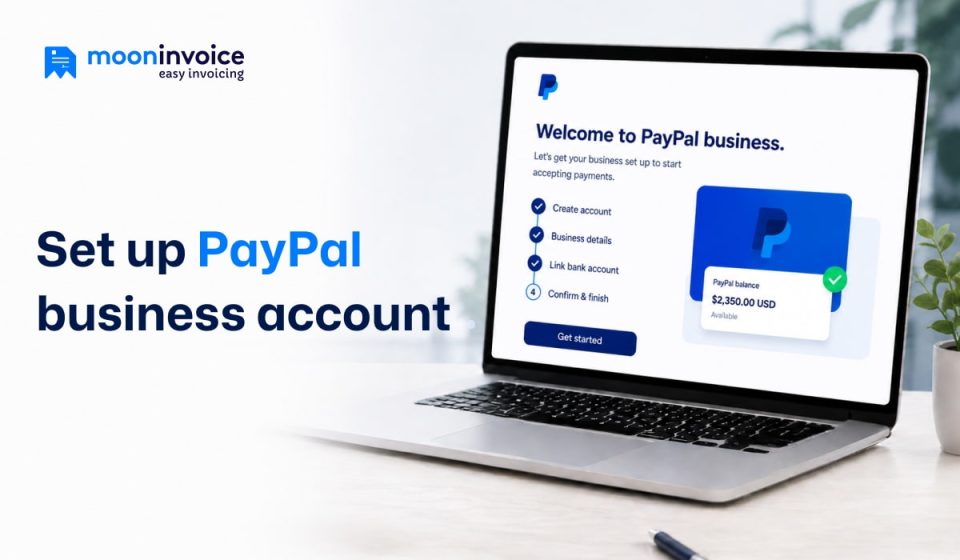
Opening your PayPal business account is a straightforward process. Follow these easy PayPal set-up business account steps:
Step 1: Visiting the PayPal website
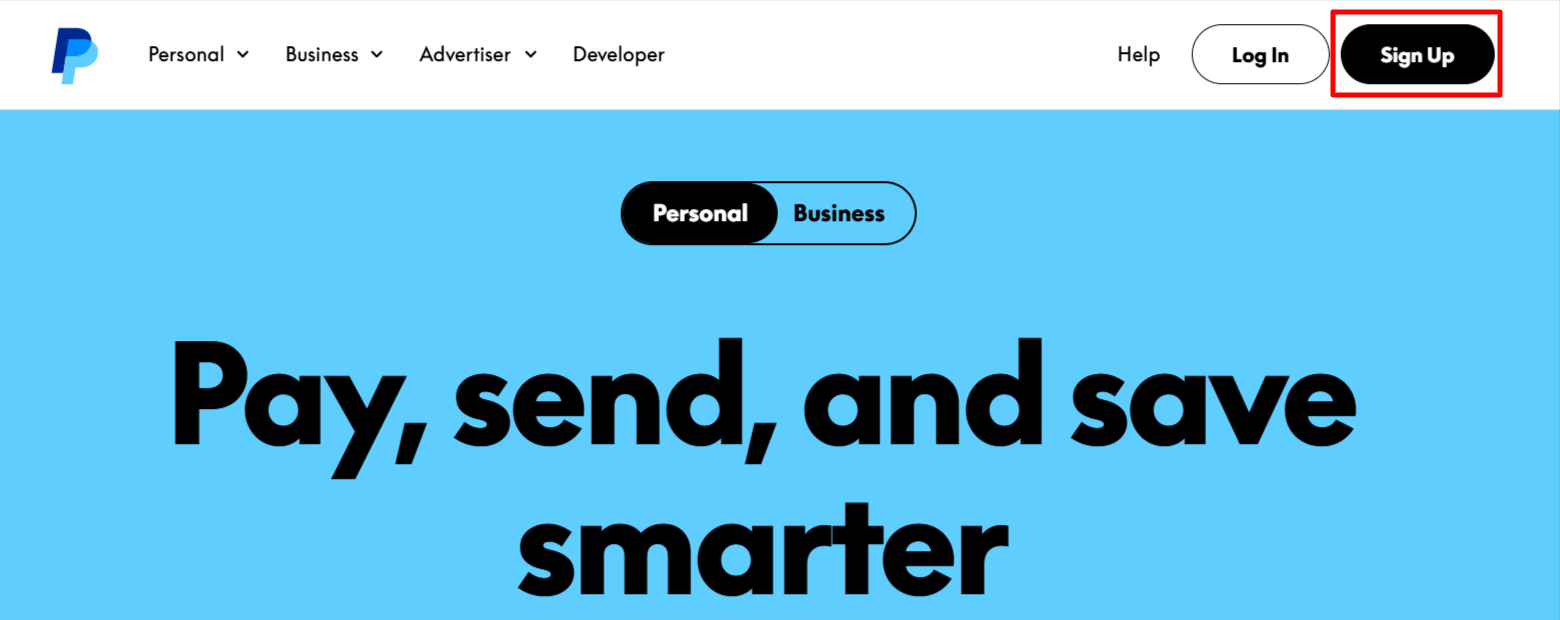
First, visit PayPal’s official website.
Now, find the “Sign Up” button in the top-right corner, and you will see a new interface.
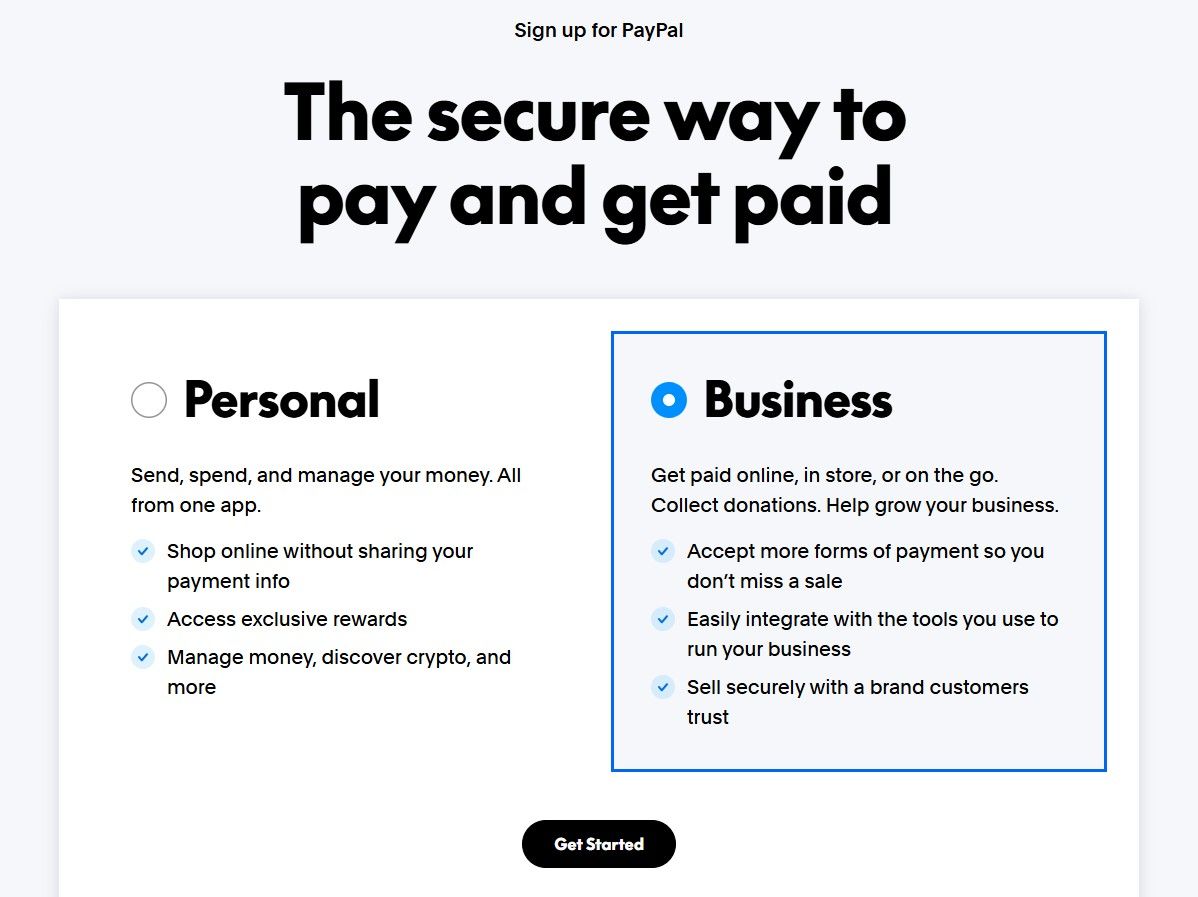
Choose the “Business Account”, then click “Get Started”.
Step 2: Add the details
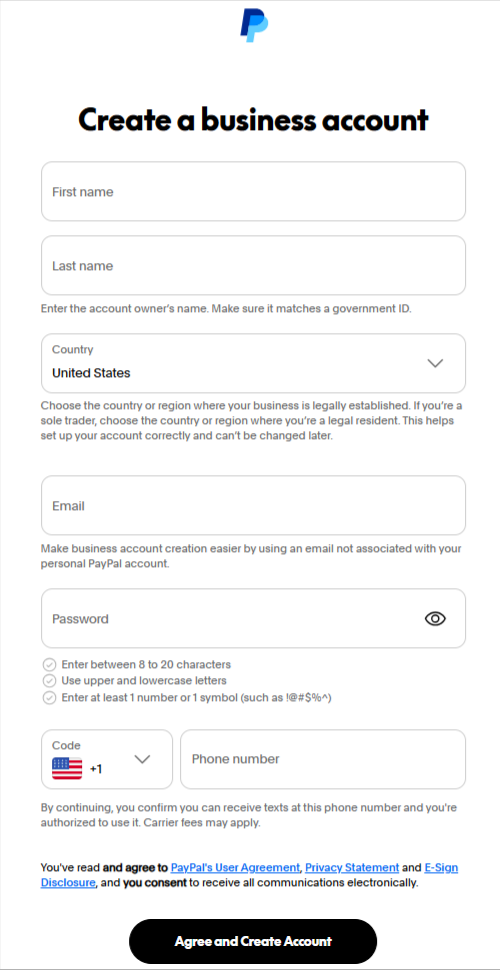
You need to provide your business details, such as:
- First name
- Last name
- Email address (which is not used for a personal PayPal account)
- Chosen password
- Phone number
Once you enter the details, hit the “Agree and Create Account” button.
Step 3: Email verification
A confirmation email will now be sent to your email address. You need to validate your process through it. This is a necessary step to activate your account and access its features.
Step 4: Log in and add business information
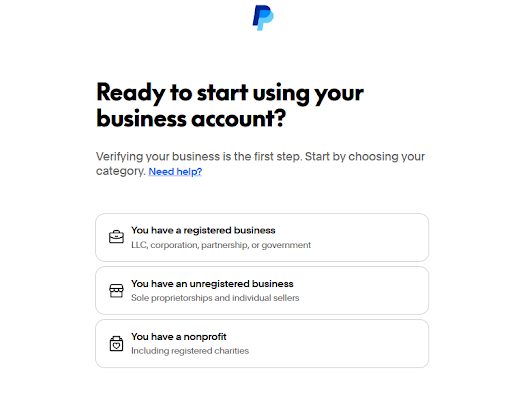
Once you verify the email address, your next phase is to submit some information. You need to describe your business – sole proprietorship, partnership, non-profit organization, or any other. Based on the business type, you need to provide additional information describing your product or service.
Log in to your account using your credentials, then fill in the required information.
- Business name
- Business address
- Type of the business
- Your preferred currency
- Employer Identification Number (EIN), which is also known as Federal Employer Identification Number (FEIN)
- Social Security Number (SSN) and date of birth
- Home address
Step 5: Link your bank account or card
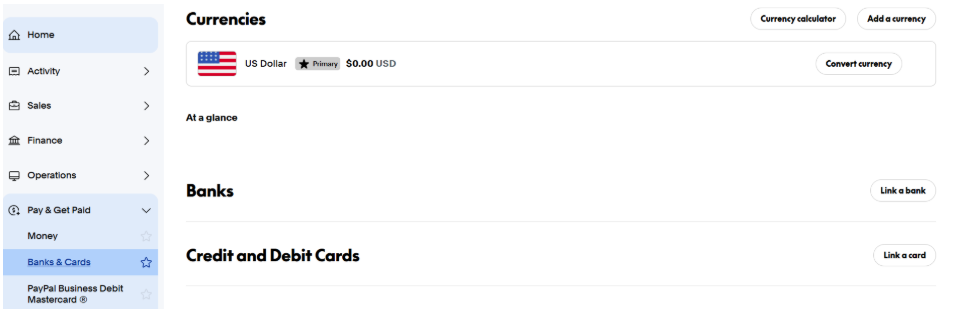
Connect the business bank account, debit card, or credit card to send and receive the payment. To link your bank account, click the “Pay & Get Paid” option on the left-hand side. Under the drop-down menu, you will find the “Banks & Cards” option. You can link your bank account, credit, and debit cards by clicking the “Link a bank” or “Link a card” option.
For instance, to link a bank account, select the bank, then enter the routing number and account number. You can also use your personal bank account if you have no separate business bank account.
Similarly, you can link your credit or debit card by sharing your card details and following the further instructions.
PayPal will make two small deposits into your bank account for verification. So keep checking your bank account regularly after linking it.
Step 6: Additional verification
You need to go through an additional verification process to access your PayPal account fully. However, it depends on your region. You may need to submit the following details:
- Government-issued ID
- Tax information
- Business registration documents
- Proof of address
Step 7: Start accepting the payment
Upon completing verification, you can accept the customer’s payment, send invoices, and manage online transactions. So these are the steps to complete your PayPal set-up business account process.
Pro Tips:
Always offer multiple payment options when you send an invoice on PayPal to increase the chances of faster payment.
How much does it cost to open a PayPal business account?
Another most common question in a professional’s mind: What are PayPal business account fees? There is no cost associated with setting up a PayPal business account. It means there are no monthly or setup fees when opening the account. However, some charges apply as transaction fees upon receipt of your payment.
PayPal charges fees based on the merchant’s location and payment type. For USA merchants, the standard rate for receiving domestic transactions is as follows:
- PayPal Checkout – 3.49% + fixed fee
- PayPal guest checkout – 3.49% + fixed fee
- QR code transaction – 2.29% + fixed fee
- QR code transactions through third-party integrator – 2.29% + 0.09 USD
- Pay with Venmo – 3.49% + fixed fee
- Send/receive money for Goods and Services – 2.29%
- Standard credit and debit card payments – 2.29% + fixed fee
- PayPal Pay later options – 4.99% + fixed fee
- All other commercial transactions – 3.49% + fixed fee
For international transactions, an additional 1.50% fee applies on top of the domestic transaction fee.
Source: https://www.paypal.com/us/business/paypal-business-fees
Why should professionals use a PayPal business account?
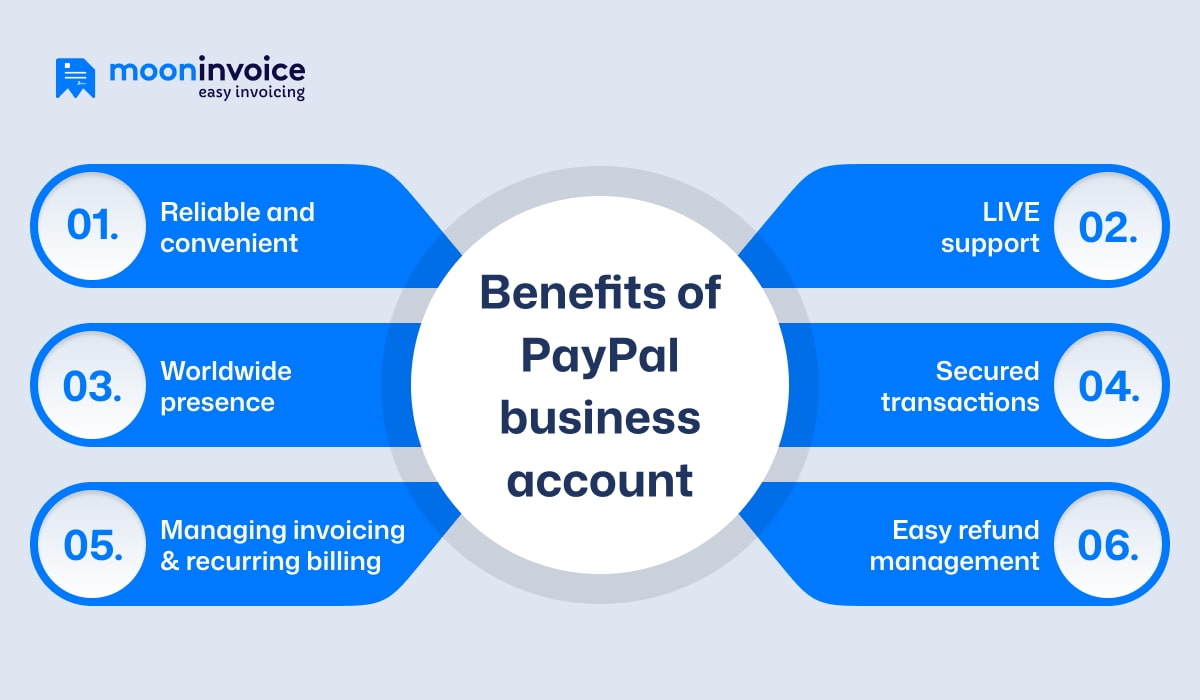
Merchants can streamline their payment process by using a PayPal business account. Here are the key reasons for using it:
1. Reliable and convenient
PayPal is a trustworthy service that millions of people rely on. Moreover, it offers a convenient approach for transactions. A PayPal business account for small businesses helps owners to accept secure online payments and send invoices.
2. Worldwide presence
PayPal is a popular payment system. With 200+ global markets and 25 currencies supported, it demonstrates a strong presence, allowing merchants to accept payments worldwide. Hence, contributes to business growth by dealing with international clients.
3. Managing invoicing and recurring billing
A PayPal business account lets professionals send invoices and set recurring billing. Thus, whether it’s about weekly, monthly, or annual billing, you can ensure on-time billing. Also, it helps ensure on-time payments and reduces your manual work.
4. LIVE support
PayPal users get LIVE customer support. Hence, users can easily connect with the support team and get a solution for a refund, an account-related query, or other issues.
5. Secured transactions
You can sign up for a PayPal business account to avail of secure transactions. PayPal uses encryption and advanced AI technologies to detect suspicious transactions. It prevents fake payments, unauthorized transactions, unusual login attempts, and account misuse.
6. Easy refund management
It’s simple to issue full or partial refunds, or even cancel payment reversals, directly from the dashboard. It improves customer satisfaction and also builds trust. Also, you can handle business more efficiently through this easy refund management.
Simplify your PayPal transactions with Moon Invoice
No doubt PayPal offers a convenient and secure way to transact. Still, if you’re looking for more advanced, automated solutions, Moon Invoice can be your right hand.
Trusted by 1.7M+ global users, this invoicing software offers 66+ ready-made invoice templates. Thus, you can easily create professional invoices and send them online without any hassle. You can easily track and manage payments on a single centralized platform.
Additionally, it supports PayPal integration, making your transactions faster and safer. Whether your client pays by credit card or another payment method, the platform ensures 100% safe, secure transactions. This enhances automation, enabling faster processes for international payments.
With 20+ payment integrations, Moon Invoice makes it easy for customers to pay using their preferred method. Thus, your business can receive on-time payments, maintain strong financial health, and reduce manual effort.
Struggling with on-time payment?
Switch to Moon Invoice and get paid 5x faster with automated invoicing.
FAQs
What are the requirements for a PayPal business account?
Can I use a personal bank account for a PayPal business account?
How long does it take to verify the PayPal business account?
Is a PayPal business account useful for freelancers and small businesses?
How to deactivate, close, and delete your PayPal Business account?



We at Moon Invoice, are the best minds behind smarter invoicing and seamless business growth. We love to solve financial problems and keep providing effective tips through our blogs, newsletters, and social media channels. As a team, we continue exchanging ideas about growing financial challenges and smart use of automation tools.