Security invoice template
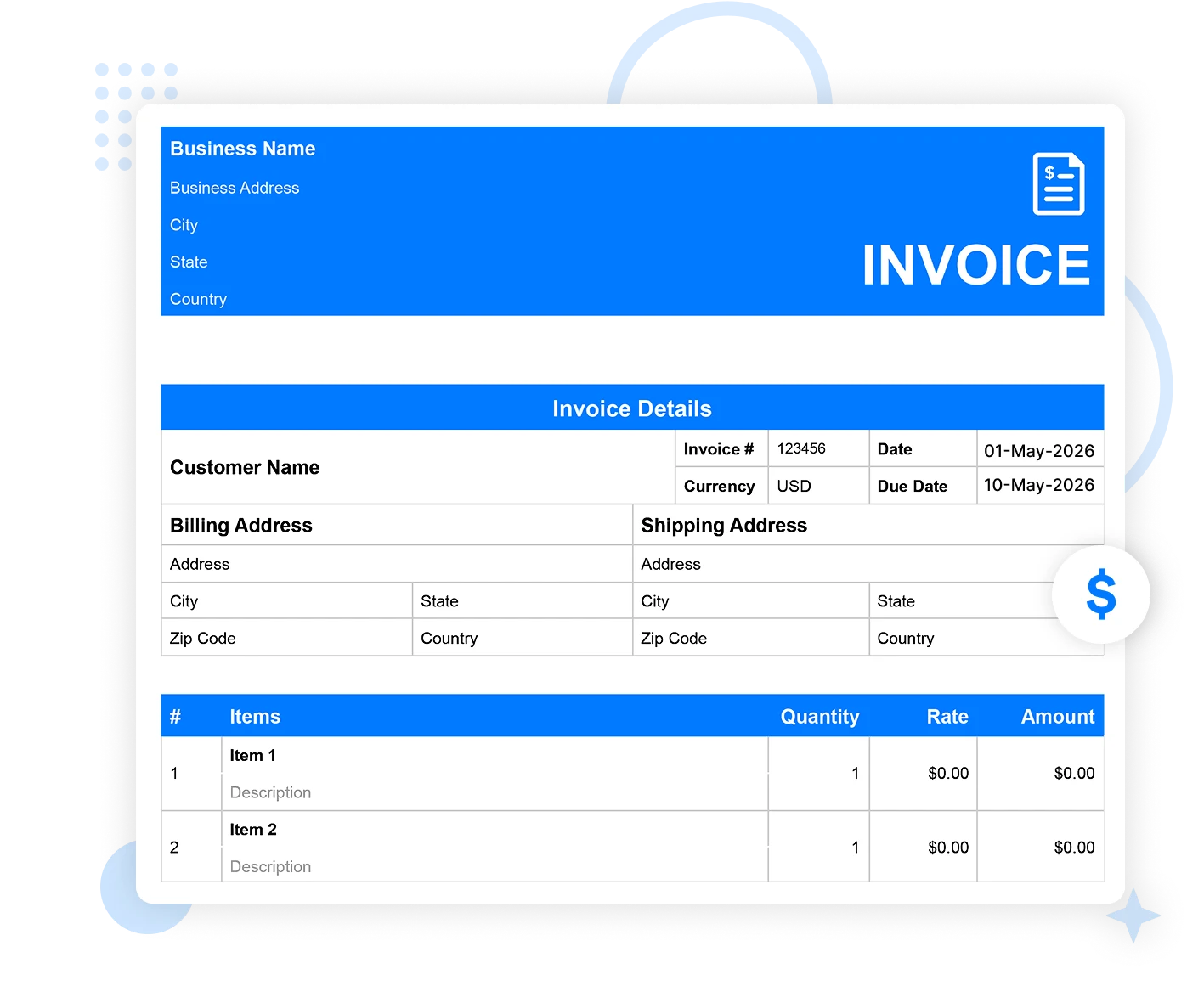
Are you providing security services to an individual, private property, or a business? Let's streamline your billing with our security invoice template. Moon Invoice offers 66+ customized invoice templates in Word, Excel, Google Sheets, Google Docs, and PDF. Choose the right security guard invoice template and create an impressive invoice quickly and easily to receive on-time payment.
Download the security invoice template
Enhance your security business billing by using our security invoice template. Quickly create an invoice with the right commitment to accuracy.
Security invoice template
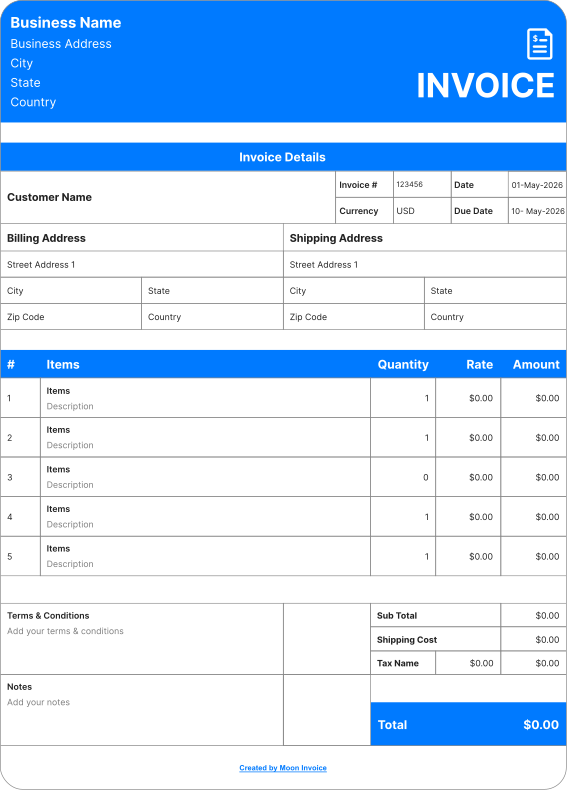
Get customized security invoice templates to easily create the invoice you want. Just include the required details, and your valid security invoice will be ready in a minute. Boost your on-time payments by sharing accurate details and leaving a lasting impression on your clients.
 Microsoft Excel
 Microsoft Word
 Google Doc
 Google Sheets
 Adobe PDF
Security guard invoice template
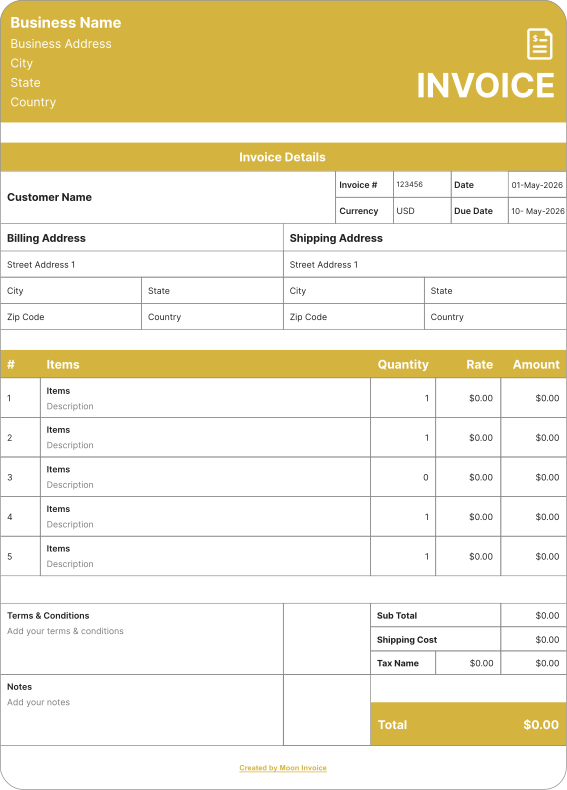
Are you providing security guard services? Streamline your billing with our customizable invoice template. Generate your desired security guard invoice, including the required details: guard duty hours, rates, and total charges.
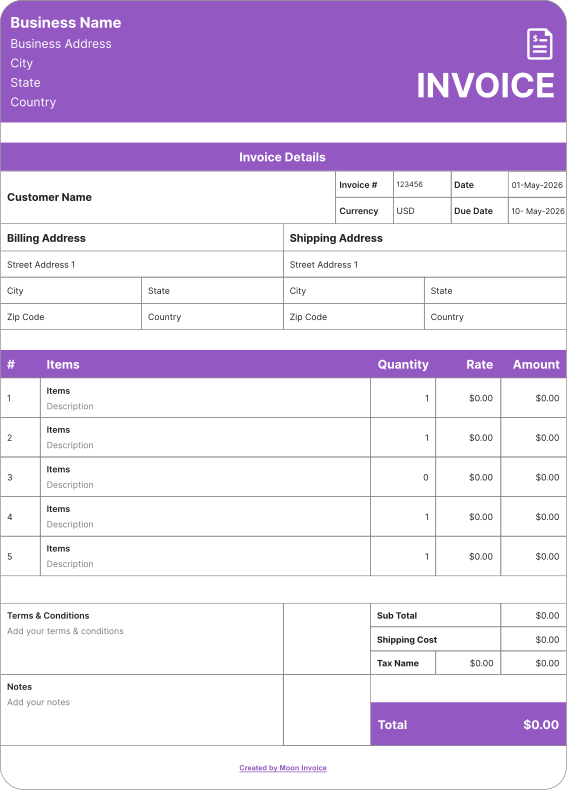
Security company invoice template
Running a security company? Enhance your invoicing process & get on-time payment for every security service you provide to your client. Utilize our security company invoice template & share a professional invoice that is clear and leaves no room for errors or confusion.
How to create a security invoice online?
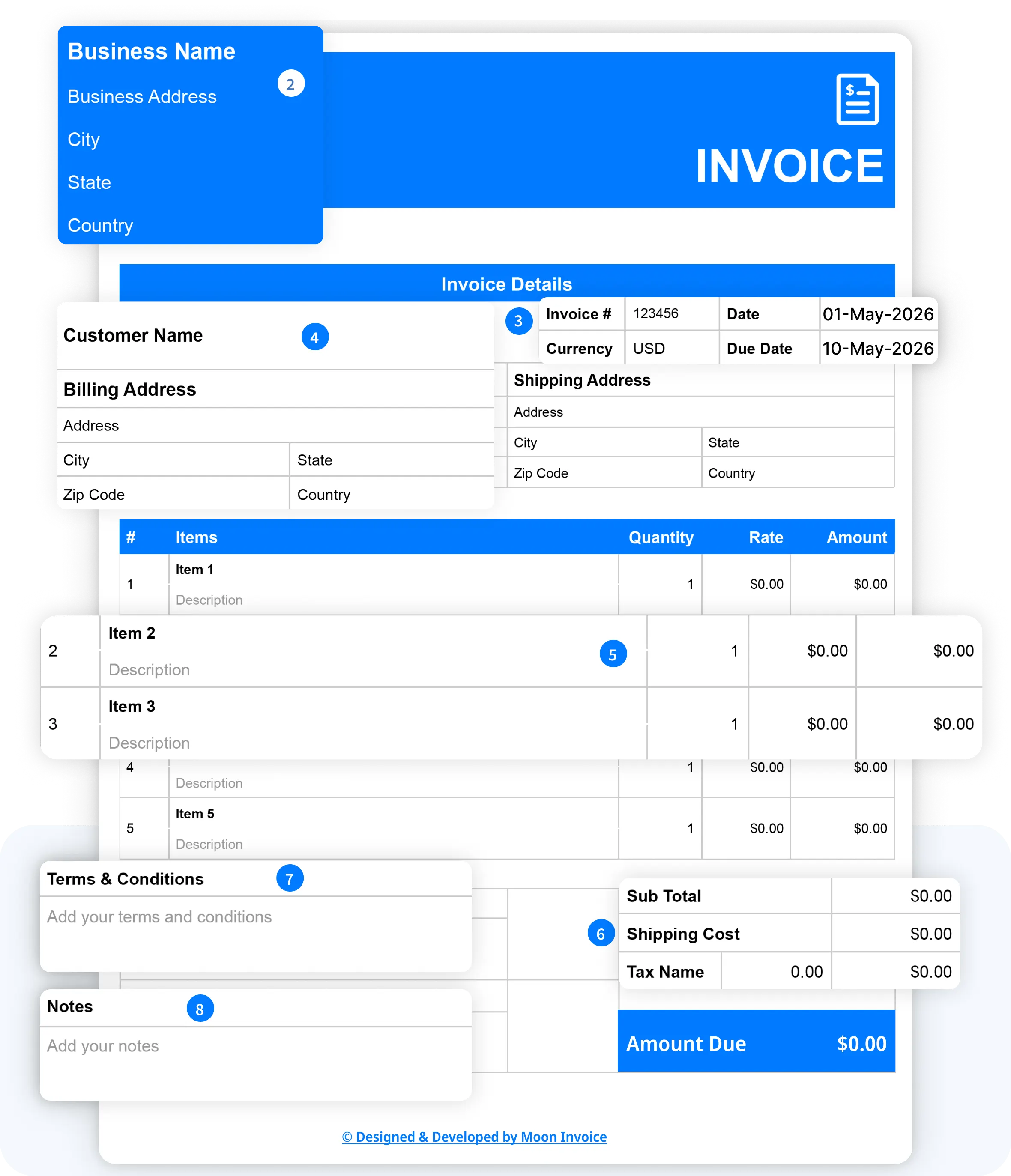
If you are starting a security company, then security invoicing is non-negotiable. And so is the invoicing software. Here, we explain how you can create a security invoice professionally in under a minute or less.
- Download our free security invoice templates in your preferred format (Word, Excel, Google Docs, Google Sheets, or PDF).
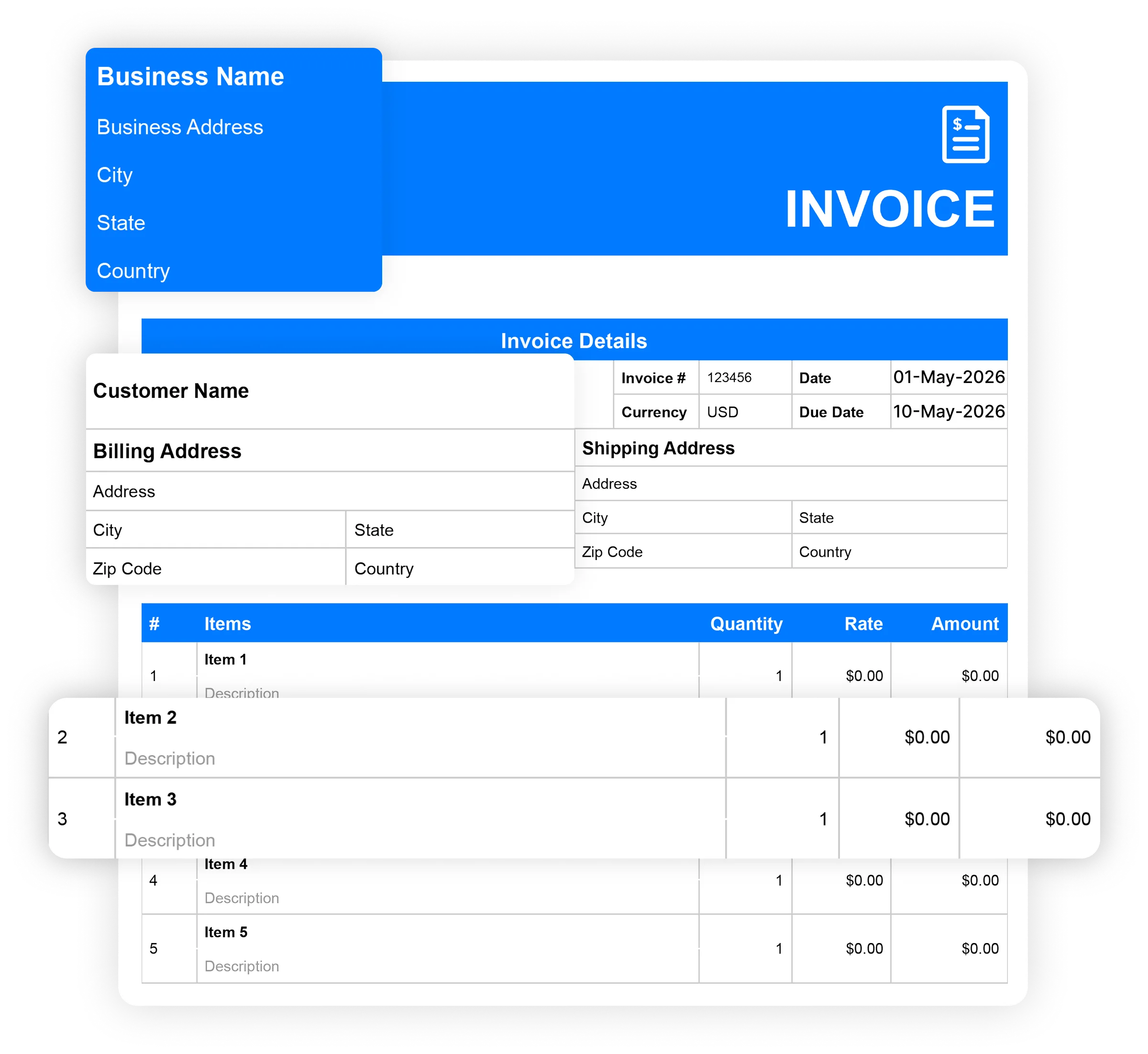
- Mention the business name along with the business address, city, state, and country details.
- Start filling in the basic invoice details, such as the invoice number, currency, date, and due date.
- Add your customer name, followed by the billing address and shipping address (if required) with city, state, and country details.
- Include all details of your security service, including quantity & rate.
- Add applicable tax.
- Include the terms and conditions.
- Add your notes
- Review the details and save or download the final invoice.
You can send the security invoice via WhatsApp or email. Alternatively, you can send a hard copy of the invoice after printing it.
When should I use a security invoice template?
The security invoice template streamlines the invoice creation process. Here are the situations where you need it:
After completing services
Once you deliver your security services, you can utilize the invoice template to create the security invoice. This approach will speed up your invoicing, save time, and produce accurate invoices. Additionally, you can leave a good impression by sharing a presentable invoice with your client.
For hourly security services
Security business owners can easily include details such as guards' working hours and rates in the security invoice template. This will simplify billing for every hourly security service you offer your client. Clear details within the invoice lead to on-time payment.
During ongoing security contracts
Security service providers can use the security invoice template to streamline billing for ongoing security contracts. Whether it is a weekly or monthly security service, recurring billing can be faster and more efficient with the templates.
Best tips for improving your security invoice
You can improve your security invoice by adopting the following tips:
- Keep the invoice layout simple, clear & attractive.
- Mention the details to the point to enhance the viewer's understanding.
- Make sure the contact details are accurate.
- Assign a unique invoice number to every invoice to ease tracking.
- Always highlight the due date and total payable amount.
- Mention the late payment fee details in the security guard invoice.
- Showcase the line-item details in an itemized form with a cost breakdown.
- Include the terms & conditions related to your invoicing.
- Utilize the security invoice template to create an accurate & professional invoice.
- Always send the invoice in accordance with the payment terms or other agreed-upon terms to ensure on-time payment.
- Review the complete invoice before sharing it with your client.
Best tips for improving your security invoice
What is the best time to send the security invoice?
What is the best time to send the security invoice?
The ideal time to send the security invoice is immediately after the service is completed. Once the service is delivered, security service providers can release the invoice. This approach increases the chances of on-time payment.
The security invoice can also be sent in accordance with the contract terms. The payment terms can be Net 15, Net 30, or other terms, meaning the client must pay within 15 or 30 days of the invoice date.
For the ongoing services, it is better to send invoices typically at the end of the agreed billing period. It could be weekly or monthly.
The invoice should be sent during working days. Also, professionals should send invoices before the due date to give customers enough time to review them. If anything is wrong, it gets resolved on time.
Industry-Specific Online Invoice Templates
Streamline your workflow and get paid faster with pre-built industry-specific invoices. Download your desired invoice template for free.
Service
- Car Detailing Invoice Templates
- Auto Repair Invoice Templates
- Tutoring Invoice Templates
- Makeup Artist Invoice Templates
- Travel Agency Invoice Templates
- Professional Services Invoice Templates
- Pest Control Invoice Templates
- Courier Invoice Templates
- Interpreter Invoice Templates
- House Cleaning Invoice Templates
- Consignment Invoice Templates
- Junk Removal Invoice Templates
- Carpet Cleaning Invoice Templates
- Hair Stylist Invoice Template
- Car Rental Invoice Template
- Snow Removal Invoice Templates
- Towing Invoice Template
- Shipping Invoice Template
- Web Design Invoice Template
- Massage Therapy Invoice Template
- Nanny Invoice Template
Business
- Bakery Invoice Templates
- Catering Invoice Templates
- Small Business Invoice Templates
- Hotel Invoice Templates
- Freelancer Invoice Templates
- Consulting Invoice Templatess
- Commercial Invoice Templates
- Architecture Invoice Templates
- Jewelry Invoice Templates
- Cake Invoice Templates
- Event Planner Invoices
- Accounting Invoice Templates
- Financial Advisor Invoice Templates
- Florist Invoice Templates
- Airbnb Invoice Templates
- Sole Trader Invoice Templates
- Deposit Invoice Templates
- Car Sales Invoice Templates
- Insurance Invoice Template
Free security invoice templates vs Moon Invoice
Are you confused about whether to use a free invoice template or security invoicing software? Here are some sets of differences as per the functions mentioned.
| Set of functions | Free security invoice templates |

|
|---|---|---|
| Free security invoice templates |

|
|
| Unlimited invoicing |

|
|
| Automatic payment alerts |
|
|
| Automatic invoice tracking |
|
|
| Portal for viewing invoices |
|
|
| Send invoice via whatsApp |
|
|
| Time-tracking |
|
|
| Download Now | Sign Up |
Frequently Asked Questions
If you have any further questions, please don't hesitate to reach out to our customer support team for assistance.
How to bill for security services?
To bill for security services, you need to clearly list the type of security work, the number of guards, the hours worked, and the rates. This work becomes easier with the security invoice template, which includes built-in samples and customizable fields.
Can security invoicing be automated?
Yes, security invoicing can be automated. Invoicing software like Moon Invoice offers recurring invoicing. Security company owners can easily automate invoicing for ongoing security services, resulting in smoother billing and on-time payments.
Who uses a security invoice template?
Security company owners and other professionals who provide security services use the security invoice template. The template offers ready-to-use samples that let security professionals easily list details and create professional invoices.
Can I download a free security invoice template?
Yes, you can easily download the free security invoice template from Moon Invoice. The platform offers over 66 customized invoice templates in Excel, Word, Google Sheets, Google Docs, & PDF. The built-in samples let you fill in the required details, including security services such as guards, event security, and patrol, along with their rates. Thus, you can quickly create a professional invoice for security services.





- Experience full-fledge invoicing module with estimates, POs, receipts
- Get offline support to work seamlessly
- Multiple payment gateways + custom payment method
- Live customer support
- Manage projects and customers efficiently
- Automate workflow, get analytics, & more
For my business, one of the headaches was managing both stocks and expenses. Luckily, I switched to Moon Invoice and found the hassles of stock and expense management getting faded. Thanks to this amazing invoicing app.


Try Moon Invoice Today!
- We Make Invoicing a Childsplay!
- No Complex Features, No Longer Processes
- Save Time, Boost Productivity
- Experience full-fledge invoicing module with estimates, POs, receipts
- Get offline support to work seamlessly
- Multiple payment gateways + custom payment method
- Live customer support
- Manage projects and customers efficiently
- Automate workflow, get analytics, & more
For my business, one of the headaches was managing both stocks and expenses. Luckily, I switched to Moon Invoice and found the hassles of stock and expense management getting faded. Thanks to this amazing invoicing app.
Try Moon Invoice Today!
- We Make Invoicing a Childsplay!
- No Complex Features, No Longer Processes
- Save Time, Boost Productivity
- Experience full-fledge invoicing module with estimates, POs, receipts
- Get offline support to work seamlessly
- Multiple payment gateways + custom payment method
- Live customer support
- Manage projects and customers efficiently
- Automate workflow, get analytics, & more
For my business, one of the headaches was managing both stocks and expenses. Luckily, I switched to Moon Invoice and found the hassles of stock and expense management getting faded. Thanks to this amazing invoicing app.
We will send you an email with instructions to reset it.
- We Make Invoicing a Childsplay!
- No Complex Features, No Longer Processes
- Save Time, Boost Productivity
- Experience full-fledge invoicing module with estimates, POs, receipts
- Get offline support to work seamlessly
- Multiple payment gateways + custom payment method
- Live customer support
- Manage projects and customers efficiently
- Automate workflow, get analytics, & more
For my business, one of the headaches was managing both stocks and expenses. Luckily, I switched to Moon Invoice and found the hassles of stock and expense management getting faded. Thanks to this amazing invoicing app.
Enter Password to link your account with Gmail
- We Make Invoicing a Childsplay!
- No Complex Features, No Longer Processes
- Save Time, Boost Productivity
- Experience full-fledge invoicing module with estimates, POs, receipts
- Get offline support to work seamlessly
- Multiple payment gateways + custom payment method
- Live customer support
- Manage projects and customers efficiently
- Automate workflow, get analytics, & more
For my business, one of the headaches was managing both stocks and expenses. Luckily, I switched to Moon Invoice and found the hassles of stock and expense management getting faded. Thanks to this amazing invoicing app.
Try Moon Invoice Today!
- We Make Invoicing a Childsplay!
- No Complex Features, No Longer Processes
- Save Time, Boost Productivity