
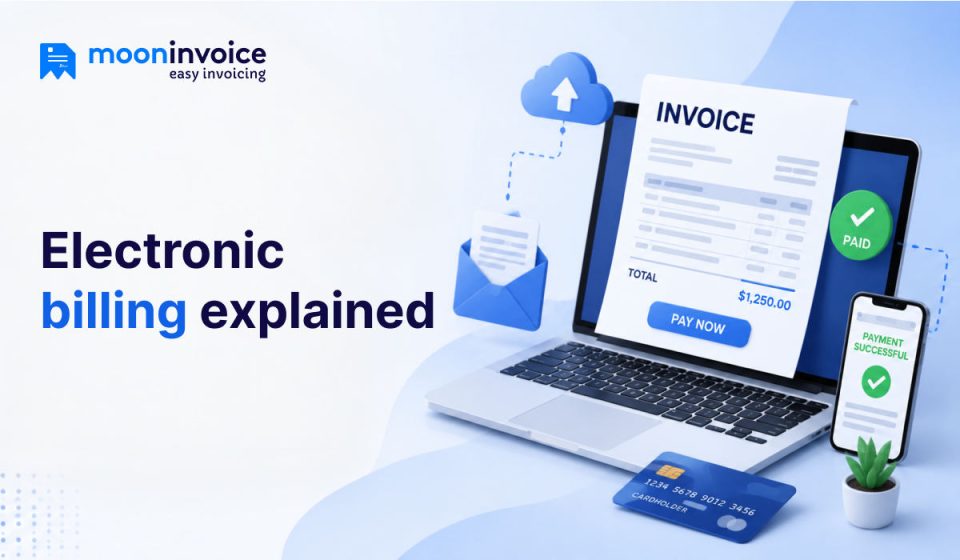


E-billing, or electronic billing, is a digital process of creating and managing bills or invoices online. In e-billing, paper-based methods are completely eliminated. Businesses prefer e-billing over paper-based billing to automate billing, simplify payment collection, and maintain records in one place. The entire e-billing process is handled by billing or accounting software.
So, how does e-billing work for businesses? Let’s dive into this detailed blog to understand how it works, along with its benefits and drawbacks.
📌 Key Takeaways
- E-billing, or electronic billing, is the process of digitally creating and managing bills or invoices online.
- Invoice creation, automated payment reminders, and recurring billing are some of the core features of an electronic billing system.
- E-billing is used across industries, including utility companies, retail businesses, healthcare, and law firms.
- Quick invoice delivery, improved cash flow, and reduced operational costs are some of the major benefits of e-billing.
How does e-bill differ from electronic billing?
E-bill and electronic billing may sound very similar, but they are not the same. An e-bill is an electronic bill generated online. It is a digital version of a traditional paper bill that businesses send to customers. On the other hand, electronic billing refers to the entire digital billing process, from creating bills to sending, tracking, and managing them electronically.
For instance, when a business emails a digital invoice to a customer, that is called an e-bill. However, the process of creating the digital invoice, sending payment reminders, tracking payment status, and recording billing information is called electronic billing.
In e-bills, the priority is on the customer-facing document, whereas in electronic billing, the priority is on the entire workflow behind billing and payment management. Unlike paper bills, e-bills include features such as clickable payment links, automated reminders, and real-time payment tracking, which streamline the billing cycle.
Unsure of whether your clients actually received their invoice?
Use Moon Invoice for seamless electronic billing and track exactly when your clients view, open, and pay their bills in real time.
What separates e-billing from e-invoicing?
E-invoicing and e-billing are two very closely related terms, but they do not mean exactly the same thing. E-invoicing, or electronic invoicing, can be considered a type of e-billing with a smaller use case.
On the other hand, e-billing covers the entire process of generating a bill to receiving the payment. E-invoicing is basically a function of the accounts payable workflow. When the AP department processes supplier payments, they use electronic invoicing (e-invoicing) to process invoices electronically and store records in the invoicing or accounting software.
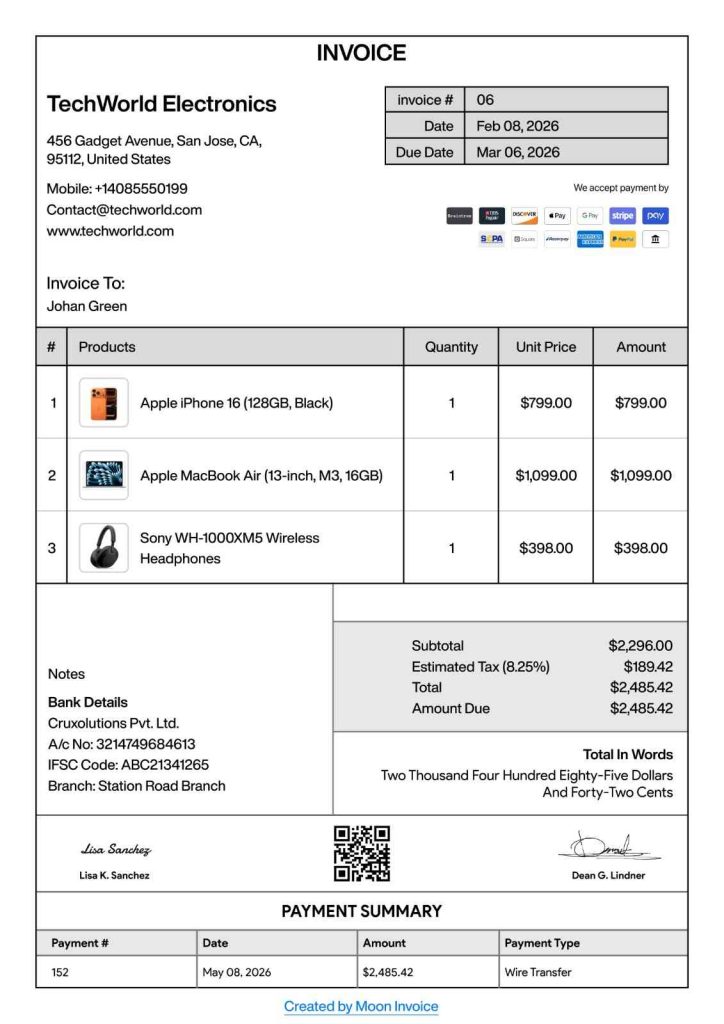
Example of an e-bill
Below is an example of what an electronic bill looks like:
What is an electronic billing software?
Electronic billing software is a digital solution that helps businesses create, send, manage, and track bills and invoices electronically. Without relying on time-consuming manual processes and paperwork, businesses use billing software to automate the billing and payment collection process. The e-billing software offers greater flexibility and reduces dependencies in accounting and billing.
The primary goal of using electronic billing software instead of paper invoices or bills is to reduce manual effort and processing delays, and eliminate billing errors. Businesses tend to be more efficient when they use electronic billing software.
No billing system or software offers the same features, and it’s up to the business to decide which electronic billing system will work best for its accounts department.
Key features of using electronic billing software
No billing system or software offers the same features, and it’s up to the business to decide which electronic billing system will work best for its accounts department.
Here are some of the key features of e-billing software you should consider:
- Invoice creation: Quickly creates professional invoices using customizable electronic invoice templates.
- Electronic bill delivery: Using the electronic billing system, invoices are sent to customers immediately via email, payment links, or SMS.
- Automated payment reminders: To reduce late payments, businesses can schedule automatic reminders for upcoming and overdue payments.
- Online payment integration: Helps collect payments faster by offering digital payment options such as credit cards, ACH, wire transfers, digital wallets, and Apple Pay.
- Recurring billing: Businesses that operate with subscription plans can automate recurring invoices for monthly, quarterly, or yearly billing cycle.
- Payment tracking: Businesses can easily monitor invoice status (paid, unpaid, or overdue) from the dashboard.
- Secure cloud storage: All billing records are stored securely in the cloud, so businesses can retrieve past invoices when needed.
Electronic billing vs traditional billing
The table below explains the most common differences between electronic billing and traditional billing (paper bills).
| Basis of comparison | Traditional billing | Electronic billing |
|---|---|---|
| Invoice creation | Manual | Automated |
| Delivery method | Paper mail | Email / SMS / Online portal |
| Payment tracking | Manual, sometimes not possible | Real-time tracking |
| Record storage | Physical files | Cloud storage |
| Processing speed | Slow, inconsistent | Instant and usually very consistent |
| Cost | High printing and mailing costs | Lower operational costs |
| Payment collection | Usually delayed | Faster due to digital payment options |
6 steps process on how electronic billing works
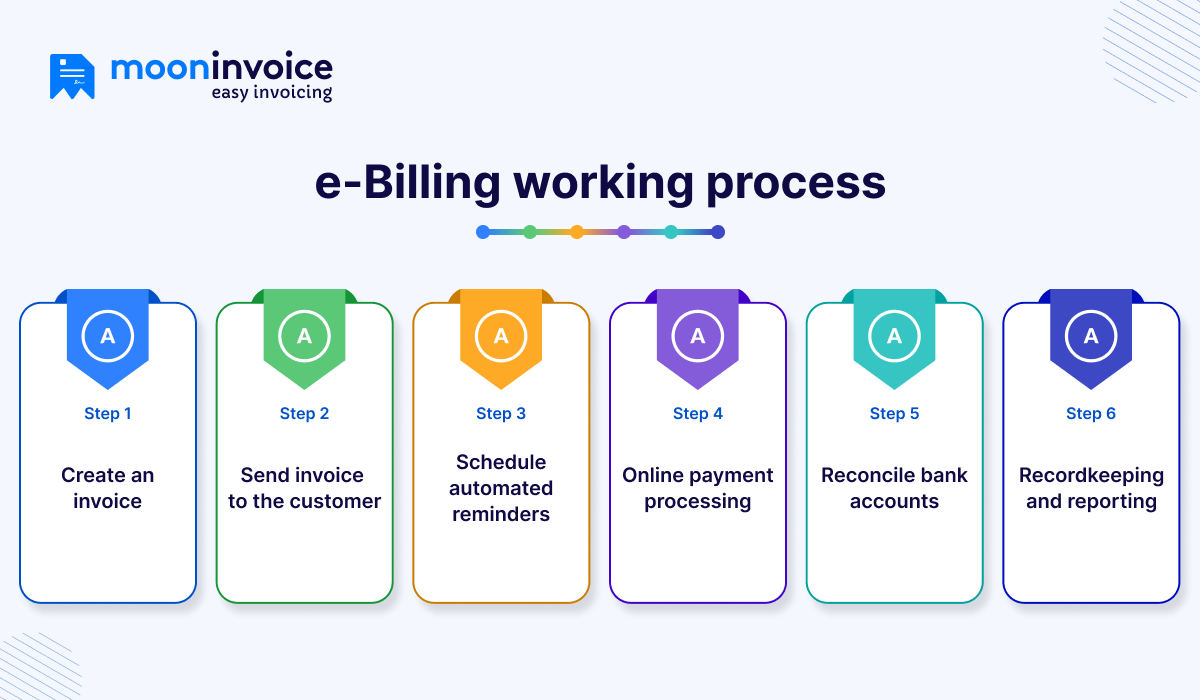
Most electronic billing software follows a similar working process, even though features vary. Here is the step-by-step process of how electronic billing works:
Step 1: Create an invoice
The first step in creating an e-bill, or electronic bill, is to generate an electronic invoice using billing & invoicing software or an electronic billing system.
Step 2: Send the invoice to the customer
Once you create an electronic invoice by filling in all the necessary fields, you need to send it to the customer via email, SMS, or secure payment links.
Step 3: Schedule automated reminders
After sending the invoice to the customer, you can schedule automated payment reminders so customers are notified about unpaid bills. It helps you collect payments faster.
Step 4: Online payment processing
Once the customer receives the bill, they can make the payment. The entire payment is processed electronically using the e-billing software. The customer can choose the payment link or the digital payment options you have shared in the invoice.
Step 5: Reconcile bank accounts
After the payment is complete, you can reconcile accounts to ensure the customer has paid the correct invoice amount and that no dues remain. If any discrepancies or remaining amounts are left, they are flagged, and the accounts team investigates further.
Step 6: Recordkeeping and reporting
Finally, after reconciliation, the billing software stores all invoice payment data in the company’s financial records. You can update accounts receivable and the general ledger. Once records are updated, businesses can access them at any time for tax filing, audits, revenue tracking, etc.
Who uses e-billing?
E-billing is used by a number of businesses and even freelancers, where simplifying the invoicing process and collecting payments faster are top priorities. Below are some of the businesses that majorly use e-billing:
- Businesses and freelancers: Businesses of all sizes, such as large-scale enterprises, SMBs, and startups, along with freelancers such as designers, developers, and writers, use electronic billing to create professional invoices and manage customer billing without relying on manual paperwork.
- Utility companies: Water, electricity, gas, and internet providers commonly use electronic billing to send monthly bills to customers electronically.
- Retail and e-commerce businesses: Retail stores, e-commerce platforms, and online sellers also use e-billing in their finance workflows to create digital invoices for every purchase and manage transactions more easily.
- Healthcare providers: Hospitals and clinics use e-billing software to simplify patient invoices, insurance claims, and payment records.
- Law firms: Law firms that generally prefer paper bills have also switched to electronic billing in recent years, as it helps them manage client invoicing and payments in a better way.
- Service providers: Maintenance agencies, cleaning companies, and IT support firms mostly use e-billing to reduce invoicing hassles and collect payments faster by offering multiple payment options.
Benefits and drawbacks of e-billing
When you switch from paper billing methods to electronic billing, there are multiple benefits, but there are drawbacks, too. Let’s find the benefits and drawbacks of e-billing below.
Benefits of e-billing:
The benefits of electronic billing include:
1. Quick invoice delivery and payments
Businesses can send invoices quickly to the customer via email, SMS, or an online payment portal when they use electronic billing software. Customers receive bills online and often make the payment at the same time, which is much faster than paper bills.
2. Improved cash flow
As invoices reach customers faster and payment reminders can be scheduled, businesses reduce accounts receivable collection time, which, as a result, improves overall cash flow.
3. Reduced operational costs
Electronic billing reduces a business’s operational costs by eliminating the need to print, package, and mail invoices. E-billing digitizes the billing operation and helps businesses save money.
4. Automated bill management
Using e-billing software in your business helps you automate recurring invoices, payment reminders, invoice tracking, and payment calculation. They reduce the need for repetitive manual tasks, which ultimately saves time.
5. Enhanced productivity
With automated workflows and reduced repetitive tasks, your team can focus on other important activities, which can boost their productivity.
Drawbacks of e-billing:
The drawbacks of electronic billing include:
- Initial software setup
- Training employees to adapt electronic systems
- Data security concerns and privacy issues (if e-billing software is not reputable)
Some businesses find it very difficult to switch from paper to electronic. However, over time, they learn, and their entire billing process improves automatically. E-billing software automates processes and reduces operational costs, which is why many businesses prefer electronic billing, even though it takes a little time to learn initially.
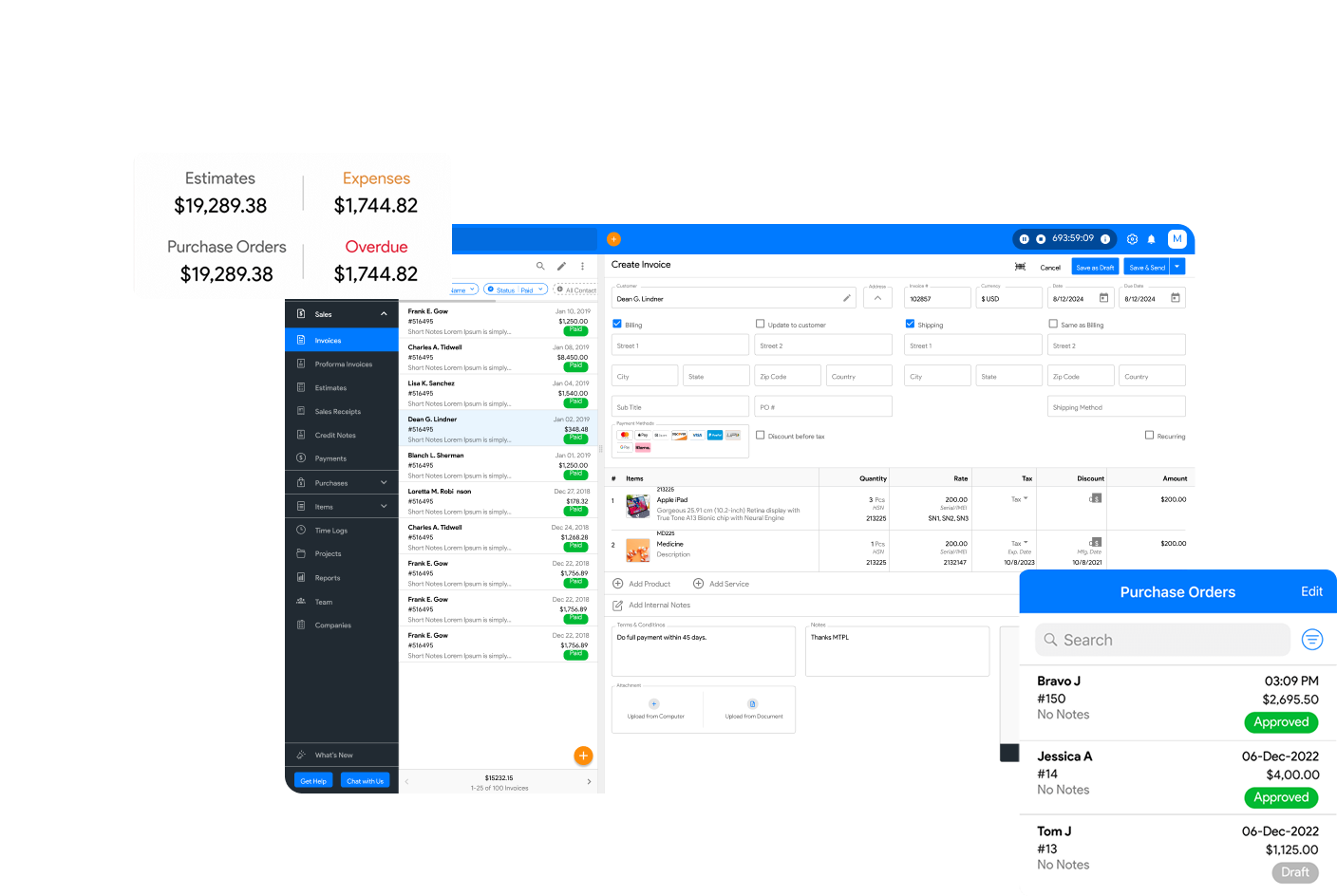
Ditch the hassle of manual paper invoicing
Turn your printing, mailing, and filing routine into an effortless digital workflow.

Invoice tracking
Secure cloud storage
Auto payment reminders
Standards for electronic billing and coding
To make electronic invoices legitimate and secure, the National Electronic Payments Association (NACHA) has established a general set of industry standards for coding electronic bills.
The standard computer data formats for e-billing in the U.S. include EDI (electronic data interchange), CSV (comma-separated values), and XML (extensible markup language) for exporting files.
In the electronic billing process, everyone involved must follow NACHA standards, whether they are a bill payment provider, service provider, consolidator, or customer service provider. NACHA determines the acceptable standard data format for creating or transmitting electronic bills.
Overcome billing hassles with an electronic billing & payment solution
In today’s billing practices, electronic billing or e-billing is not an option anymore; it has become a necessity. Businesses are switching to electronic billing and payment solutions that reduce manual dependencies and help collect payments faster.
So, in the long list of billing software, are you searching for the one that fits your business needs? You are at the right place.
You can consider Moon Invoice, an advanced billing software that helps you create invoices as well as e-invoices with minimal effort. With Moon Invoice, you can schedule payment reminders and offer 20+ payment options to collect payments faster.
Say goodbye to manual billing hassles and switch to e-billing today with Moon Invoice.
Frequently asked questions on e-billing
How does electronic billing work?
What does e-billing mean?
Is e-billing safe?
Can customers pay bills online using e-billing?
What is an e-billing payment?



We at Moon Invoice, are the best minds behind smarter invoicing and seamless business growth. We love to solve financial problems and keep providing effective tips through our blogs, newsletters, and social media channels. As a team, we continue exchanging ideas about growing financial challenges and smart use of automation tools.