

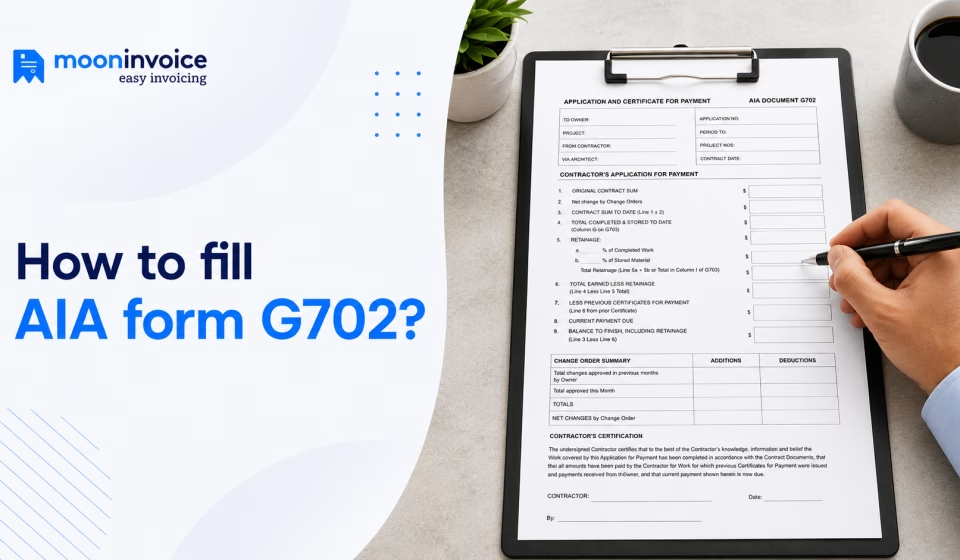


In the construction industry, payment processing can be more complex than standard invoicing. It requires proper documentation of completed work, approved change orders, amounts paid to date, and the remaining due amount. Additionally, certain documents, such as AIA Forms G702 and G703, play an important role when used together.
The AIA Form G702 Application and Certificate for Payment is an important document in the construction payment process. Developed by the American Institute of Architects (AIA), it is widely used in construction projects.
However, you must know the right approach to filling out this form, which you’ll find in this guide.
📌 Key takeaways
- AIA G702 Form is a standard document used in AIA billing to request payment for the completed work.
- Contractors must complete the form by entering the accurate project and contact details.
- The contractor must obtain the required contractor and architect certification before submitting the payment application.
- It is a good practice to review the form, calculation, and supporting documents before final submission.
- The G702 Form is paired with the G703 Continuation Sheet, which provides a detailed breakdown of completed work and a schedule of values.
What is the construction billing application?
A construction billing application is also known as a pay application or a construction payment application. It is a formal document that the contractor submits in order to request payment. This document includes details of the work performed, retainage, stored materials, and the approved change order.
This document differs from the standard invoice in both information and approach. A standard invoice typically includes basic details, line items, costs, and payment terms. On the other hand, a construction billing application provides a comprehensive summary of the project work, payments, and supporting documents.
A typical construction billing application covers the following details:
- Billing period and application number
- Original contract amount
- Completed work and percentage of completion
- Stored materials
- Schedule of values (SOV)
- Approved change of orders
- Retainage deductions
- Payment made in the past
- Current payment requested
- Contractor certification and required approvals
Worth knowing
According to PYMNTS, about 70% of contractors and subcontractors experience late payment in their construction projects.
What is the AIA Form G702?
Developed by the American Institute of Architects, AIA Document G702 is a standardized Application and Certificate for Payment used in construction projects. Contractors use this form along with the G703 Continuation Sheet. Together, these documents provide the complete snapshot of the project status and billing information.
This form is typically used when the construction contract needs AIA documents. It consists of nine financial calculation fields as follows:
- Original contract sum
- Net change by change orders
- Contract sum to date
- Total completed and stored to date
- Retainage
- Total earned less retainage
- Less previous certificates for payment
- Current payment due
- Balance to finish, including retainage
Note :These are core fields of the AIA G702 Form. In addition to these, it also includes contractor information, project details, and certification.
Is it hard to track your project’s billable hours?
Simplify it with Moon Invoice. Track every single minute, bill accurately, and get paid faster.
How to fill out AIA G702? The right way you must follow
AIA G702 Form might look straightforward to you. It is quite easy in the initial phase when you request payment. However, things get complicated when project progress and the contractor calculate retainage and payment.
Here is the breakdown of the AIA G702 Form guide:
AIA G702 Part I: Project information
This is the top section of the form that includes the project’s basic information. It provides a clear overview of the project, including its name and details of the parties involved.
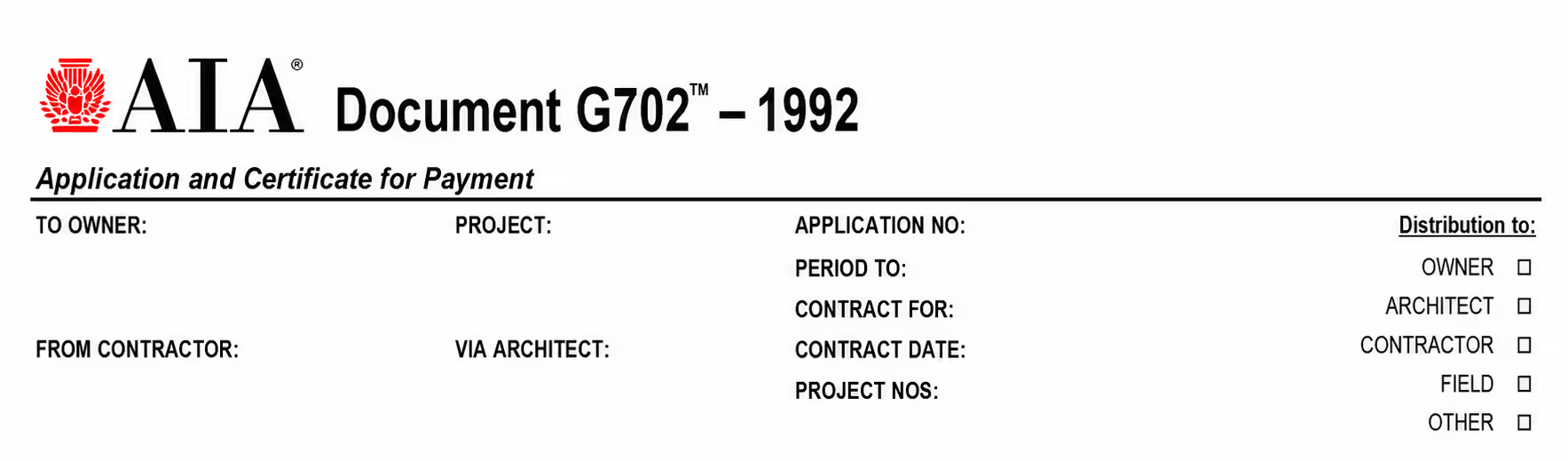
The key information covered in this section is as follows:
- Project name
- Application number
- Owner’s name and address
- Architect (if applicable)
- Details of the party requesting payment
- Application number
- Period to
- Contract for
- Date the contract was signed
- Project number (if applicable)
AIA G702 Part II: Contractor’s application for payment
This section is where you’ll include most of the information, including the calculation part.
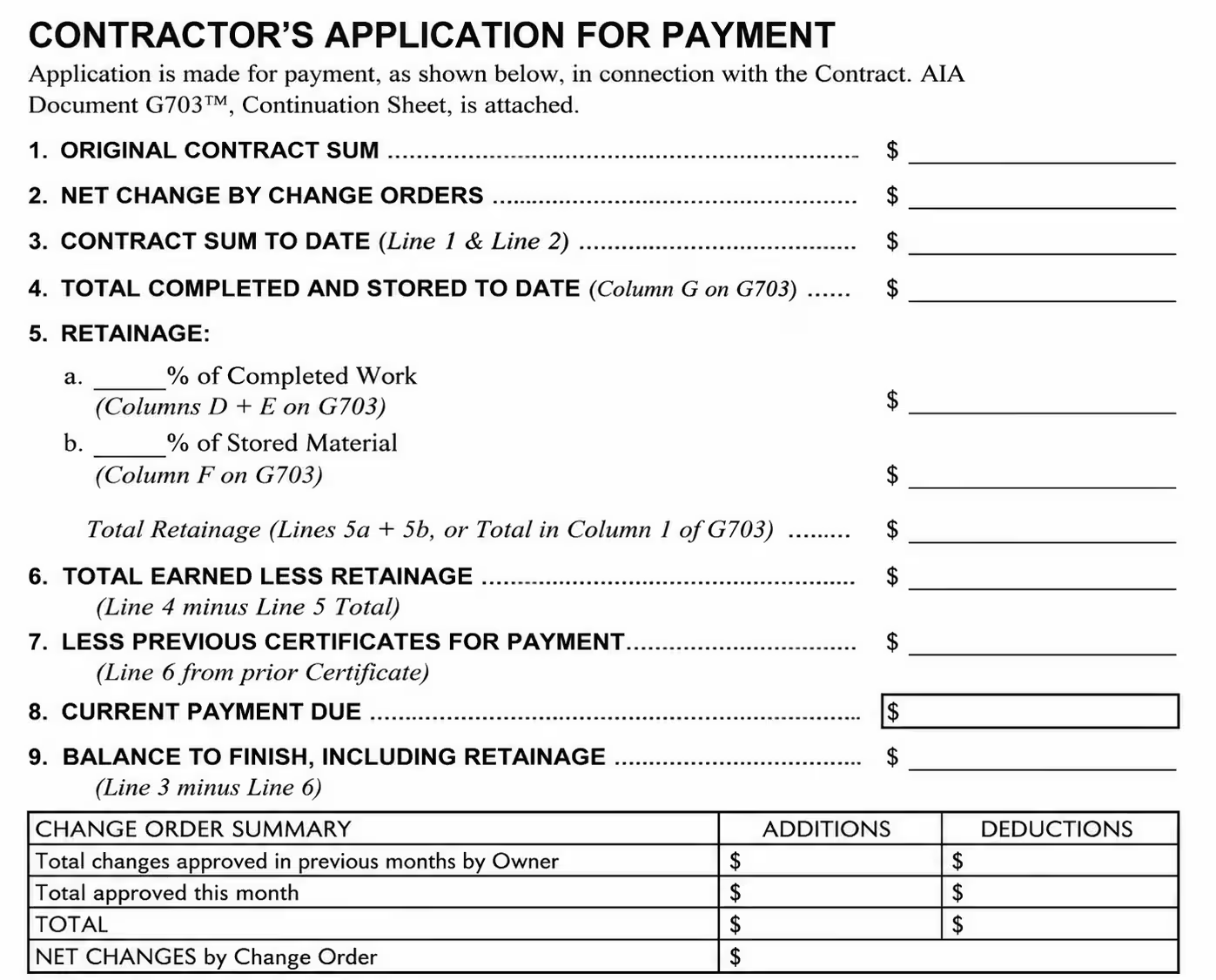
Here is the breakdown of the details showing different lines of the form:
Line 1. Original contract price
This line reflects the original contract price. It doesn’t include any change orders, disputed claims, or other amounts. Therefore, it remains fixed as per the contract and will not change.
Line 2. Net change by change orders
Change orders refer to changes to the work, as construction projects are subject to modification and are never executed as planned. The number on line 2 may be positive or negative depending on the work added or deducted from the original contract. To fill out this form, refer to the “Change Order Summary” at the bottom.
Line 3. Contract sum to date
This is the total sum of Line 1 (original contract price) and Line 2 (net change by change orders). To get the accurate number, add Line 2 to Line 1. If Line 1 is negative, the total amount will decrease.
Line 4. Total completed and stored to date
To complete this line, refer to the G703 Continuation sheet. You can pull the amount from the grand total on the Continuation sheet to fill line 4. However, you must compare the amount with the schedule of values and ensure they match.
Line 5. Retainage
Retainage is a portion of the total earned payment that the owner holds until the project is complete. In general, it falls between 5 and 10%, but varies by project type. It is reduced or paid out once a certain amount of work is completed, as per the contract.
Line 5 of the AIA G702 sample consists of two subparts, 5a and 5b. To find the total amount, multiply 5a by the total work completed and 5b by the total value of materials, then add the results.
Line 6. Total earned less retainage
To identify the number for Line, subtract Line 5 (total amount of retainage) from Line 4 (total completed and stored to date).
Line 7. Less previous certificates for payment
In this space, enter the total amount approved and paid by the owners. The amount is subtracted from the total earned amount. In this way, you’ll determine the due amount in the current payment application. You can set it to 0 if you are sending the payment app for the first time in the project.
Line 8: Current payment due
You can easily calculate this number by subtracting Line 7 (less previous certificates for payment) from Line 6 (total earned less retainage). This represents the amount you are requesting for the current billing period.
Line 9: Balance to finish, including retainage
This space will include the outstanding amount to complete the project. This shows the contract value that is pending payment. To calculate the amount, subtract Line 6 (total earned less retainage) from Line 3 (contract sum to date).
Change order summary
In this tabular form section, you’ll include the summary of the approved change order, including additions and deductions.
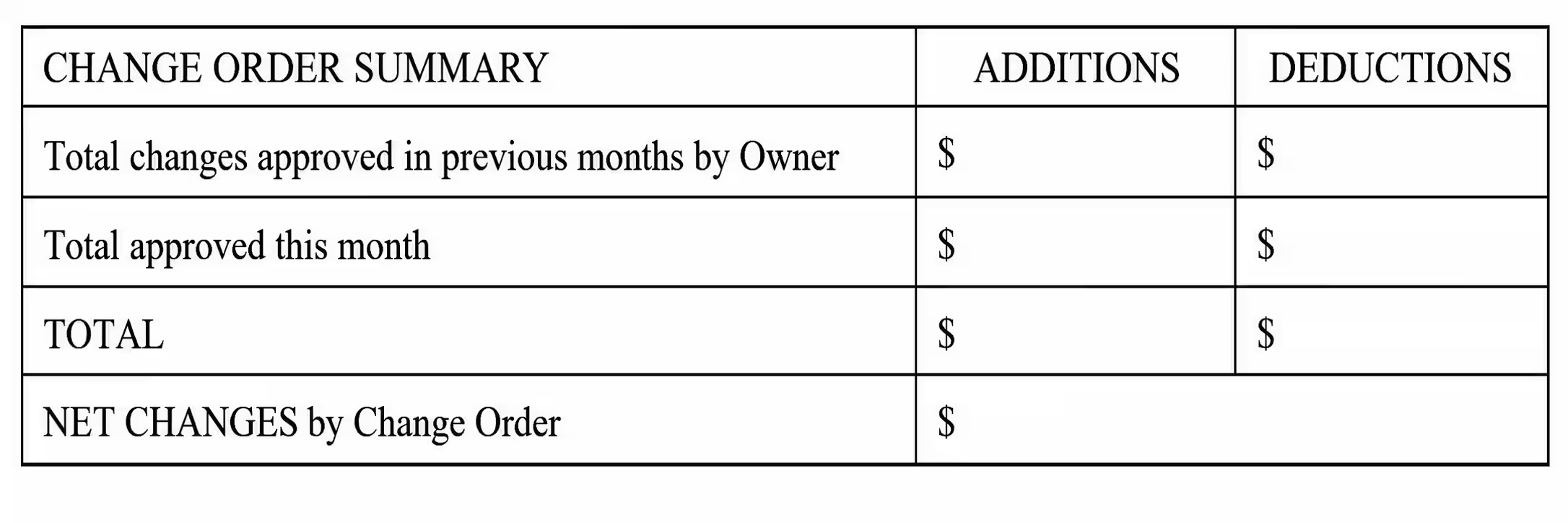
The project’s list of change orders might be positive or negative. The first line in the table reflects the total changes approved prior to the current billing period. The second line indicates the total approved change orders in the current billing period.
AIA G702 Part III: Sign and certify
This is the final section where you, as a contractor, need to include your signature and date in the first part. It states that the provided information is correct. The second part of this section is primarily for architects and owners to review and certify.
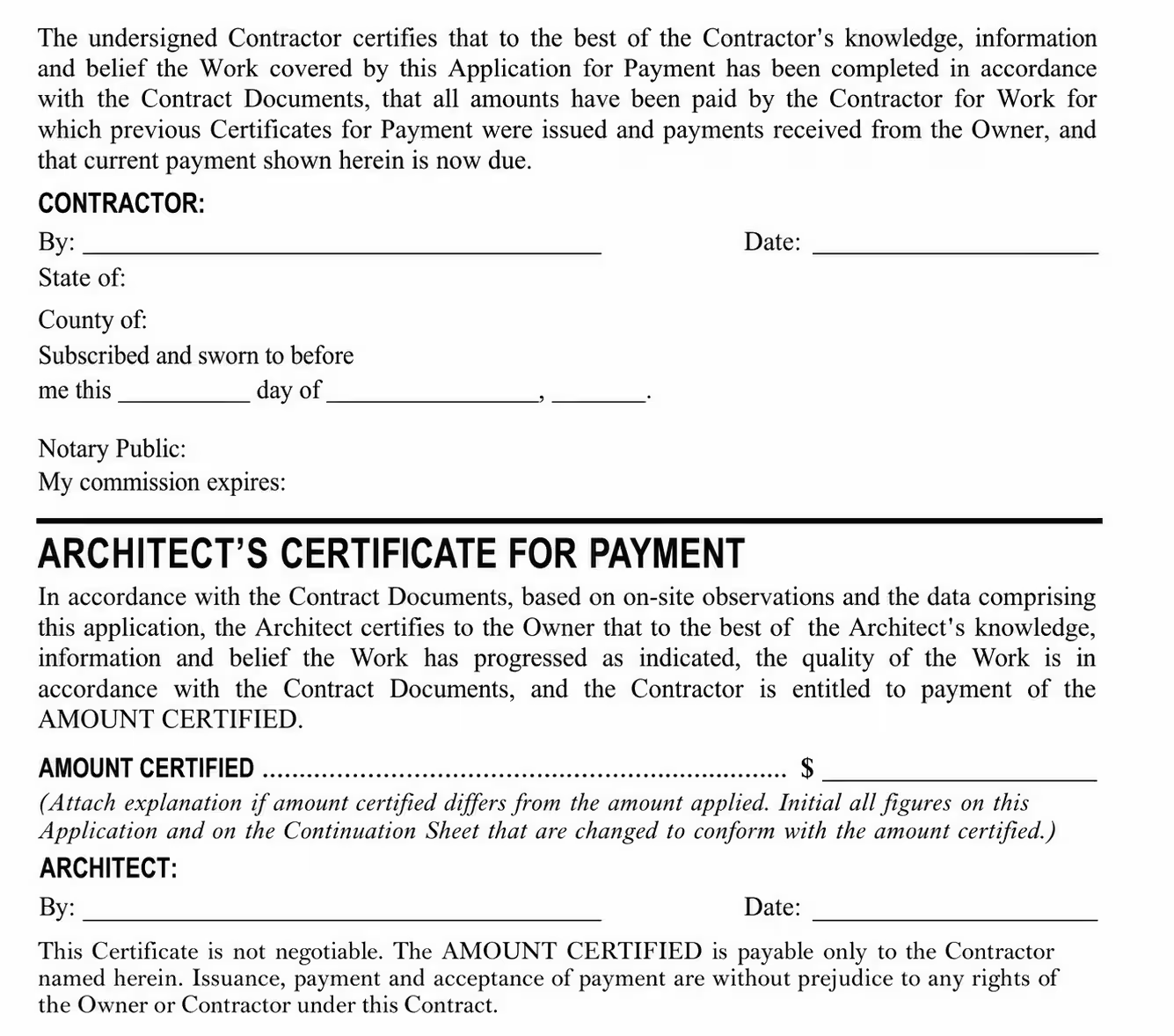
Signature and notarization
Once you have filled out the G702 Form properly, sign at the bottom. Since it requires notarization, you must sign the form before a notary public. However, if it involves parties agreeing not to go for notarization, you can skip this process. It is highly recommended to review the form carefully before signing.
Architect’s certificate for payment
As a contractor, you need to leave this space blank. This is the responsibility of the owner, architect, and project manager to fill it. They will issue the payment certificate after reviewing the payment application, the continuation sheet, and other documents. In case of any discrepancy, they will send the contract detailing the same.
Common mistakes to avoid in the G702 Form
There are a few mistakes that you must avoid when filling out the G702 Form.
1. Skipping the form review
Often, contractors send the form without properly reviewing it. A single mistake in the form could negatively impact the overall process, including payment delay. Since the AIA Document G702 form is legally binding, one should always be careful regarding its accuracy.
2. Miscalculating retainage
Always ensure to calculate retainage correctly as per the contract. An incorrect retainage can lead to underpayment, overpayment, or other payment disputes. The best idea is to match the retainage value in the G702 Form to the G703 Continuation Sheet. If any discrepancies are found, correct them before submitting the application.
3. Mismatching of values
Often, the contractor enters incorrect values in the form that don’t match the contract and the approved change orders. This leads to many issues in the payment process. So you must ensure that the values match in the G702 Form and the signed contract.
4. Inconsistency in supporting documents
You must ensure that the information on the G702 Form aligns with the contract form, the G703 Continuation Sheet, and the approved change order. Any inconsistency within these documents can lead to payment delays and disputes. So it is important to compare all the related documents.
5. Overstating project progress
Sometimes, contractors request payment for work that is not completed. This not only disrupts the payment process but also strains the relationship between the contractor and the owner. It is always essential for contractors to ensure that the bill reflects the amount for completed work.
6. Leaving the field blank
It is one of the most common mistakes that contractors make. Whether it is the application number, billing periods, or signature, you must ensure that all fields are filled in. Leaving the field blank negatively impacts the process.
How much does the AIA G702 cost?
You can purchase the G702 Form (Application and Certificate for Payment) from AIA Bookstore, contract documents, and AIA resellers. The one-time cost of AIA G702 is $59.99. Since the form is always used with the G703 Continuation Sheet, which costs $59.99, the total cost you will bear is $119.98.
Construction companies that frequently bill can also choose the AIA Contract Document Unlimited Subscription plans as follows:
- Starter – $2,419 per year
- Team – $3,744 per year
- Scale – $5,384 per year
Note: Pricing is subject to change and may vary with future updates.
This subscription plan includes the following:
- Access to all AIA documents
- Lower legal costs
- Document certification
- Unlimited document creations, edits, and finalization
- Clause library
- eSignature support
- Custom templates
What is the difference between AIA G702 and G703?
AIA G702 and G703 are used together in the construction payment application. However, they differ in their purposes:
| AIA G702 | AIA G703 |
|---|---|
| AIA G702 Form serves as the Payment Application and Certification. | AIA G703 serves as the Continuation Sheet for AIA G702. |
| It provides the payment application summary. | It provides a detailed breakdown of the completed work. |
| This form covers the original contract sum, the revised contract amount, approved change orders, the requested current payment, retainage, and the balance to finish. | This form covers scheduled value, stored materials, balance remaining, work completed, previous payments, and percentage complete. |
| The contractor uses this form to request payment, and the architect uses it to certify the payment amount. | Contractors use this form to ensure the payment request aligns with detailed progress information. |
Streamline construction billing with Moon Invoice
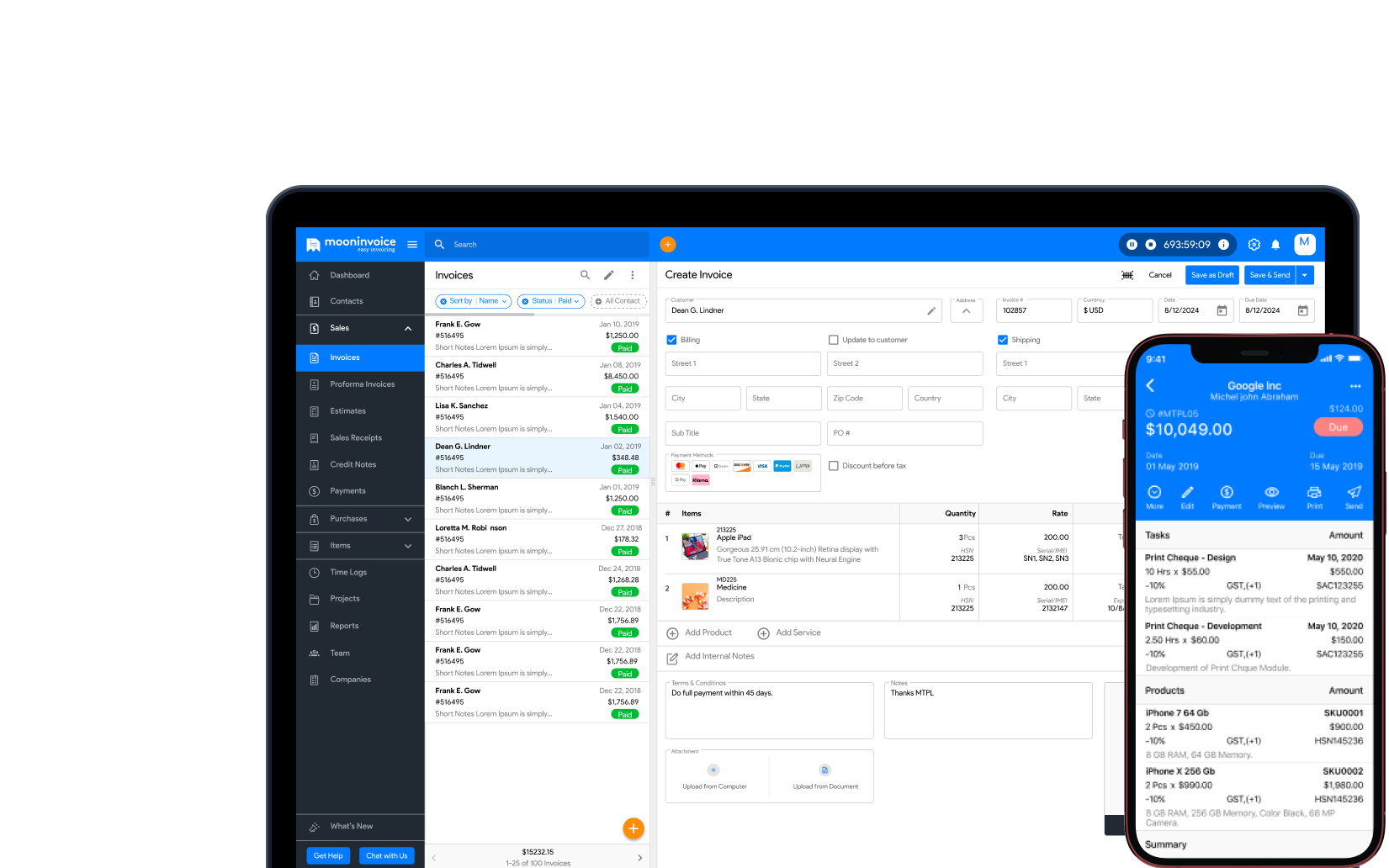
As a contractor, you may find construction billing to be time-consuming. However, with Moon Invoice, you can streamline your billing process and get on-time payment for every deal. This invoicing software simplifies and accelerates the process while ensuring accuracy through the following features:
- Customizable templates: The software offers 66+ free, customizable construction templates for creating estimates, invoices, and receipts. Thus, you can generate professional documents within a second.
- Automate invoicing: Set recurring invoices for all the ongoing construction projects. This reduces the stress of invoicing and saves time.
- Payment: Easily record and track the advance and partial payments. It helps to keep up-to-date project payment records.
- Convert estimate to invoice: Easily convert an estimate to an invoice in a single click. This eliminates manual entries, saves time, and ensures accuracy.
- Online payments: Provide your clients with more than 20 payment methods to make payments easy and reduce outstanding invoices.
- AI-powered features: Easily upload and scan the document and generate invoices, receipts, and purchase orders through OCR technology. Similarly, automatically record payment and customer information with AI by uploading the details.
- Expense tracking: Manage all project expenditures in a single centralized location, categorize them, and set up recurring expenses.
- Reports: Generate 15+ custom reports to analyze expenses, revenue, and profit loss. Easily gain insights into your business’s financial status.
Taken together, Moon Invoice helps contractors to streamline the construction project finances, including payments and expenditures. This accompanies the AIA payment application with accurate information and organized documents.

FAQs on AIA Form G702
What is a free AIA G702 G703 fillable form?
How do I finalize an AIA document?
Is the G702 Form mandatory for all kinds of construction projects?
Who uses the AIA G702 Form?



Jayanti Katariya is the founder & CEO of Moon Invoice, with over a decade of experience in developing SaaS products and the fintech industry. He holds a degree in engineering. Since 2011, Jayanti's expertise has helped thousands of businesses, from small startups to large enterprises, streamline invoicing, estimation, and accounting operations. His vision is to deliver top-tier financial solutions globally, ensuring efficient financial management for all business owners.