


Quick summary
Generating PDF invoices is quick and easy with reliable invoicing software. You can use a tool with a dedicated invoice module or a ready-made, customizable template. Both methods let you create invoices faster by filling in the details.
Invoicing is essential to running a business. Every company, whether small or large, should opt for a systematic invoicing platform to request payments.
The current digital era has changed the billing landscape. Professionals can easily generate invoices and quickly send them to clients in a convenient format. However, PDF is the most popular format because of its layout and easy-to-share format.
So, exactly how do you make a PDF invoice? Let’s find out here.
📌 Key takeaways
- A billing PDF is easy to download, share, view, store, or print.
- Creating an invoice in PDF format is easier with invoice templates or invoicing software such as Moon Invoice.
- A PDF invoice should always contain complete information.
- Clearly stating payment terms in a PDF invoice helps avoid confusion and payment delays.
- An itemized breakdown helps customers understand what they are paying for.
What is a PDF invoice?
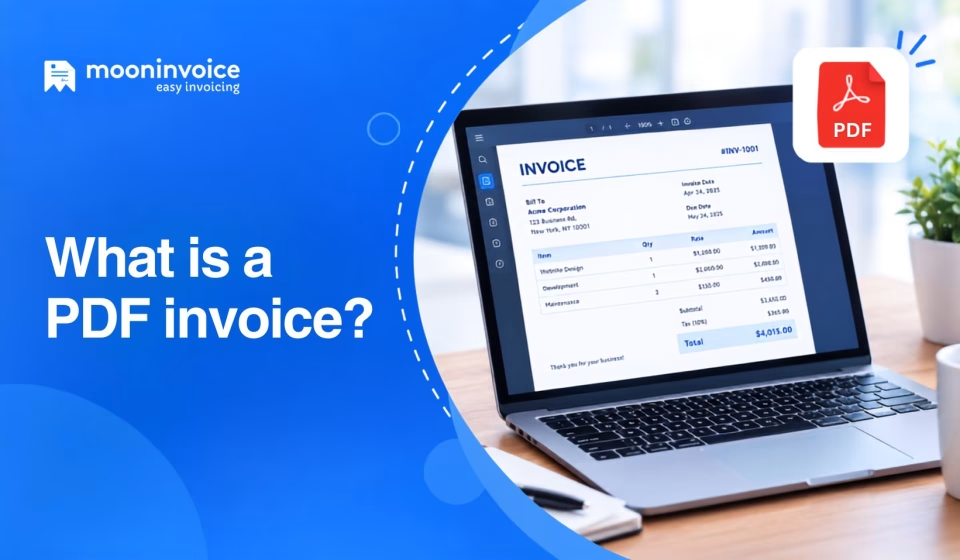
A PDF invoice is a digital invoice saved as a PDF (Portable Document Format). In other words, it is an invoice in PDF format. A seller typically issues it to a buyer to request payment for the goods and services sold.
In modern invoicing, PDF is considered one of the most standard and optimal formats. As a result, it is easy to find invoicing software online that helps businesses with their most important task: creating a PDF invoice.
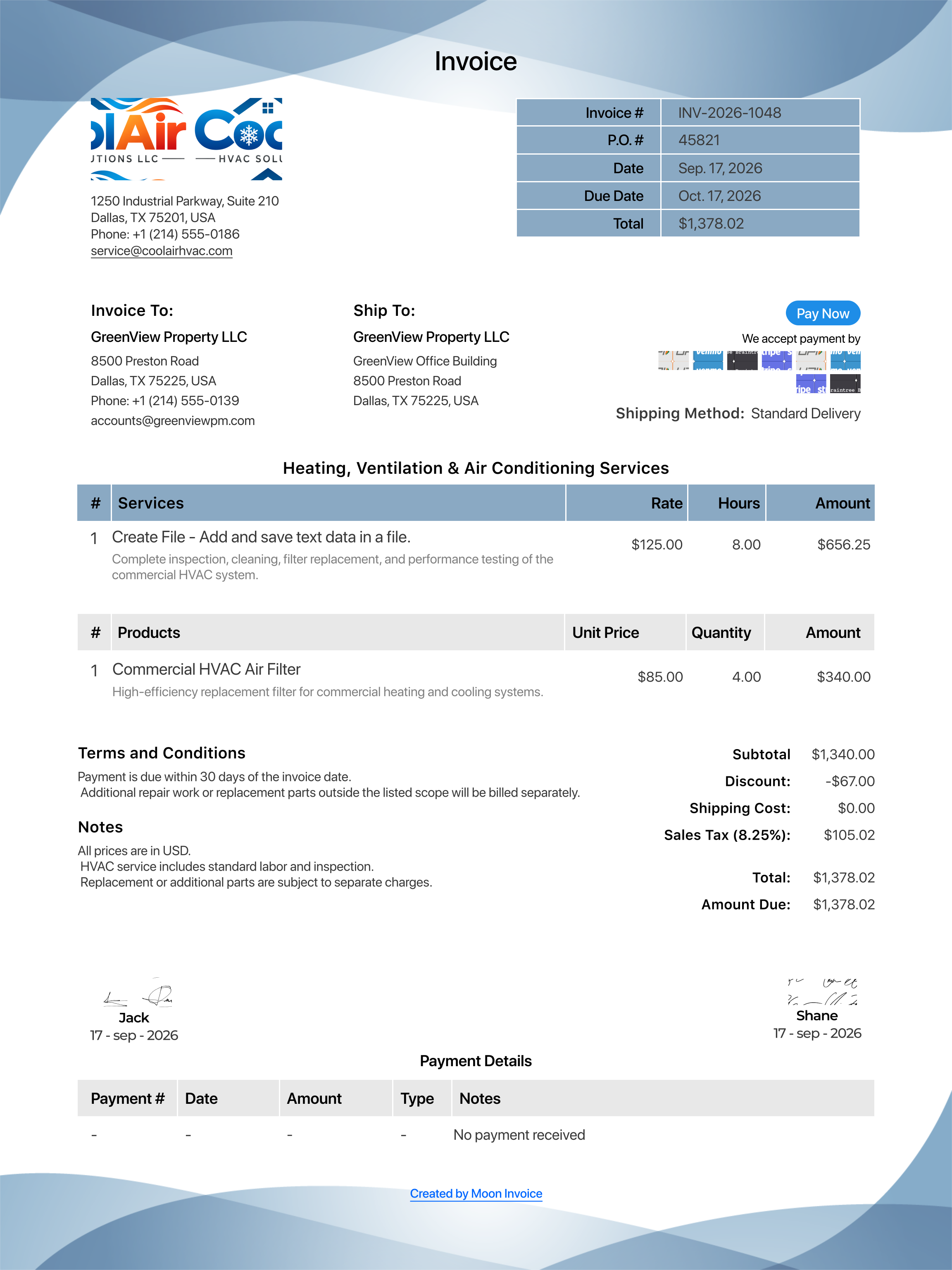
A standard PDF invoice consists of the following information:
- Invoice number, date of issue, and currency
- Purchase order number (if applicable)
- Business name, address, and contact number
- Customer name, address, and contact number
- Brief description of sold items or services with quantity and rate
- Tax and discount (if applicable)
- Total payable amount
- Payment terms and conditions
Invoice template PDF: Example of a duly filled PDF invoice
Want to simplify your PDF invoicing?
Create professional invoices in 60 seconds and share them easily to keep your payment flow active.
How to create a PDF invoice in simple steps?
Moon Invoice lets you create PDF invoices easily through its platform and customizable invoice templates. Here are five simple steps to create PDF invoices within a minute. Here are the two methods to create a PDF invoice.
How to make a PDF invoice using invoicing software?
Get an invoicing app like Moon Invoice and follow these steps to create a PDF invoice.
- Sign up for our online invoicing software and add your company.
- Start filling in the company details such as name, logo, address, and contact details.
- Click on the Dashboard > Sales > Invoice to create a new invoice.
- Start adding invoice details such as invoice number, date, currency, due date, customer details, line item descriptions, discounts, unit prices, and applicable taxes. The system will automatically calculate the total amount based on the data you enter.
- Add payment terms, bank details, a direct payment link, and the company signature at the bottom of the invoice. Review the invoice and download or share it as a PDF.
How to make a PDF invoice using a customizable template?
Download the free PDF invoice templates online to generate PDF-format invoices in minutes.
- Choose a suitable PDF fillable invoice template from the available invoice templates of Moon Invoice.
- Download the invoice template to your desktop, laptop, or smartphone.
- Open the invoice form and take a quick look at the format.
- Fill in all the blank fields to create a PDF invoice. Add details such as invoice number, date, due date, and currency. Also add customer details, line-item descriptions, prices, quantities, applicable discounts and taxes, and payment methods. Mention the applicable payment terms and notes. The template will automatically calculate prices, tax, and discounts to show the total amount.
- Cross-check that you have added the correct details. Also, match the invoice total with the approved estimate or quote if applicable.
Why use PDF for invoicing?
PDF is considered one of the most common formats for sharing invoices. Most business owners use a PDF invoice template to create invoices or convert a Word or Excel invoice to PDF format. Here are a few reasons it remains one of the best invoicing formats.
Widely acceptable: PDF is compatible with almost every system. It works on almost all devices and is easy to access.
Simple sharing: Because it’s generally lightweight, a billing PDF is easy to share via email, WhatsApp, and other channels.
Enhanced security: PDFs can offer protection against unauthorized access through passwords, encryption, and restrictions on editing or copying.
Professional presentation: PDFs offer a professional, consistent invoice layout with a clear structure for the viewer.
Convenient to print: PDF files preserve the invoice formatting and layouts. This ensures that all the details appear consistently when the user prints.
Easy to store: PDF invoices are easier to manage than physical documents. You can store them easily in systems and drives.
What is a free PDF invoice template, and why use it?
A free PDF invoice template is a pre-designed form available to download for free. It lets users customize and fill in the details to create an invoice in PDF format easily without designing the document from scratch.
Typical fields in a PDF invoice template include the invoice number, invoice date, business details, customer details, and service or product description.
Generating an invoice with a free invoice template PDF takes less effort, since most details are already in place and need to be filled in to create a professional-looking invoice.
- Saves time when generating a new invoice
- Free invoice templates are highly cost-effective
- Helps generate a professional invoice in less time
- Customization is easier with ready-made fields
- Reduces the need to redesign the invoice from scratch
- It can be saved and shared as a PDF across multiple devices
Streamline your invoicing with Moon Invoice
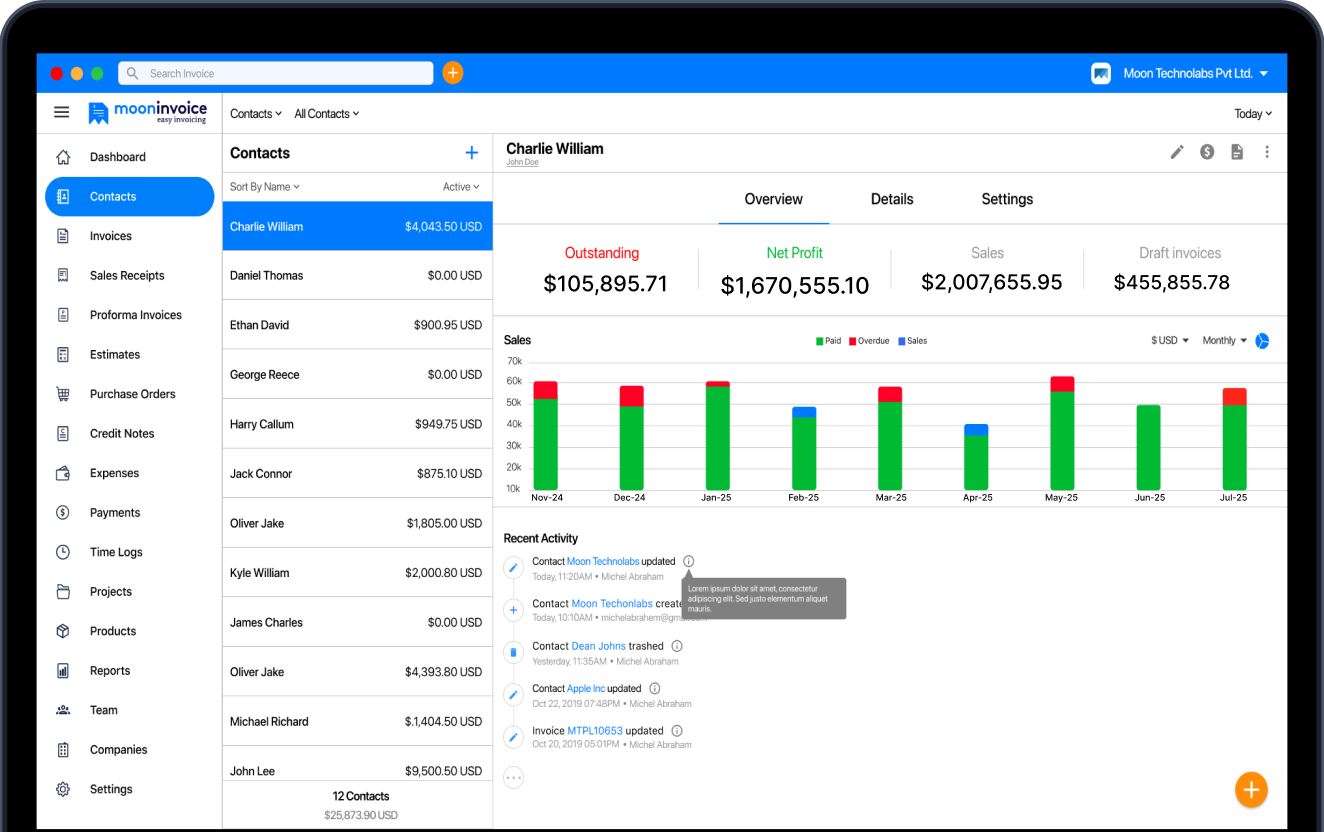
Moon Invoice is a reliable AI-powered invoicing software, designed for small to mid-size businesses. The platform offers 66+ free, customizable templates for creating estimates, invoices, and receipts.
You can easily create these financial documents in Word, Excel, Google Sheets, Docs, and PDFs. The platform offers PDF and print settings that let you adjust options and get the desired document. You can also share the invoice directly with the client via email and WhatsApp. Otherwise, print and mail the document.
Its AI-powered features, such as quick scan, allow you to create invoices, estimates, and receipts by uploading documents. You can also create contacts and record payments using AI, reducing manual data entry.
Beyond that, Moon Invoice also helps you manage finances more effectively. It offers a dedicated expense module to manage business expenses digitally. Businesses can create delivery challans, purchase orders, credit notes, and debit notes without a hassle. Its 15+ business reports give you insight into your business finances.
Overall, Moon Invoice offers a centralized platform to manage important documents, improve billing, and strengthen overall financial management.

Quick answers
How to make a free PDF invoice online using an invoice template?
Why should I send invoices as PDFs instead of in Word or Excel?
Can I edit a PDF invoice after creating it?
Can I convert a Word invoice to PDF?
Is a PDF invoice legally valid?



Jayanti Katariya is the founder & CEO of Moon Invoice, with over a decade of experience in developing SaaS products and the fintech industry. He holds a degree in engineering. Since 2011, Jayanti's expertise has helped thousands of businesses, from small startups to large enterprises, streamline invoicing, estimation, and accounting operations. His vision is to deliver top-tier financial solutions globally, ensuring efficient financial management for all business owners.