

Purchasing goods and services from suppliers is an important part of any business’s operations to run smoothly. Additionally, recording and tracking these payment obligations is important for maintaining reliable financial reporting.
Your business liabilities increase with every purchase you make and decrease with the payment. This sounds straightforward. However, the issues arise when these transactions are recorded incorrectly. This leads to financial reporting errors, payment delays, and audit issues.
Fortunately, you can easily overcome these problems if you have a clear understanding of accounts payable journal entries.
📌 Key takeaways
- A typical journal entry showcases the financial impact of a business transaction.
- It includes the date, journal entry number, description, and amounts.
- Accounts payable entries impact the cash flow statement and balance sheet.
- Recording supplier invoices, purchase returns, and vendor payments are common accounts payable journal entries.
- The company’s accounts payable records are compared with invoices and vendor statements in a process commonly known as accounts payable reconciliation.
- Incorporating automation in accounts payable journal entries can reduce errors and enhance accuracy.
What is an accounts payable journal entry?
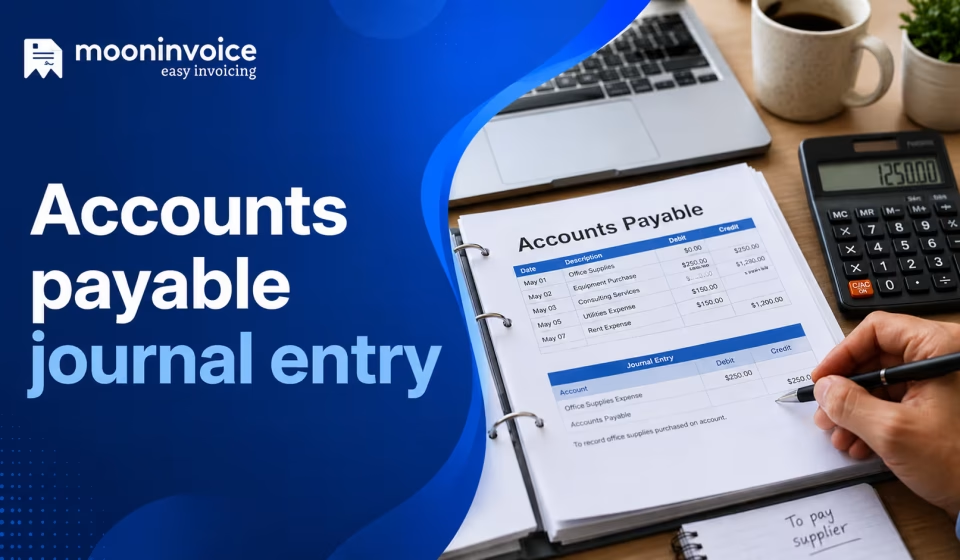
An accounts payable journal entry is the accounting record made when a business owes suppliers or vendors for purchases made on credit. The general ledger records liabilities when a vendor invoice is received for the purchase. Conversely, liabilities are reduced when payment is made, thereby clearing the outstanding balance (the company’s debt).
It follows the double-entry bookkeeping principle. Every transaction has equal and opposite entries, referred to as debit and credit. This keeps the accounting records balanced.
These entries form the foundation for accounts payable metrics, such as invoice processing time and outstanding payables. The financial team monitors cash flow efficiently by maintaining accurate journal entries.
What does an accounts payable journal entry include?
An accounts payable journal entry typically covers the following things:
Transaction date – The date on which the transaction took place.
Description – A clear description that states the item purchased or service rendered, along with the reason behind it.
Amount – The amount is broken down into credit and debit. When a credit is made, the accounts payable balance increases; when a debit is made, it decreases. Credit and debit must always be equal on every transaction.
Supplier’s details & invoice number – The supplier’s information, such as the supplier’s name, address, and contact details, along with the invoice number for reference.
Types of accounts payable journal entries
There are several types of accounts payable journal entries, and you can record them according to the credit transaction for supplies. The most common types are as follows:
Payment made to creditors
It is recorded when payment is made to the creditor, whether by cash or bank transfer.
| Account | Entry |
|---|---|
| Cash or bank account | Credit |
| Accounts payable | Debit |
Example: Payment made to the supplier in cash.
Purchase return entry
It is recorded when the business returns goods purchased on credit to the supplier.
| Account | Entry |
|---|---|
| Purchase return/inventory | Credit |
| Accounts payable | Debit |
Example: Returning a defective office table to the supplier is worth $500.
Inventory purchase entry
It is useful when the inventory is purchased on credit from the suppliers.
| Account | Entry |
|---|---|
| Inventory | Debit |
| Accounts payable | Credit |
Example: Purchasing the raw materials on credit.
Assets purchase entry
It is recorded when the business buys assets on credit. Such assets could be vehicles, machinery, or equipment.
| Account | Entry |
|---|---|
| Assets | Debit |
| Accounts payable | Credit |
Example: Buying a printing machine.
Services received entry
It is recorded when the business receives services on credit. The related expenditure is recorded along with the liability.
| Account | Entry |
|---|---|
| Expenses | Debit |
| Accounts payable | Credit |
Example: Receipt of legal services on credit.
Ready to take control of your accounts payable management?
Choose Moon Invoice to eliminate manual data entry and streamline your workflow.
When to record accounts payable journal entry?
So, when should I record journal entries for accounts payable? You must have a clear understanding of it. The following are the key scenarios when you need to record entries:
Purchase item on credits
Record the entry when you receive the invoice from your vendor for the purchased item on credit.
Payment made
Once you have made the payment of an invoice, record the journal entry for accounts payable immediately.
Late payment
In the case of late payment, record only when the payment is made. Also, include the late fees or the penalties.
Adjustment in the invoice
If there are any adjustments to the invoice, you need to record them accordingly. Here to note that you do not need to edit or delete the previous entries. The adjustment entry is made only to enhance accuracy.
Real-life examples of accounts payable journal entry
Let’s look at the following examples that explain the exact workings of an accounts payable journal entry.
Recording a purchase
Suppose a company purchased 10 office chairs on credit from a supplier named Star Furniture in January. Each chair is worth $1,000. After the purchase, the company makes the accounts payable entries upon receipt of an invoice totaling $10,000.
| Date | Description | Supplier Details | Accounts Affected | Credit | Debit |
|---|---|---|---|---|---|
| 01/01/2026 | 10 office chairs, Invoice#: 101 | Star Furniture | Accounts payable | $10,000 | |
| Office furniture | $10,000 |
Invoice adjustment
Later on, the company realized defects in 5 chairs and needed to return them. For the 5 chairs, the company returned 5 chairs and became eligible for a $5,000 refund (credit). The supplier then issued the credit note, reducing the invoice amount to $5,000. So, after the adjustment, the outstanding balance decreases from $10,000 to $5,000.
| Date | Description | Supplier Details | Accounts Affected | Credit | Debit |
|---|---|---|---|---|---|
| 15/01/2026 | 5 office chairs, Credit note#: 101 | Star Furniture | Accounts payable | $5,000 | |
| Office furniture | $5,000 |
Late payment recording
The company failed to make the payment on time; late payment fees will apply per the supplier’s payment terms. Suppose the applicable late payment fee is $100, and an interest charge is 4% ($200).
| Accounts Affected | Credit | Debit |
|---|---|---|
| Interest expense | $200 | |
| Late fee | $100 | |
| Accounts payable | $300 |
Now, after applying the late payment fee and interest expense, the total accounts payable becomes $5,300, instead of $5,000.
Recording invoice payment
At the end of the month, the company made a payment via ACH credit. Here, accounts payable will be debited, showcasing clearance of liabilities. The bank account will be credited, showing the payment outflow.
| Date | Description | Supplier Details | Accounts Affected | Credit | Debit |
|---|---|---|---|---|---|
| 15/02/2026 | Settlement of adjusted invoice#: 101 | Star Furniture | Accounts payable | $5,300 | |
| Bank account | $5,300 |
How do accounts payable journal entries affect your financial statement?
The journal entry for accounts payable is a crucial part of your business accounting. It directly affects the following financial statements:
Balance sheet
On the balance sheet, accounts payable appear as a current liability that increases when an AP is recorded. The outstanding balance and liabilities decrease when the invoice is paid.
Income statement
When the company incurs expenses such as rent and utilities, the accounts payable entries affect the income statement. The expenses record reduces the company’s net income. However, the purchase of inventories and fixed assets does not impact the income statement.
Inventory affects the income statement only when items are sold and considered as cost of goods sold. The impact of fixed assets on the income statement is gradual through depreciation over time.
Cash flow statement
The company’s payment to the vendor directly affects the cash flow statement. This is because it refers to outflows of payment. However, purchases made on credit do not affect it, as the company does not incur cash outflows.
What mistakes should you avoid when making journal entries for accounts?
There are common mistakes associated with AP journal entries. Even experts, along with freshers, are likely to make unintentional faults that affect the entire system. Some of them are as follows:
Data entry errors
This is a common mistake that generally happens in human work. Professionals can enter the invoice number, amount, or description incorrectly. This incorrect entry negatively impacts the overall process.
Solution
- Use OCR technology to avoid duplicate entries
- Review the entries well
- Regularly audit the accounts payable ledger
Entry reversal errors
An incorrect reversal of recorded entries leads to inaccurate financial statements and incorrect customer balances. Reversing debit and credit entries is another common mistake in accounts payable journal entries.
Solution
- Give training to the accounting team if possible
- Double-check the entries
- Perform the routine audits
Incorrect account errors
Accounts payable journal entry mistakes are not limited to the wrong amount. Several times, you might enter a transaction record in the wrong general ledger account. This misclassification leads to inaccurate financial reporting.
Solution
- Assign appropriate accounting codes to each invoice using the invoice coding
- Regularly reconcile accounts payable
- Always review the journal entries before posting
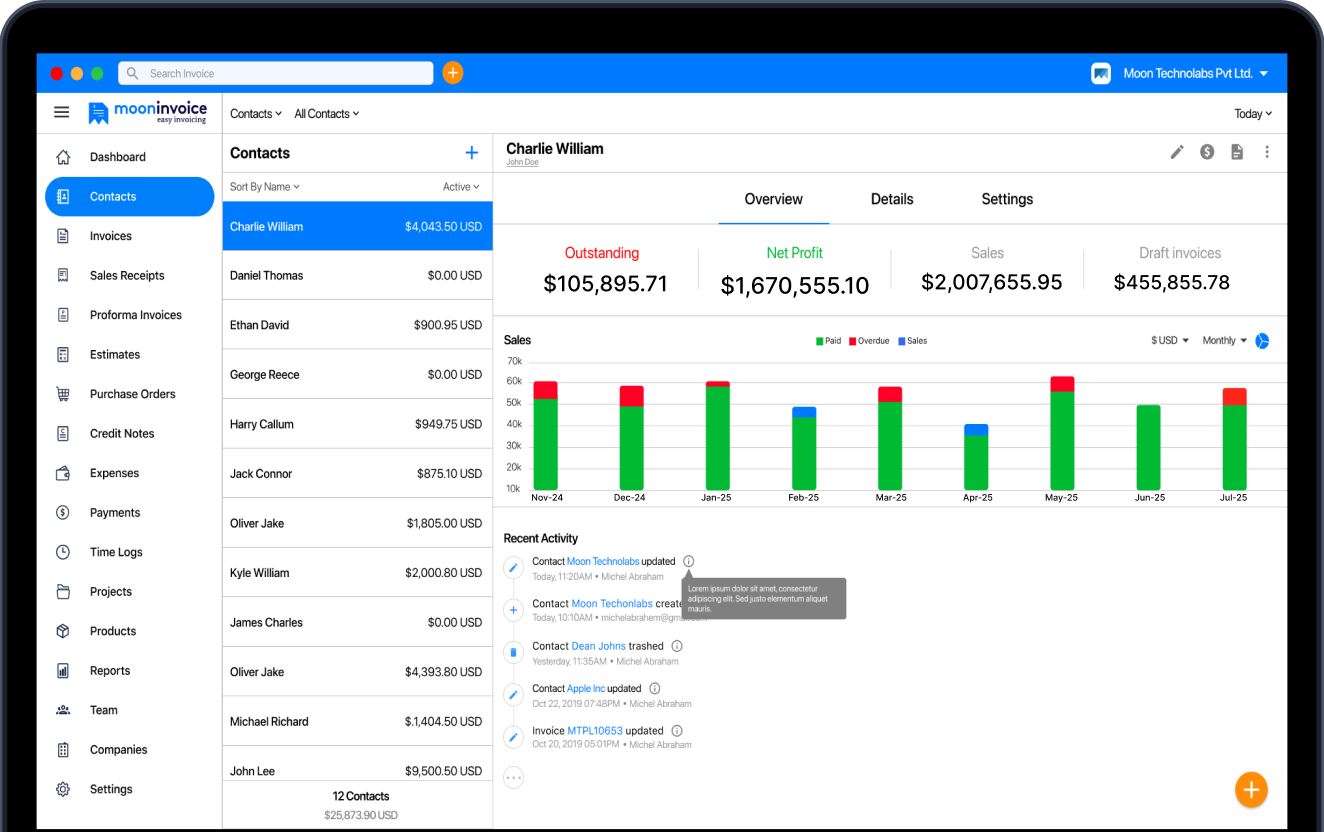
Track accounts payable efficiently with Moon Invoice
Manual handling of accounts payable can lead to errors. Additionally, it’s time-consuming and increases the team’s workload. However, you can overcome these challenges by adopting AI-powered invoicing software such as Moon Invoice.
You can easily manage all your vendor details, payment records, invoices, and bills in one centralized system. This leads to a better organization of details and reduces confusion and errors.
It simplifies your business expense management, allowing you to categorize expenses easily. Moreover, you can track the payment status in real time and also set the payment reminder.
With its quick-scan feature, you can automatically capture details, reducing manual work and mistakes. This OCR technology helps to quickly create invoices, receipts, and estimates with high accuracy. You can also generate a consistent invoice through its free invoice template.
Generate 15+ financial reports for better insights into expenses, payments, and outstanding balances. This helps in making informed decisions with clear accounts payable data.
With this intelligent software, you can streamline your accounts payable processes and manage things with confidence.
Are accounts payable journal entries your biggest challenge?
Simplify it with Moon Invoice, make it faster and more accurate for a better workflow.
Automate tasks
Generate financial reports
Monitor expenses
Common questions on accounts payable journal entry
What are 5 accounts payable journal entries?
What are 3-way accounts payable?
Why are accounts payable journal entries important?
What is the difference between accounts payable and accounts receivable?
Can accounts payable journal entries be automated?



Jayanti Katariya is the founder & CEO of Moon Invoice, with over a decade of experience in developing SaaS products and the fintech industry. He holds a degree in engineering. Since 2011, Jayanti's expertise has helped thousands of businesses, from small startups to large enterprises, streamline invoicing, estimation, and accounting operations. His vision is to deliver top-tier financial solutions globally, ensuring efficient financial management for all business owners.