
Managing expenses can be a headache if you deal with lost receipts, messy spreadsheets nd delayed reimbursements. Tracking every single dollar is tedious work without the right system. Also, handling receipts, reimbursements, and tracking daily spending is time-consuming.
That’s why many companies now rely on business expense trackers. These applications automate expense management, improve financial visibility, and simplify tax preparation.
According to a report by The Business Research Company, the expense tracker app market is projected to reach $19.77 billion in 2030. This highlights the growing demand for expense-tracking applications in today’s business landscape.
In this guide, we’ll compare the best business expense tracking apps and explore their key features.
📌 Key Takeaways
- Expense-tracking apps automate expense recording and streamline financial decision-making.
- Choosing the best small business expense tracking app depends on the business’s needs and workflow.
- Businesses should evaluate features, cost, and integration capabilities before purchasing the expense-tracking solution.
- Businesses can make informed decisions with the help of expense-tracking tools.
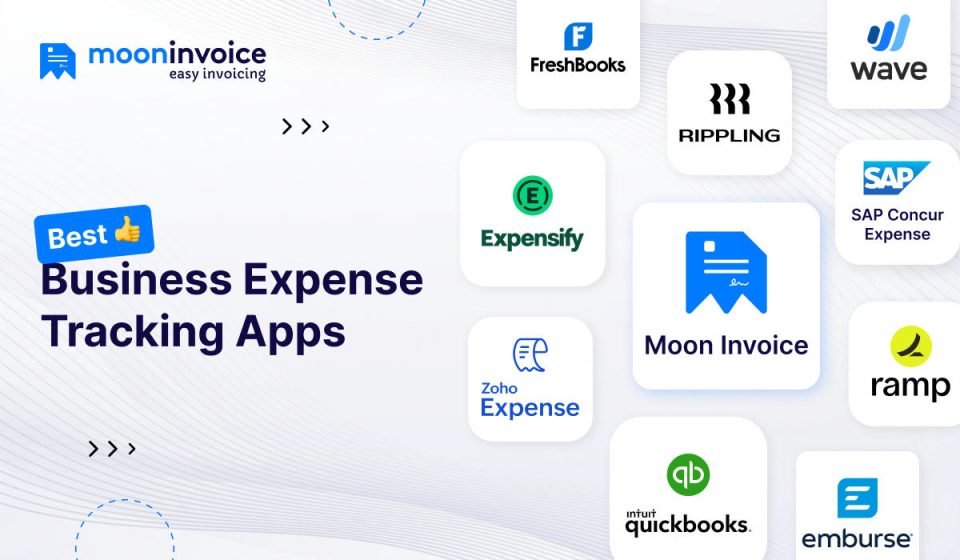
A quick glance at the best expense tracker apps comparison
Here are the top business expense tracking applications. Here, we have picked the best expense-tracking apps based on their usability, features, pricing, and free trials. Compare them and justify your choice.
| Expense tracking apps | Best for | Key features | Pricing | Free trial | Platform availability |
|---|---|---|---|---|---|
| Moon Invoice | Complete expense management for businesses of any size. | AI-powered invoicing, estimating, and receipt making, scanning, advanced expense tracking, categorization & reports. | Affordable | Available | Web, Windows, iOS, Android |
| FreshBooks | Small businesses and service-based professionals | Expense tracking, invoicing, project management, and estimates. | Moderately affordable | Available | Web, iOS, Android |
| Ramp | Corporate expense management for small to mid-sized businesses. | Real-time expense monitoring, multi-user access, and vendor management. | Moderately affordable | Available | Web, iOS, Android |
| QuickBooks | Complete bookkeeping, invoicing, and expense management. | Invoice creation, expense tracking, and financial reporting. | Moderately to highly priced | Available | Web, Windows, iOS, Android |
| Emburse | Complete expense management for corporate and travel. | Invoicing, expense tracking, management, and analytics. | Moderately expensive | Available | iOS and Android |
| SAP concur | Expense management for small to large enterprises. | Invoice, expense, and accounts payable automation | Moderately expensive | Available | Web, iOS, Android |
| Expensify | Expense reporting for small- to large-enterprise organizations. | Invoice creation, expense tracking, and spend management. | Moderately affordable | Available | Web, Windows, iOS, Android |
| Zoho Expense | Small to mid-sized businesses that need simple expense management. | Invoice, quotes, expense management | Affordable | Available | Web, iOS, Android |
| Wave | Freelancers and small business professionals who need easy expense management. | Expense tracking, invoice creation, and financial reporting | Affordable | Available | iOS, Android |
| Rippling | For mid-sized businesses and growing companies | Spend management, payroll integration, audit trail, and compliance. | Affordable | Available | Web, Android, iOS |
10 popular expense tracking apps & tools for small businesses
1. Moon Invoice
AI-powered, cloud-based invoicing software offers an outstanding solution for expense management. It allows you to handle personal and business expenses digitally, categorize them, and track them in real time.
The platform reduces manual work through automation and allows professionals to manage finances more effectively. Whether you are a freelance service provider or handling a small or large business, Moon Invoice works well for you. Additionally, it provides data encryption and secure cloud-based storage.
In addition to expense management, it provides a complete solution for invoicing, estimates, and project management. Thus, you can streamline every accounting action.
Highlighted features
- AI-powered receipt capture: Moon Invoice allows users to capture the receipt details through mobile. The AI-enabled quick scan concept extracts information as soon as the user scans the document. This eliminates the manual typing and ensures 100% accuracy.
- Expense categorization: You can easily categorize expenses to gain a clear understanding of where the money is going.
- Real-time insights: You can access the transaction scenario in real-time mode. This helps keep track of business expenses and quickly detect unusual or excessive spending.
- Recurring expenses: Easily set recurring expenses for the ongoing business expenditures, such as rent and utility bills. This improves financial accuracy while saving time.
- Integration: Moon Invoice supports third-party integrations to streamline the workflow and transactions. You can easily integrate the application with Zapier, Gmail, or with payment solutions such as PayPal, Stripe, or more.
- Download expense report: You can easily download the custom expense report in CSV, XLS, or PDF. Additionally, you can easily share the report via WhatsApp or email.
Pros
- Easy interface for fast expense management
- Minimal learning curve
- Multicurrency and multi-language support
- Provide a profit and loss summary
- Offline mode availability
- Offers 24/7 support
- Multi-platform access
Cons
- Limited period for free trial
Price (per month)
- Starter – $7.99
- Standard – $9.99
- Premium – $14.99
- Enterprise – $19.99
Expert suggestion: Choose Moon Invoice for complete & advanced accounting solutions. It is useful for automated invoicing, estimation, and smart expense management within the user-friendly software.
Stop guessing where your money goes
Track expenses in real time with Moon Invoice and make informed financial decisions.
2. FreshBooks
FreshBooks is another popular expense tracking software offering a comprehensive solution for invoicing, estimates, and other accounting tasks. It allows you to manage business expenses in one place, in a well-organized way. Small-business expense-tracking software is ideal when simple and effective financial control is needed.
Highlighted features
- Expense categorization: Proper categorization of expenditures helps maintain clear financial records. Categorize your business expenditures to ease your tax preparation with high accuracy.
- Manage billable expenses: FreshBooks lets you mark an expense as billable. This makes it easy to identify which expenditures can be charged back to the client.
Pros
- Easy to use
- Good reporting tools
- Automated invoicing
- Cloud-based accessing
Cons
- Limited advanced accounting features
- Fewer integrations
Price (per month)
- Lite – $6.90
- Plus – $12.90
- Premium – $21.00
Expert suggestion: FreshBooks is a good choice if you handle small business and need satisfactory expense management and billing solution.
3. Ramp
With its user-friendly interface, Ramp offers an outstanding expense management solution. It provides automation and real-time visibility to track business expenses.
Business professionals can efficiently manage employee spending and vendor payments. It heavily focuses on automation. Thus, business professionals can avail of faster processing and save time.
Like other expense-tracking tools, it helps categorize expenses to ensure accurate financial records.
Highlighted features
- Automate expense handling: The system automatically matches receipts and captures transactions instantly. This reduces the manual expense-reporting workload.
- Real-time expense monitoring: Users can analyze business spending in real time. This helps in gaining real insights and an accurate understanding of spending patterns.
- Integration: The software supports third-party integrations and syncs with tools like Xero and QuickBooks. This streamlines the overall workflow.
Pros
- Real-time visibility
- Easy to integrate
- Strong automation
- Bank integration
Cons
- Limited global support
- High level of learning curves
Price (per month)
- Free plan – $0
- Plus – $15
- Enterprise – custom
Expert suggestion: If you have a mid-sized business or a growing company, then Ramp is an excellent option. It offers advanced expense management, making it ideal for businesses handling large volumes of transactions.
4. QuickBooks
QuickBooks is a powerful expense management solution that helps you track business expenses more efficiently. Whether you run a small business or a medium-sized business, this platform is ideal for you.
With its smart expense categorization, you can easily see where your money is going. Therefore, you can make a better decision accordingly.
Highlighted features
- Connect your account: QuickBooks lets you link your bank account and credit card to the system. The system automatically imports the expenses and categorizes them accordingly.
- Check and share the report: Gain access to the expense report and easily check the financial information. Additionally, it allows you to share the report with your accountant or other members of your finance team.
- Intelligence recommendation: Ramp intelligence alerts you to duplicate subscriptions and overpriced vendors. This helps businesses optimize spending decisions.
Pros
- Detailed expense reporting
- Highly scalable
- Cloud and mobile access
- Wide integration support
Cons
- Complex structure
- Limited features in some areas
Price (per month)
- Simple start – $19
- Essentials – $37.50
- Plus – $57.50
- Advanced – $137.50
Expert suggestion: QuickBooks is a good option for small to medium-sized businesses. It offers an all-in-one accounting solution like invoicing, expense management, and financial reporting.
5. Emburse
Emburse is another great expense management tool that you can choose to automate expenses and control spending. It is another system that automatically extracts and matches expenditures.
You can easily gain the real-time visibility of your company’s spending. It helps make informed decisions about cost control and finances.
Highlighted features
- Smart receipt scanning: This expense-tracking application offers smart receipt scanning. You can scan the receipt in one click and create the expense.
- Integration: The app easily integrates with the existing process, enhancing productivity. It integrates easily with Xero, Sage, and NetSuite.
- Corporate card management: It tracks company card transactions in real time. Therefore, businesses easily monitor employee spending.
Pros
- Satisfactory level of automation
- Live tracking of expenses
- Policy compliance control
- Scalable for growing businesses
Cons
- Learning curves
- Complex setup
- High price for freelancers
Price (per month)
- Basic – $8
- Plus – $12
Expert suggestion: Emburse is best suited for the small to mid size businesses. It works well for the companies managing employee reimbursements and needs strong policy compliance controls.
6. SAP Concur
It is a travel and expense management platform for smart expense management. It is designed for businesses of all sizes, from small to enterprise-level. Like other softwares, it reduces manual work by providing high-level automation.
It also supports corporate card integration, enabling expense reporting automation. Overall, it is an ideal platform for enterprises seeking comprehensive, scalable expense management solutions.
Highlighted features
- Travel and expense integration: It offers travel booking and expense tracking on a single platform. Thus, it simplifies business travel costs.
- Automated expense reporting: It automatically captures the receipts, reduces manual typing, and simplifies the process.
- Policy compliance management: It automatically checks expenses against company policies. This reduces non-compliant spending.
Pros
- Robust automation concept
- Powerful integration
- Multi-currency support
- Scalable
Cons
- The setup is quite complex
- Professionals need to learn
- Not suitable for freelancers due to the high price
Price (per month)
- Quote-based pricing model
Expert suggestion: SAP Concur is suitable for large enterprises seeking a robust travel and expense management solution. It is ideal for companies handling a high volume of reimbursements.
7. Expensify
It is ideal for freelancers and small businesses due to its simple structure and functionality. You can easily automate expense management to improve the overall financial organization.
This expense-tracking tool supports mileage tracking, corporate card tracking, and reimbursement processing. If you are seeking a robust, easy-to-use automation solution, Expensify is the right choice.
Highlighted features
- Travel reimbursement: You can follow your company’s travel reimbursement policies while submitting the expense report. This simplifies the travel reimbursement process.
- Real-time expense tracking: Get an instant view of spending patterns to make better financial decisions.
- SmartScan receipt capture: Automatically extracts receipt details, reducing manual processing and errors.
Pros
- User-friendly interface
- Multi-device access
- Powerful integration
- Supports corporate cards and policy control
Cons
- Not ideal for complex enterprises
- Inconsistent receipt scanning
- Steep learning curves
Price (per month)
- Collect plan – $5
- Control – custom pricing
Expert suggestion: Expensify is good for freelancers, mid-sized teams, and large corporations. It offers advanced features, such as receipt scanning, to manage expenses on the go and reduce manual work.
8. Zoho Expense
The Zoho Expense app is another cloud-based business expense tracking and management tool. It allows users to scan receipts, create expense reports, and manage expenses in a centralized system.
The system provides integration support to enhance the workflow. You can gain better control over spending through the real-time expense report.
Highlighted features
- Capture receipt: Upload the receipt, and the system automatically extracts the details. Ensure high accuracy while reducing manual entry.
- Mileage tracking: Calculate accurate reimbursement through GPS-based logging.
- Expense policy enforcement: Control the spending by creating multiple policies for different departments. The system automatically flags a violation of the rule.
Pros
- Strong integration capabilities
- Multi-currency support
- Custom approval workflow
Cons
- Include setup complexity
- Limited customization
- Some integrations may require additional configuration
Price (per month)
- Free – $0
- Standard – $3
- Premium – $5
- Custom plan
Expert suggestion: Zoho Expense is a scalable and cost-effective system. It is ideal for businesses seeking automation with an easy-to-use expense management solution. This is specifically useful for companies already using the Zoho ecosystem.
9. Wave
If you are a freelancer or handling a startup and looking for a simple expense management app, then Wave is for you. With a single centralized platform, you can monitor daily expenses and cash flow.
This expense application offers automatic synchronization with bank and credit card accounts. So you can easily import transactions in real-time.
Highlighted features
- Unlimited bank & credit card connections: You can connect multiple banks and credit cards to enable automatic transaction imports. However, automatic bank imports are only available to the US and Canada.
- Automatic tax reports: You can organize financial data for simple tax return preparation and compliance.
Pros
- User-friendly interface
- Payroll support
- Low learning curves
Cons
- Limited scalability
- Not ideal for complex tax management
Price (per month)
- Starter plan – $0
- Pro plan – $19
Expert suggestion: Wave is a good platform for those who seek a simple invoicing solution without subscription fees. It offers all the necessary accounting solutions, including invoicing, expense management, and reporting.
10. Rippling
Rippling is another expense-tracking application that provides automated employee expense and reimbursement. Employees can easily manage reimbursements through the centralized platform.
This expense tracking solution is ideal for mid-sized companies and growing businesses. Its automation concept saves time and streamlines workflows.
Highlighted features
- Centralized finance: The application provides a centralized system for expense, payroll, and workforce management.
- Real-time visibility: Professionals can easily gain real-time visibility of their spending. This helps in making the right decision.
- Custom policies: The expense tracker application lets you create policies and automatically apply them to the right people.
- Simplify approval chains: Use role-based rules to automatically route expenses to the right approvers based on spending limits and employee roles.
Pros
- User-friendly interface
- Advanced integration
- Offer scalability
- Global expense support
Cons
- The user may experience complexity during the initial setup
- Need a stable internet connection all the time
- Customer support time may vary
Price (per month)
- Quote-based pricing model
Expert suggestion: Rippling is a good software for growing and large enterprises. It is especially useful for businesses that want to automate billing and efficiently control workforce expenses.
What is expense tracking software?
Expense tracking software is a tool that helps businesses record daily spending, categorize it, and monitor it for better control. An ideal software solution offers advanced features that streamline the entire expense management process.
The primary purpose of expense-tracking software is to reduce accounting errors and provide real-time visibility into business expenditures. With an accurate financial report, professionals can simplify their tax preparation.
How to find the ideal business expense tracker?
When selecting the business expense tracker, you must focus on the following factors:
Automated features
Always choose an expense tracker that offers automated features such as receipt scanning and automatic expense categorization. Software rich in automation concepts helps save time and enhance productivity.
Ease of use
How simple is the software to use? You must evaluate this to ensure that no complex strategy affects your tool’s access. Software with a simple UI and navigation affects your usability. Additionally, look for software that includes an online demo demonstrating how it works.
Integration support
Integration simplifies the workflow and saves time. Check the platform’s integration capabilities with your existing accounting software or ERP systems.
Affordability
Check the tool’s price and ensure it is within your budget. You must assess how much you can save by using the software’s features. However, you must not compromise on the feature quality. So always make a balance between cost and functionality.
Data security
This is one of the most important factors because your data should remain safe and secure. Discover the tool’s security features and select one that includes data encryption, fraud detection, and other security measures.
Customer support
Before purchasing the software, make sure you get strong customer support. Check out their support options: phone, chat, and email. Choose the one that most suits your needs.
Tracking and analysis
Choose software that provides real-time visibility & custom tracking to deliver accurate figures.This helps make informed financial decisions while monitoring budgets.
Why is Moon Invoice a good choice?
When it comes to expense management and tracking, Moon Invoice gives an outstanding solution.
You can streamline everything, from expense records and categorization to overall management. This AI-powered invoicing software extracts receipt information using OCR, reducing manual work. It simplifies tax calculation by automatically calculating the applicable tax within the expenditure.
The platform provides real-time monitoring and lets you generate custom reports. This helps ensure accurate figures and control unnecessary expenses.
Unlike a standalone expense-tracking app, Moon Invoice offers the right solution for invoicing, estimating, and project management. Therefore, you can get a complete accounting solution in a single centralized system.
Take full control of your finances with Moon Invoice.
Create estimates, send invoices, receive payment, or manage expenses – all in one platform.
Ending remarks
Effective small business expense tracking practices help you control and maintain accurate financial records. Choosing the right application can improve financial management, reduce manual bookkeeping, and simplify tax preparation. Always select the tool providing automation, integration capabilities, and real-time reporting.
FAQs
What is the best business expense tracker app?
How do expense tracking apps help businesses?
Can expense tracking apps integrate with accounting software?
What is the difference between expense tracking software and accounting software?



Jayanti Katariya is the founder & CEO of Moon Invoice, with over a decade of experience in developing SaaS products and the fintech industry. He holds a degree in engineering. Since 2011, Jayanti's expertise has helped thousands of businesses, from small startups to large enterprises, streamline invoicing, estimation, and accounting operations. His vision is to deliver top-tier financial solutions globally, ensuring efficient financial management for all business owners.