

TL;DR
Freelancers must use a reputable invoicing method to ensure timely payment. There are many payment solutions available for freelancers to choose from. PayPal, Stripe, Payoneer, Wire Transfer, and Credit/Debit Card are the primary payment methods available to independent contractors.
Working as a freelancer is a good option when work-life balance is your priority. Feels like your own boss, you can earn an ample amount of passive income while keeping yourself free from a tight working schedule.
However, receiving payments on time is a key challenge for freelancers. Unlike full-time employment, it doesn’t provide a fixed monthly salary. As freelancers, you need to follow up with your clients and request payment to maintain smooth cash flow.
Most importantly, you must use the right payment method to ensure a stress-free payment process. Also, it ensures you receive your funds securely. Therefore, selecting the right payment channel is crucial.
In this article, you’ll learn about the best payment methods for freelancers with key information on their features, pros & cons. Also, you’ll get to know how to choose the best payment type.
📌 Key Takeaways
- Freelancers can smooth the billing by using a standard payment method.
- Digital methods & direct deposit are convenient as they offer fast & secure payment transfer.
- Secure payment options always reduce the risk of fraud in a freelance business.
- Offering multiple payment modes enhances user convenience.
- Understanding payment terms helps maintain healthy cash flow.
- When serving international clients, it is always better to choose the method with the lowest conversion fees.
- Choosing & utilizing the right freelancer payment system enhances freelancers’ cash flow and professional image.
Best Online Payment Methods for Freelancers
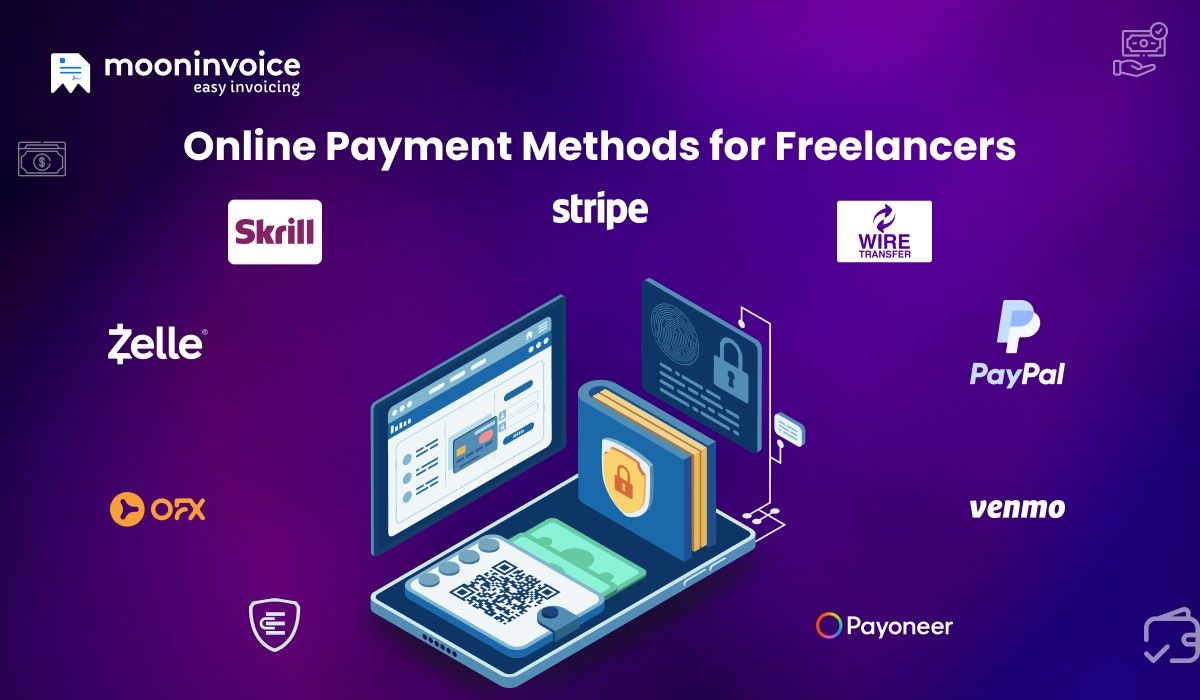
An online payment solution lets you receive payments painlessly. Explore the complete list of best online payment methods for freelancers here:
1. PayPal
Ideal for international transactions, this is one of the freelance payment options to consider when serving cross-border clients. It is useful for sending and receiving money. PayPal supports a wide range of businesses, including freelancers. Generally, it takes 24 hours for the funds to reflect in a bank account. It also offers an instant payment option on a charging basis.
Transaction Fees
For Domestic Transactions
| Transaction Action | Applicable Charges |
|---|---|
Through cards/checkout | Approximately 2.99% plus a $0.49 fixed fee. |
Through digital payments (e.g., PayPal Checkout) | Often 3.49% + $0.49 fixed fee for cards |
For International Transactions
Around 2.99% + fixed fee, with extra international fees (e.g., 1.5%) and currency conversion markups (3-4%).
Key Features
- Multiple payment methods
- Easy PayPal account setup
- Reporting tool
- Wallet management to store and manage money
- Built-in encryption to provide security
- Includes invoicing tools to create and send invoices
Pros
- Multiple ways to accept payment
- It works with many integrations
- Fast & convenient
- Prepaid card option
Cons
- High & complex fees
- Withdrawal delay
Do You Still Invoice Your Client Manually?
Digitalize your freelancing billing and speed up your payment flow by 2X.
2. Skrill
Formally known as Moneybookers. It is also a good platform for domestic & international transactions. It takes about 2 to 5 business days to complete the transaction. It also allows users to track payments.
This is one of the payment methods for freelancers that offers a straightforward currency conversion process. It offers strong security features like two-factor authentication & high-level SSL encryption. The user interface is simple and easy to navigate.
Transaction Fees
| Transaction Action | Applicable Charges |
|---|---|
The foreign exchange fee of 4.49% is applicable.
Key Features
- Offers multi-currency support
- Instant transaction that enhances payment speed
- Two-factor authentication
- Encryption
- Multiple-funding options
- Crypto-currency support
- Convenient to use as a mobile app
Pros
- Enable freelancers to accept payments in various currencies
- Strong security standard
- Fast wallet-to-wallet transfers
Cons
- Complex fees structure
- Limitations on certain payment types
3. Payoneer
If you are looking for a PayPal alternative, this method is the best option. It not only offers a simple transaction flow, but also an interface to check transaction history and balance. Usually, it takes at least 5 business days to receive the funds. It also includes a Request a Payment feature that lets users create PDF invoices. Thus, this payment gateway for freelancers offers more than just accepting payments.
Transaction Fees
| Transaction Action | Applicable Charges |
|---|---|
Receiving money from the Payoneer customer’s balance for the fee. | Free |
Credit card (all currencies) | 3.20% + $0.49 |
ACH bank debits | 1% |
PayPal (US only) | 3.99% + $0.49 |
Local bank transfer | 1% |
Key Features
- Global payment platform
- Currency conversion
- Offers mass payout, enabling the payment to many recipients at once
- Multi-currency support
- Marketplace integration
- User-friendly interface
Pros
- Supporting multi-currencies
- Offers strong integration
- Free transaction between user to user
- Offers a convenient withdrawal
Cons
- Higher fees
- It is not ideal for POS transactions
- The master card of Payoneer is not available in all countries
4. Wire Transfer
This payment method enables freelancers to receive the funds electronically. It is also one of the fastest ways to receive the payment. The transaction is between bank accounts in a peer-to-peer mode. It is the best payment platform for freelancers when transaction amounts are very high. The amount is reflected in the account within a few minutes.
Transaction Fees
| Transaction Action | Applicable Charges |
|---|---|
Key Features
- Direct ban- to-bank electronic transfer
- Security measurements
- Supports high-value transactions
- Suitable for domestic and international transactions
- Easy traceability
Pros
- Fast for large freelancer payments
- Useful for international transfers
- Secured and regulated
Cons
- Set up is complex
- Not ideal for small businesses
- Limited features
- High fees
5. Credit/Debit Cards
These physical cards are another great payment method for freelancers. Debit cards provide the fastest transactions, and the amount reflects in your account quickly. Credit cards, on the other hand takes 5 to 7 business days. This freelancer payment solution is good when you seek secure payment transactions and rewards.
Transaction Fees
The exact transaction fees for credit/debit cards depend on the payment processor’s pricing model. The typical transaction fees for credit cards is 1.5% to 3.5% per transaction, and for debit cards, it is 0.5% or less.
Key Features
- Offers a fast transfer process
- Convenience & secured
- Provide various rewards, including points & cashback
- EMI purchasing through a credit card
Pros
- There is direct spending control
- Using a credit card, one can easily build up a credit history
- Many cards offer rewards and cashback offers
Cons
- Misuse of cards can damage the credit score
- Overspending may lead to high interest rates
- Refund settlement takes time
6. Zelle
Zelle is a peer-to-peer payment network that most of the USA relies on. It is suitable for personal and professional use. However, it is necessary that senders and receivers’ bank accounts support Zelle.
This is the best payment platform for freelancers when it comes to instant transactions. There is no involvement of any middleman who holds the money. Also, it eliminates the need for digital wallets, credit cards, or any other external payment platforms.
Transaction Fees
No direct transaction fee is involved within the Zelle platform. However, the charges may vary depending on the bank involved in the transaction.
Key Features
- There is a direct bank integration
- Enrollment is quite easy
- Sending and receiving money is quite easy
- No separate wallet is required
- Bank-grade security
Pros
- Fast and affordable
- It is integrated with many bank accounts
- Mostly, there is a free bank-to-bank transfer
- Fast transaction (usually within a minute)
- There is no risk involved in direct bank-to-bank transfers
Cons
- The transaction cannot be reversed
- Limited to US based banks accounts
- It doesn’t offer buyer or seller protection
7. Venmo
Owned by PayPal, it is another freelancer payment solution. Users can easily send and receive money through the website. Like Zelle, Venmo only works for USA-based businesses.
As a freelancer, you can easily make a Venmo business profile and receive the funds in a Venmo account when the client pays. Further, you can easily transfer the amount to your bank account. It takes about 1 to 3 days for the amount to be reflected. However, you can make it instantly while paying some charges.
Transaction Fees
The following are the applicable charges for receiving money.
| Transaction Action | Applicable Charges |
|---|---|
Key Features
- Multiple funding sources are available
- It provides privacy control
- Instant transfer to the bank
- Venmo supports merchant payments
- Emoji-based fund transaction
Pros
- Fast & convenient
- One can easily request money or split bills
- User-friendly and easy to use
- Offers quick setup
Cons
- Limited to only USA-based people
- Fees are applicable to both payers and payees
- It is not ideal for large amounts of money
- Default public transactions can leak information
8. Stripe
Headquartered in the USA, Stripe is another payment method that you can trust as a freelancer. You can easily pay with a credit card, debit card, or a digital wallet. This payment gateway for freelancers supports international transactions in multiple currencies.
Independent contractors can easily manage their freelancer payments without any technical knowledge. It also offers recurring payments, making it easy for customers to manage their billing for ongoing services.
Transaction Fees
It doesn’t involve any setup fees. However, a standard online fee is 2.9% + $0.30 per transaction for the domestic cards or wallets. In case of international cards, an additional 1.5% fee is applicable.
Key Features
- Accept various currencies
- Payment link generation
- Recurring billing
- Seamless integration with other tools
- Security measures
- Detailed insights into transactions through reports
Pros
- Real-time payment tracking
- Providing security compliance
- Helps in managing recurring invoices
- Multi-currency supporting
- Scalable
Cons
- The setup process is complex due to technical concepts
- Currency conversion and international cards can incur additional costs
- It involves learning curves
9. Escrow
Escrow is another payment method for freelancers, in which a neutral third party holds funds for transactions. The client deposits the money into the Escrow account. Once you complete the milestone or deliver the complete project, the Escrow team releases the payment on approval of the work. It is most commonly useful for large-scale projects.
Transaction Fees
The charges depend on the transaction value. The standard transaction fee is 2.6% for the value $0 to $5,000 ($50 is the minimum). Additionally, a payment processing fee of 3.05% applies.
Key Features
- Third-party fund holding
- International payment support
- Provide secured transaction
- Transaction transparency
Pros
- Good for large & long-term projects
- Ideal for an international freelancing job
- Reduce the risk of fraud
- Payment protection for freelancers
Cons
- Not ideal for small jobs
- Service fees
- Payments are released only after the client’s approval
10. OFX
OFX is the next one you can rely on as freelancers. It helps them to receive domestic and cross-border freelancer payments effectively. The platform offers bank-to-bank transfers with no hidden fees. However, this method doesn’t allow users to save & keep a balance or a payment link.
This method is ideal when you look for alternatives to PayPal or a traditional bank. It offers peer-to-peer transactions at better rates.
Transaction Fees
OFX charges a transaction fee of AU$15 for the transaction amount under AUS$10,000. This is only applicable when the client is not transacting on the OFX Australia Business Platform.
Key Features
- Multi-currency accounts
- Accounting integrations
- 24/7 customer support
- Syncs with other softwares
- Supports over 25+ currencies
- Streamline the invoice capture
Pros
- Offers better exchange rates
- It uses security measures such as two-factor authentication & encryption
- Users experience a wide global reach
- There is no transfer fee
- Advanced tools
- Business accounts
Cons
- Not supporting cards and mobile wallets
- The transfer duration is slow
- Limited support in terms of different languages and currencies
How to Get the Best Payment Method for Freelancers?
Selecting the best payment method for freelancers depends on their working style and needs. Here are the following points that you must look for as a freelancer:
Client Location
Your client can be local or international. Therefore, you must consider your client’s location. For local clients, you can accept bank transfers or UPI. You can accept international freelancer payments via PayPal, Stripe, Wire Transfer, or Payoneer.
Fees & Hidden Charges
When selecting a payment method, always review the fees it charges. Different platforms have different fee structures. Some of them also carry hidden fees. It is always better to choose low-fee options for large or recurring payments.
Ensure Security & Dispute Protection
You must ensure the freelancer payment solution offers strong security measures, such as encryption, tokenization & multi-factor authentication. Also, prefer the gateways that provide dispute resolution.
Speed
Always check how much time the specific payment method takes for payment transfer. If you need quick payment, then always choose the payment platform that offers instant payments.
User Friendliness
Choose the payment method with the lowest learning curve. A too-complex system can negatively affect your process.
How Moon Invoice Can Simplify Your Freelancing Payment Management?
Invoicing software is a dedicated platform that offers a complete invoicing and financial management solution. It enhances the payment flow through professional invoicing, clear payment terms, and built-in payment integrations.
For instance, systems like Moon Invoice provide 66+ customized freelance invoice templates. Using these templates makes it easy to create a professional invoice in a minute. Not only this, but the template also commits to accuracy with an auto-calculation feature.
More Outstanding Features
- Multiple payment options: Supports 20+ payment options integration, enabling clients to make payments in their preferred method.
- Multi-currency support: The software supports 100+ currencies. This enhances the payment process for freelancers serving global clients.
- Automatic payment reminders: Moon Invoice enables professionals to avail the automatic payment reminders. This helps to eliminate late payment.
- Business reports: The platform offers 15+ customized business reports, enabling users to gain insight into every detail.
- Expense management: Freelancers can digitally manage their expenses, reducing errors.
- Project management: The platform helps to analyse how much time is spent on the project. This is especially useful for hourly contracts. Easily convert those billable hours into billable invoices.
- Third-party integrations: The platform integrates easily with popular apps such as PayPal, Stripe, and American Express, simplifying workflows.
Want to Enhance Your Freelancing Payment Flow?
Try Moon Invoice to streamline your end-to-end payment journey. Trusted by 1.7 M global customers.
Last Remarks
When you work as a freelancer, you have multiple responsibilities to keep your job active with passive income. Receiving an on-time payment can be a nightmare when you work as a freelancer and do not use the right payment solution. The above payment methods for freelancers are not just payment options; they are part of a hassle-free payment process. Choose the method that best meets your needs.
FAQs on Freelancing Payments
What is the best payment method for small-scale businesses?
What are the 4 types of payments?
What is the best way to receive payment as a freelancer?



We at Moon Invoice, are the best minds behind smarter invoicing and seamless business growth. We love to solve financial problems and keep providing effective tips through our blogs, newsletters, and social media channels. As a team, we continue exchanging ideas about growing financial challenges and smart use of automation tools.




![How to Write a Consulting Proposal? Key Steps [Template & Example]](https://cdn.mooninvoice.com/mi-live/blog/wp-content/uploads/2023/11/04134146/GuidetoWriteaConsultingProposal1.jpeg "How to Write a Consulting Proposal? Key Steps [Template & Example]")