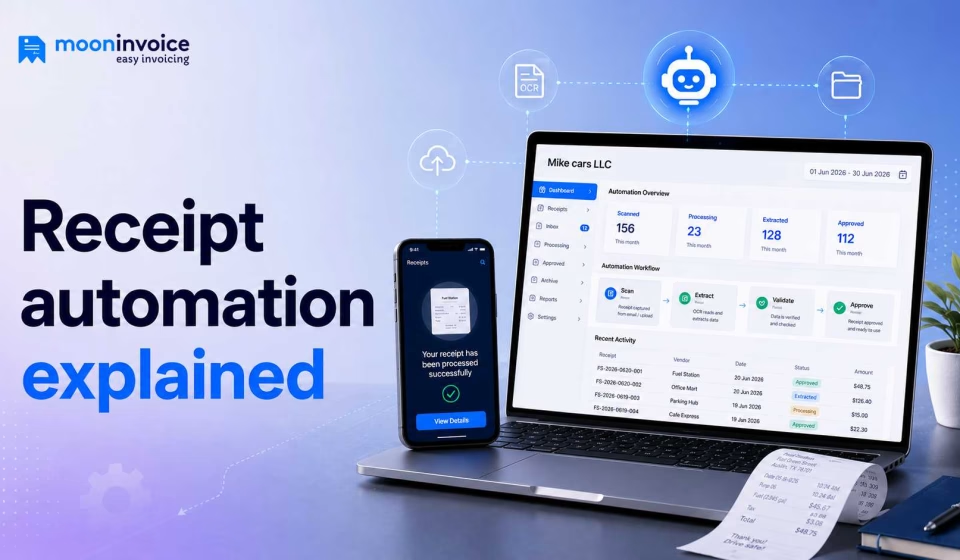


Receipts are a vital part of our daily transactions. Whether it is about paper slips or digital receipts, they are more than just a proof of purchase. For businesses, receipts play a massive role in simplifying bookkeeping and analyzing financial performance.
So, how do you manage receipts in your business? Manually entering receipt data into your registers and categorizing it can be time-consuming and error-prone. It can even slow down many of your business’s key accounting workflows.
This is where receipt automation comes in: it streamlines receipt management and saves you valuable time, so you can focus on other productive parts of your business.
Moving ahead, we will understand what receipt automation is all about in detail, along with how it works, steps to implement it in your workflow, and its key benefits.
Let’s dive straight in…
📌 Key takeaways
- The process of automating your receipt creation and management using software or a tool is called receipt automation.
- Receipt automation includes capturing data from a paper receipt, extracting key information, and converting it into a digital receipt.
- All types of receipts, such as paper, email, PDFs, or travel and expenses, can be converted into a digital receipt.
- Accurate data extraction and elimination of manual data entry are two key benefits of receipt automation.
What is receipt automation?
Receipt automation refers to automating the entire receipt creation process using software rather than creating receipts manually. It includes creating receipts, sending them, storing them, and managing them. Using automated receipt management software, businesses can generate digital receipts as soon as they receive payment from clients.
Before software came into the market, receipt processing was done manually for years. However, as technology advanced, processes were optimized, and digital receipts became the new way of maintaining records.
Receipt automation is a combination of technologies working together, such as OCR (Optical Character Recognition), AI (Artificial Intelligence), and Machine Learning. Automation helps you create digitally organized receipts within seconds.
Sorting through disorganized receipts?
Process, sort, and label your receipts automatically with Moon Invoice. Turn your physical receipts into clean, structured digital receipts.
How does receipt automation work?
Most of us, especially business owners equipped with old methods, think automation must be a highly complicated process, but it isn’t. Here is a quick look at how receipt automation works in a business.
- Payment information is captured: When a sale is completed, you need to capture and scan the handwritten or printed receipt using the software.
- Receipt is generated automatically: From the captured information, the automated receipt system immediately extracts key details, including line items, and helps generate digital receipts.
- Receipt is sent to the customer: Once the receipt is generated, the users can choose their preferred channels, such as email, or WhatsApp, to send the receipt to the customer.
- Records are stored in the cloud: When the digital receipt is delivered to the customer, a copy of the same receipt is stored securely in the cloud so that you can access it whenever required.
- Data is organized for reporting: Once they are stored in the cloud, the receipts are categorized into different categories so that tracking and monitoring transactions can be easier. It helps prepare for tax seasons with an audit-ready digital archive.
How to set up automated receipt processing in your business?
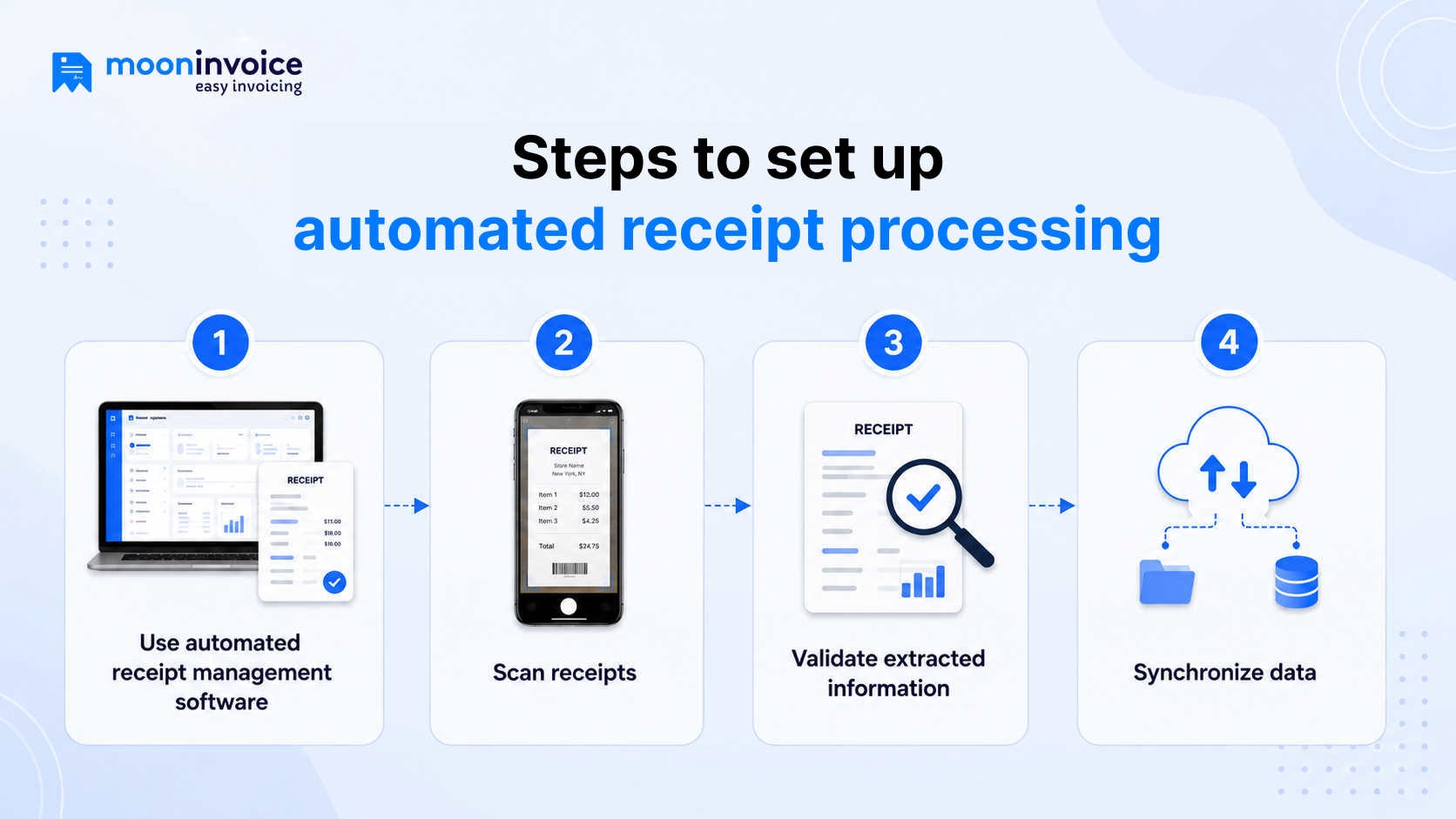
So far, you know how receipt automation works. Now, let’s understand how you can implement it in your business.
1. Use automated receipt management software
Everything starts with choosing the right software for your business.
Choose receipt automation software that includes an AI-powered receipt scanning feature and aligns with your business needs.
You should consider a receipt management software that includes:
- AI-powered receipt capture and support for digital receipts
- Automatic extraction of receipt data
- Secure cloud storage to retrieve receipts whenever required
- Remote access to digital receipts from any device
- Email and WhatsApp sharing to quickly share receipts with customers
When you use receipt management software, you are free from manual errors, delays, and paperwork. It makes your entire process faster and more accurate.
2. Scan receipts
Once you choose your receipt management software and your profile is fully set up, you can start scanning receipts.
First, you will be required to capture the handwritten or printed receipt in the software, and the AI-backed automation feature will do the rest. The software will extract key receipt data such as:
- Merchant name
- Transaction number
- Receipt date
- Line-item details
- Payment method
- Tax amount
- Total amount paid
Apart from paper receipts, you can also scan email receipts, PDF receipts, and digital receipts.
Many advanced receipt automation software offer drag and drop functionality, which simplifies the process of uploading receipt data from your device.
3. Validate the extracted information
Receipt automation is nearly 99% accurate and extracts data correctly, but in some cases, such as blurry images or unrecognizable handwriting, the software may fetch incorrect data. To address these minor mistakes, it is always a good practice to double-check the extracted receipt information before finalizing the receipt.
Key fields to check are:
- Customer information (Name, address, contact details, etc.)
- Receipt number (Must be unique)
- Transaction date
- Quantity of items purchased and unit price
- Applied taxes and the total amount paid
A quick review of all these details prevents disputes and helps maintain accurate customer records.
4. Data synchronization
The final step is completely hands-off. Now that you’ve scanned the receipt and verified the extracted details, the software automatically syncs the data to the cloud. This way, it centralizes your records in one secure platform, giving you instant access to your important data whenever you need to plan budgets or claim tax deductions.
Manual vs automated receipt processing: Key differences
Whether automated or manual, a business can choose either receipt processing method, but both have distinct differences. Here’s a quick comparison:
| Basis of difference | Manual receipt processing | Automated receipt processing |
|---|---|---|
| Data entry | Typed in by hand, line by line | Extracted instantly by AI |
| Error rate | High. Typing errors are common | Minimal. AI validates data automatically |
| Processing speed | Time-consuming | Completed in seconds |
| Receipt storage | Filing cabinet and shoeboxes | Secure cloud storage |
| Scalability | Hard to manage high volumes | Easily handles large volumes |
| Reporting | Requires extracting data manually to create reports | Data is extracted automatically, which helps you create clean and structured reports |
| Tax compliance | Dependent on human diligence | Organized, consistent, and audit-ready |
Types of receipts you can automate
Many businesses think receipt automation is suitable only for certain types of receipts; not every receipt can be automated. However, that is not true at all. The modern age receipt automation software is designed to handle receipts of any type.
Here are some of the primary types of receipts you can automate:
1. Cash receipts
Cash receipts are issued whenever a customer pays in cash for goods or services. Receipt automation software can generate, record, and store these receipts digitally. The software eliminates the need for manual paperwork and reduces the risk of lost records.
2. Service receipts
Businesses that provide services, such as consultants, contractors, repair technicians, and freelancers, can automate service receipts after completing a job. This ensures accurate documentation of payments received and simplifies recordkeeping.
3. Donation receipts
Nonprofit organizations and charitable institutions can automate the issuance of donation receipts whenever contributions are received. Automated receipts help maintain transparency, improve donor communication, and provide proper documentation for tax purposes.
4. Bank and credit card transaction receipts
When you connect your business bank account or corporate card to your receipt automation platform, the system pulls in transaction data automatically. It then matches those transactions against uploaded receipts where available, flagging any that are unmatched and need attention. It keeps reconciliation clean and efficient.
5. Travel and expense receipts
Business travel generates a paper trail of its own, such as flights, hotels, ride-shares, meals, and client entertainment. Receipt automation handles all of these in one place. It allows traveling employees to capture receipts and submit expenses on the go.
Skip manual entry. Let AI handle it.
Accelerate your physical document handling into a high-speed automated system

AI receipt scanning
Instant data extraction
Tax reports
Key benefits of receipt automation
When you automate receipts for business, the impact goes far beyond just saving time on paperwork. Here are the key benefits:
- Accurate data extraction: No more typos, transposed numbers, or missed fields. Automated systems deliver accurate data extraction, whether it’s a paper slip, a PDF, or an email.
- Eliminates manual entry: Automation removes the slow, error-prone receipt management methods and helps you save time that can be used for other productive work of the business.
- Simplifies expense reports: All expense receipts are stored in one place, which simplifies creating more organized expense reports for audits and tax seasons.
- Reduces paper clutter: Transforms your manual workflow into a paperless workflow, replacing physical storage with secure cloud storage.
- Audit and compliance readiness: Keeps receipts securely organized and easily accessible. It helps businesses meet tax, accounting, and regulatory requirements.
Automate receipt generation with AI-first automation software
Receipt management isn’t just an admin task; it’s the backbone of accurate books, stress-free tax seasons, and a professional experience for every customer you serve. Doing it manually means accepting unnecessary errors, delays, and gaps in your financial records that quietly cost you more than you realize.
The smarter move is automation, and that’s exactly where Moon Invoice comes in.
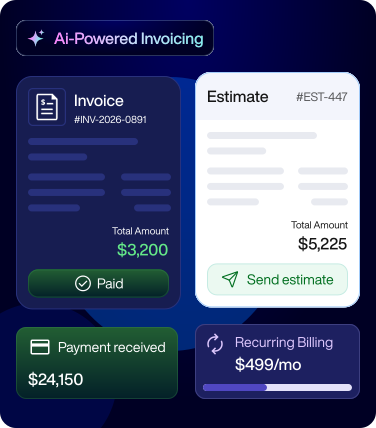
With features like AI-based Quick Scan, Moon Invoice extracts receipt data within seconds, freeing you from complicated paper-based processes. Once a digital receipt is generated, you can later convert it into an invoice, expense, purchase order, or credit note.
Want to replace manual receipt processing with a faster, automated workflow?
Book a demo and discover Moon Invoice now.
Frequently asked questions on receipt automation
How to automatically process receipts?
Are digital receipts legally valid?
Who needs receipt automation?
What does the term automatized receipt mean?
Is receipt automation secure?



We at Moon Invoice, are the best minds behind smarter invoicing and seamless business growth. We love to solve financial problems and keep providing effective tips through our blogs, newsletters, and social media channels. As a team, we continue exchanging ideas about growing financial challenges and smart use of automation tools.