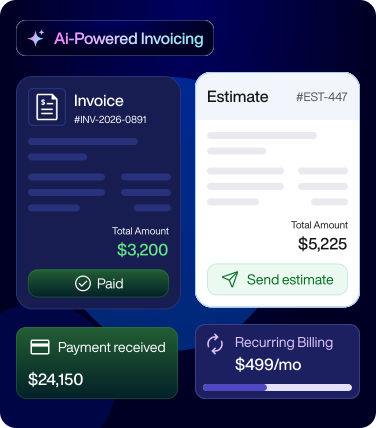



Here’s how Moon Invoice emerges as the top-choice small business invoicing software.
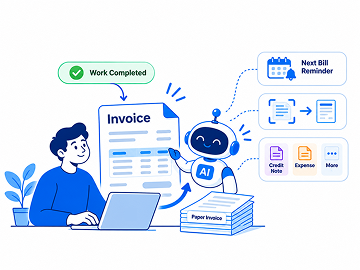
Bill your clients the moment you complete the work or deliver the products. Let AI remind you when to dispatch your next bill based on your invoicing patterns. Plus, turn every paper copy into digital bills, credit notes, expenses, and more using AI automation.
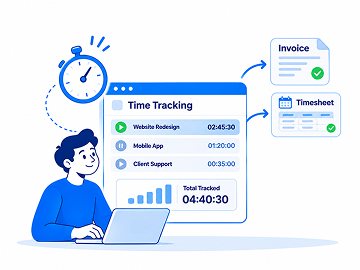
Built-in timers to track individual time spent on different projects. Convert logged hours directly into accurate invoices in a few taps. Generate detailed and audit-ready timesheets so you no longer need to perform manual calculations.
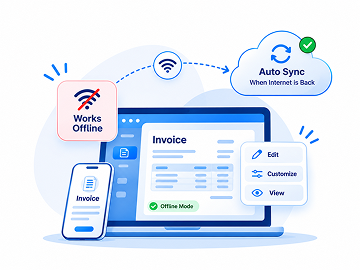
Billing software that works even when there is no internet connectivity. It lets you view, edit, and customize your invoices the way you want. The data syncs automatically once the internet is back, allowing you to keep every detail up to date.
A few areas where Moon Invoice has a clear edge over POS billing software, Square Invoices.


 Square Invoices currently lacks AI automation in billing
Minimum scope for customization in invoice templates
No direct WhatsApp sharing options available
No dedicated vendor portal to organize vendor invoices
Users will not be able to generate P&L statements and tax reports
Square Invoices is available on iOS, Android, and the web.
No way users can manage restaurant tables using Square Invoices


 It comes with AI-powered billing that adapts to your billing patterns
A complete room for customization in invoice templates.
One-click instant bill sharing directly via WhatsApp
A separate vendor portal to centralize vendor documents.
Easily get P&L statements, cash flow statements, and tax reports
It has apps across Windows, macOS, Linux, iOS, and Android
Built-in table management to monitor occupied or empty tables
A quick comparison between Moon Invoice and Square Invoices to help you decide which software pays off.
| Features |
|
Best Value
|
|---|---|---|
| POS billing | |
|
| Online payments | |
|
| Recurring invoices | |
|
| AI assistant | |
|
| Custom invoice templates | Square Plus or above plans | Available from basic plans |
| Expense management | |
|
| Table management | |
|
| Integrations | Instagram, Facebook, and Google | Popular third-party apps |
| Multi-currency support | |
|
| AI image generator | |
|
| Barcode label printing | |
|
| AI payment extraction | |
|
| Print layout | Rigid | Flexible |
| Custom thermal prints | |
|
| Reporting | Inventory & performance report | 15+ reports, including tax report |
| Offline accessibility | |
|
| Customer support | 12 hours (Mon-Fri) | 24/7 |
Don't let $0 plans fool you. You never know how fast processing fees add up. Let’s compare Moon Invoice and Square Invoices pricing to reveal the real cost of the invoices you send.
 Invoice customization Inventory tracking Vendor sales
Unlimited Active Clients 15 Users AI Contact Creation Expense Tracking Receipt Management Recurring Invoices Advanced Reports & Insights
See how growing businesses are making the most of invoice and payment tracking software, Moon Invoice.



Only invoicing software that offers complete customization. Using it, we even generate custom thermal prints for invoices and receipts. Something that not many software provide nowadays. It makes our daily invoicing completely paperless and painless.

Our agency was losing thousands to percentage markups on other platforms. Moon Invoice allowed us to integrate our own payment gateways with no surcharges. And being able to send payment links via WhatsApp brought our collection time down from 14 days to under 48 hours.

We love using Moon Invoice because it follows an AI-first approach in billing. We just take a snap of any document and convert it into a digital copy. It reminds us at the right time to bill clients. This is modern and feature-rich billing software, so our team enjoys using it.

State-of-the-art features to cut your invoicing time and give you total financial control.
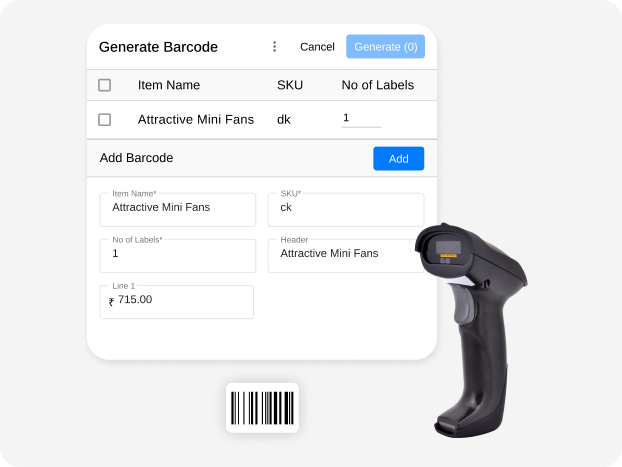
Give your clients the convenience of ordering from anywhere. Simply generate dynamic QR codes that allow customers to scan, customize, and confirm orders in minutes. Reduce checkout friction and drive higher sales volume.
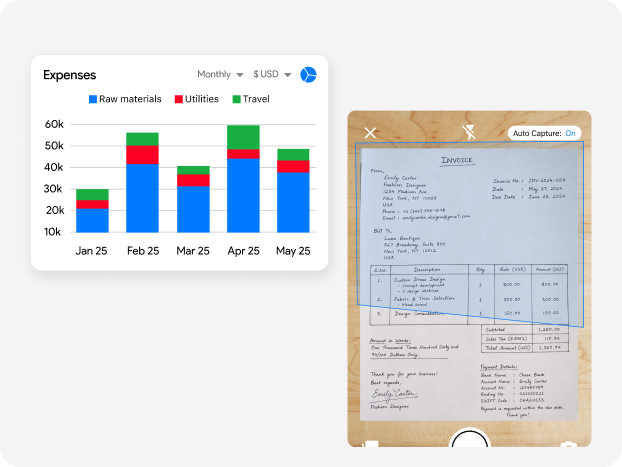
Categorize and oversee your monthly spending on the go. Log expenses by scanning paper receipts with your mobile’s camera and keep accurate track of outgoing expenses. You neither lose track of reimbursable project costs nor waste hours entering vendor bills manually.
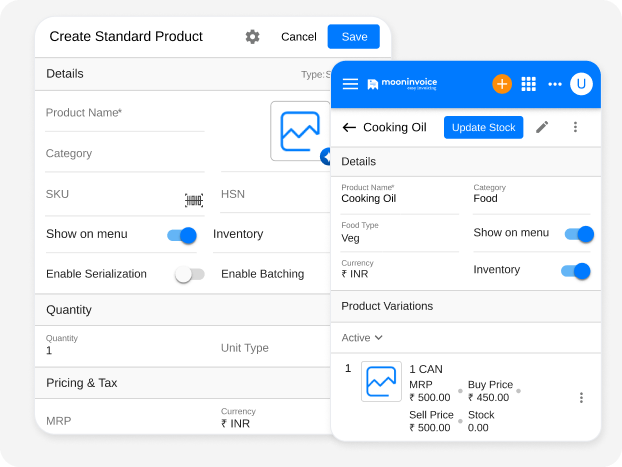
One single place to create and manage all types of products, including multi-variants and combos. Update MRP, buy price, and sell price anytime. Decide whether to continue or discontinue showing a particular product on the online menu.
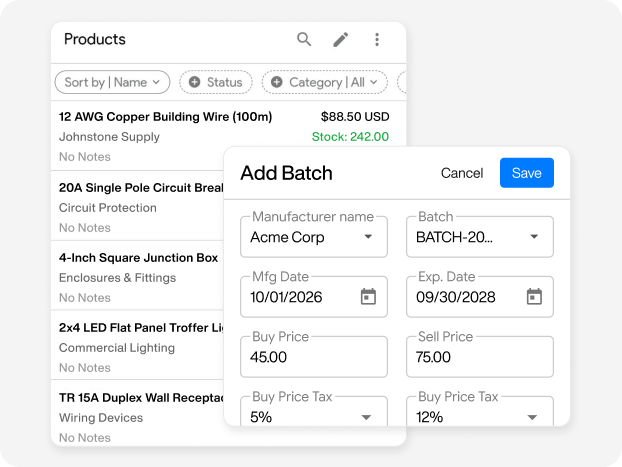
Get uninterrupted visibility over available inventory. Moon Invoice syncs inventory levels in real time, so warehouse managers always know what’s lying inside. On top of that, explore high-quality order aging and stock reports. No need of counting stocks manually.
Reduce your invoicing time and collection effort using AI-powered
billing software
Painless invoicingRecurring paymentsExpense trackingPaper-free reports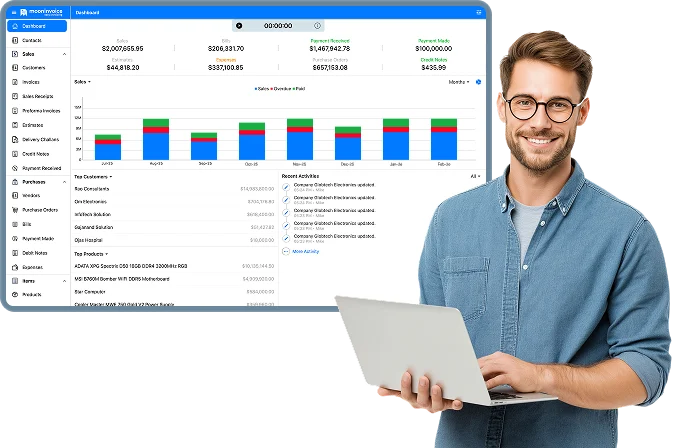
Discover a powerful Invoice Simple alternative with Moon Invoice. Compare features, billing tools, customization options, and business management capabilities with a free trial.

A detailed comparison of Moon Invoice and Invoice Ninja covering features, pricing, ease of use, integrations, and business management capabilities.
Compare Moon Invoice and Bookipi side by side to explore invoicing features, pricing, automation, and support. Find the right billing solution for your business.
If you have questions or concerns, contact our customer support team for help.
Square Invoices is good for basic invoicing or when you just want to send a payment request. However, it falls short for growing businesses that require a complete invoicing suite. Therefore, choosing a Square Invoices alternative like Moon Invoice, which offers 60% faster billing workflows, makes sense.
A straightforward answer is no. Unlike Square, which forces you into fixed processing fees, Moon Invoice lets you connect your preferred payment gateways at no extra cost. This means you can keep 100% of your hard-earned profit margins.
Although both serve as AI assistants, Moon Invoice’s Ask AI has an edge over Square AI in terms of accuracy and information. Moreover, Square Invoices also admits their AI feature is still in beta, with "finishing touches" pending. Thus, Moon Invoice’s Ask AI is a far better choice.
Moon Invoice is best for billing foreign clients. The reason is clear; Moon Invoice offers multi-currency support, which means you can bill clients in any preferred currency. Square Invoices currently lacks multi-currency support.
No, you can not work offline using Square Invoices. You must be connected to Wi-Fi or cellular data to access your billing documents and client records. Otherwise, consider reliable alternatives to Square Invoices, such as Moon Invoice, which offers offline access.
For my business, one of the headaches was managing both stocks and expenses. Luckily, I switched to Moon Invoice and found the hassles of stock and expense management getting faded. Thanks to this amazing invoicing app.


Try Moon Invoice Today!
For my business, one of the headaches was managing both stocks and expenses. Luckily, I switched to Moon Invoice and found the hassles of stock and expense management getting faded. Thanks to this amazing invoicing app.
Try Moon Invoice Today!
For my business, one of the headaches was managing both stocks and expenses. Luckily, I switched to Moon Invoice and found the hassles of stock and expense management getting faded. Thanks to this amazing invoicing app.
We will send you an email with instructions to reset it.
For my business, one of the headaches was managing both stocks and expenses. Luckily, I switched to Moon Invoice and found the hassles of stock and expense management getting faded. Thanks to this amazing invoicing app.
Enter Password to link your account with Gmail
For my business, one of the headaches was managing both stocks and expenses. Luckily, I switched to Moon Invoice and found the hassles of stock and expense management getting faded. Thanks to this amazing invoicing app.
Try Moon Invoice Today!