
Blog summary:
In this accounting guide, we break down the difference between Accounts Payable (AP) and Accounts Receivable (AR). By leveraging smart automation tools like Moon Invoice, you can eliminate the administrative grind, protect your working capital, and prevent costly billing errors.
A revolving door at a busy hotel lets people in from one side, while the other side lets them out. Account payables and receivables are no different. One is letting money in, while the other is letting money out.
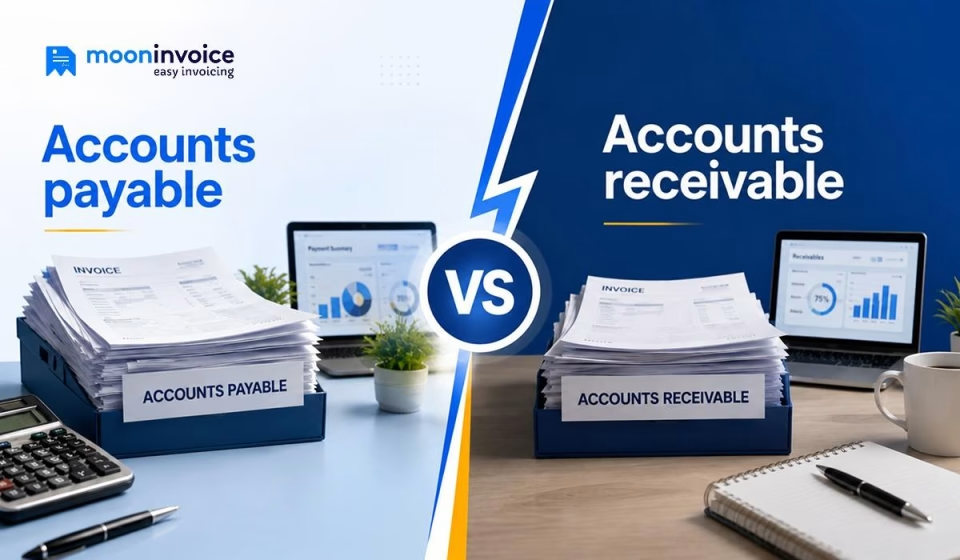
Mastering the balance between the two is the ultimate secret to keeping your business operations up and running. This guide – accounts payable vs accounts receivable, breaks down the difference between small business payables and receivables, along with best practices to manage both accounts payable and receivable.
What are accounts payable vs. receivable? (AP vs AR)
Accounts payable (AP) definition: It refers to the total amount your business owes to third-party vendors or suppliers. This can be anything like utility bills, equipment repairs, consultation fees, or other payments directly associated with your business operations. Basically, AP is the process of recording whatever money your business owes in the spreadsheet or accounting software.
Example of accounts payable
Let’s take an example of an eco-friendly apparel brand, TerraWear, that orders $1,200 worth of organic cotton fabrics from its textile supplier. The supplier later delivers the material alongside an invoice with net 30 payment terms. Which means TerraWear has 30 days to pay an incoming invoice. So, until you authorize the payment transfer, that invoice sits in your accounts payable pile.
Now let’s look at the flip side.
Accounts receivable(AR) definition: It is the money owed by buyers following the delivery of products or services. To put it simply, AR is the incoming money that you expect from your clients to pay within a specific timeline.
Accounts receivable, however, is not guaranteed cash because not every invoice gets paid. Sometimes the client ghosts you and the invoice remains unpaid for too long, eventually becoming a bad debt (or write-off).
Example of accounts receivable
For example, boutique roasted coffee distributor, BeanWorks, delivers $850 worth of espresso beans to a local cafe chain. As soon as it delivers, BeanWorks issues an invoice to the cafe with net 45 payment terms. BeanWorks records that $850 in their accounts receivable sheet, because they earned money but didn’t receive it from the cafe. The amount stays as it is in the accounts receivable log until the payment arrives.
Still using Excel to track who owes you what?
Centralize client invoices, vendor payments, and overdue reminders in one single platform, and never lose track of cash flow
The difference between accounts payable and receivable
Whenever your business makes a deal, you know, paper trails follow. If you are the one shipping the product, you will send an invoice right after the delivery. The reason is simple, you are legally owed that money and expect it to arrive soon. Importantly, your business treats that pending payment as a valuable asset.
But when you buy something from a vendor, they send an invoice to you. Since that cash is promised to someone else, it stands as a financial obligation you have to fulfill anyway.
Together, both AP and AR are making sure your business keeps running. Striking the right balance between them ensures you are perfectly syncing the money flowing out to suppliers with the money flowing in from buyers.
Let us take a closer look at how they stack up across the key operational areas of your business:
| Core differences | Accounts payable | Accounts receivable |
|---|---|---|
| Cash flow | AP always represents outgoing cash flow. | AR displays the incoming cash flow. |
| Objective | It allows you to carefully review every bill, so you are never overcharged. | It facilitates the billing process, allowing you to dispatch invoices on time. |
| Balance | Credit | Debit |
| Risk factor | Potential human error, double-billing, and fraud are some risk factors. | Late payments and the chances of bad debt always frighten businesses. |
| Recognized as | Liability on the balance sheet. | AR, however, is recognized as an asset. |
Accounts receivable vs payable: how do they work?
Accounts receivable and payable follow a specific chain of events, which let us break down to help you learn how they work together.
Accounts receivable workflow
- Set conditions: Pre-define your conditions before you deliver a product or start a service. Decide if you want to offer pay-later or strict payment terms like net 15 or net 30. Based on that, let your buyers know exactly when you expect them to clear their payments.
- Create and dispatch an invoice: Make an invoice after you hand over the goods to the buyer. Use invoice templates to create a highly detailed invoice with complete accuracy. Once ready, dispatch it through online modes. The buyers appreciate it when you deliver an invoice without making them wait.
- Record as accounts receivable: Now, the accounting team officially logs the sent invoice in your books as accounts receivable. It simply means: the work is done, the bill is out, and the customer is legally obligated to pay you.
- Collect payment & reconcile books: Later, when the client triggers the transfer and the money safely lands in your bank account, start reconciling the books. Verify the incoming payment amount to the open invoice and mark it as fully paid.
Accounts payable workflow
- Receive a bill: The process gets underway when a vendor or supplier sends an invoice to your business. This usually happens after they have delivered office essentials. Receive and organize every incoming bill immediately so your AP team never loses track of a deadline.
- Verify the amount: Next, verify the vendor invoice is 100% accurate by matching it against whatever you received. Nobody wants to pay a bill blindly, so verify the amount before a single dollar leaves your bank account.
- Authorize payment transfer: Following the verification process, the bill now moves to the approval phase. Remember, the person verifying the incoming invoice should not be the same person who gives the approval for it. Once the invoice is approved, initiate the payment right away.
- Update the records: Once the invoice is paid and there are no outstanding dues, record the accounts payable journal entry to reflect the transaction accurately. Then update the AP records to maintain a complete financial history, ensure accurate reporting, and prevent your business from accidentally paying the same bill twice.
How to manage AP and AR together – best practices
Some ideal practices for managing your incoming and outgoing cash together without breaking a sweat:
- Align your payment collection dates to hit right before your big AP bills arrive in your inbox, making sure you always have the cash on hand.
- Prioritize the use of accounting software like Moon Invoice so you can automate updating AP and AR records.
- Ensure the person sending out invoices is not the same person who writes checks to prevent internal errors and fraud.
- Keep an operating account only for business spending and a separate account for incoming payments.
- Dedicate 30 minutes (max) in a week to look after what you are owed versus what you owe.
- Dispatch payment reminders automatically for past-due invoices using reliable software to boost your payment collections.
Do you know how to use AI in AR?
How accounting software makes your AP and AR workflows effortless
So far, we have understood that managing AR and AP using spreadsheets not only steals your time but also risks your company’s financial health. Automating the entire workflow using the right software, like Moon Invoice, gives you peace of mind and, of course, lets you focus on what truly matters for your business growth.
With Moon Invoice, you neither dig through your inbox for a lost bill nor flip through paper files to see if a client paid. Everything is centralized in one dashboard. Better yet, the software handles the awkward part for you, i.e., it automatically sends polite email nudges to late-paying clients.
And when an invoice gets paid, the software also reconciles the books automatically, something businesses like yours have long sought after.
Plus, you can capitalize on AI-powered features such as the AI predictor. A state-of-the-art feature that learns your routine billing habits and tells you exactly when it’s the right time to send or follow up on an invoice, maximizing chances of getting paid. Want to try it firsthand? Sign up for free.
Automate the grind, not the oversight
From scanning vendor bills to tracking client payments, let Moon Invoice put your AP and AR processes on autopilot.
AP vs AR: general questions
What’s the common difference between accounts payable and accounts receivable?
Do you write off an unpaid accounts receivable invoice?
Does increasing accounts payable affect your working capital?
What is a three-way matching in accounts payable?



We at Moon Invoice, are the best minds behind smarter invoicing and seamless business growth. We love to solve financial problems and keep providing effective tips through our blogs, newsletters, and social media channels. As a team, we continue exchanging ideas about growing financial challenges and smart use of automation tools.