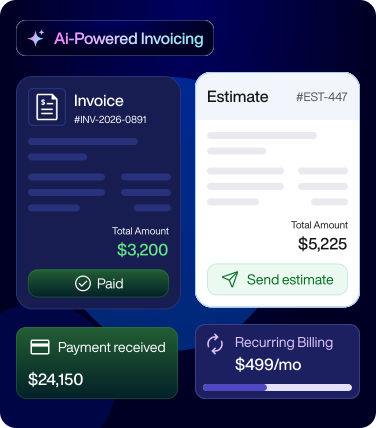



Simplify everyday billing with AI-powered invoicing software.

Scan paper documents with Quick Scan, and let AI automatically extract the necessary details. Once your paper document is scanned, it can later be converted into any digital document of your choice.

Moon Invoice offers a dedicated module to manage contacts like vendors and clients in one place, so you don’t have to keep track of visiting cards. Neither you have to make manual entries.
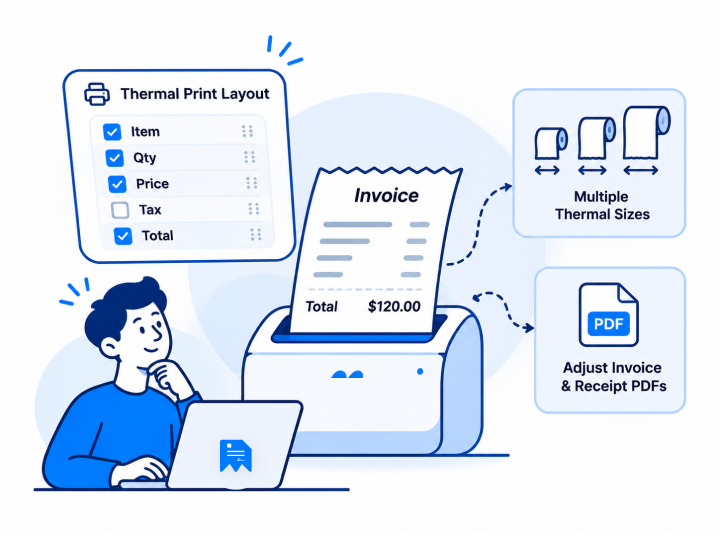
Customize thermal print layouts by selecting the columns you want to display. Moon Invoice lets businesses adjust documents to suit different thermal paper sizes. Similarly, you can even adjust layouts in invoice or receipt PDFs.
Paymo is a good choice for time-based projects, but Moon Invoice has the upper hand when it comes
to all-around invoicing. Let's explore the Moon Invoice vs Paymo comparison below.


 Invoicing is one module inside a wider project management suite.
Lacks built-in invoice templates to create invoices and estimates.
Offers estimates and invoices, but no option to create purchase orders.
Does not support POS billing, which limits retail shop use.
No inventory tracking, so businesses must use other tools.
Currently, it doesn’t offer a complete accounting suite.
No bank reconciliation. Invoices must be exported to other tools.
No AI-assisted contact creation, so client records need manual entry.
No dedicated support for credit and debit notes.


 Invoicing is the core part, built for end-to-end billing.
66+ built-in templates to create invoices, estimates, and receipts.
Handles estimates, invoices as well as POs.
Comes with built-in POS billing, suitable for retail shops.
Supports inventory tracking, along with low-stock alerts.
It automates accounting and bookkeeping tasks
Moon Invoice supports automatic bank reconciliation.
Offers AI-powered contact creation as well as payment extraction.
Offers a dedicated module to create credit and debit notes.
Wondering whether Moon Invoice will be a better Paymo alternative for small businesses? See the comparison below to find out how Moon Invoice stacks up against Paymo.
| Features |
|
Best Value
|
|---|---|---|
| Invoicing | |
|
| Estimate management | |
|
| AI-powered automation | Unavailable | Full-fledged AI-powered automation |
| Trackable billable hours | |
|
| Expense tracking | |
|
| Purchase order | |
|
| Built-in POS | |
|
| Inventory management | |
|
| Bank reconciliation | |
|
| AI image generator | |
|
| AI contact creation | |
|
| Automated tax calculation | |
|
| Third-party integrations | 10+ integrations | 20+ integrations |
| Multi-currency and language support | Available but limited | Wider currencies and language support |
| White label invoicing | |
|
| WhatsApp sharing | |
|
| Customer support | Priority support only in Pro plan | Call, email, and online chat |
Compare plans, included features, and monthly costs to see which solution offers the best value for your invoicing needs.
 1 Client Manage Time tracking Create Invoices
Manage 25 Clients AI Quick Scan Unlimited Invoices & Estimates Expense Tracking Receipt Management Recurring Invoices Advanced Reports & Insights
Hear what our customers say about their journey with us.





For my business, tracking billable hours and turning them into accurate invoices used to take a lot of time and effort. Moon Invoice has made time-based invoicing easier and helped me bill clients for the completed work. It improved my overall work, eliminating manual billing practices.

Managing projects while controlling who can access business information was challenging for our team. Moon Invoice has helped us organize project-related tasks and manage access through role-based permissions. With Moon Invoice, our responsibilities were clearer.

I often need to access important records while working away from my desk. Moon Invoice’s WhatsApp sharing and offline access feature has helped me manage my work remotely. I share billing documents and keep essential invoicing tasks moving even from a distant place.

No more repetitive errors and time-consuming processes. Take your billing journey to the next level with Moon Invoice.
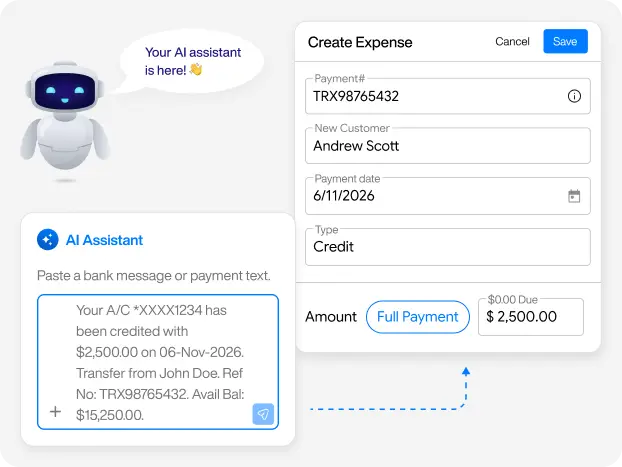
Extract payment details from bank transaction messages and payment notifications using AI. When the user pastes a bank transaction message, Moon Invoice automatically identifies relevant information and updates payment entries without extra effort.
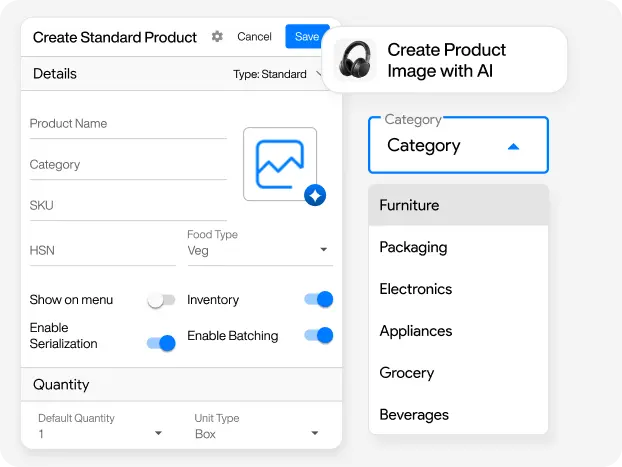
Manage different product types with Moon Invoice's flexible product management feature, which lets you organize your catalog based on your business needs. Users can add standard, multi-variant, assembled products, and kits or combos.
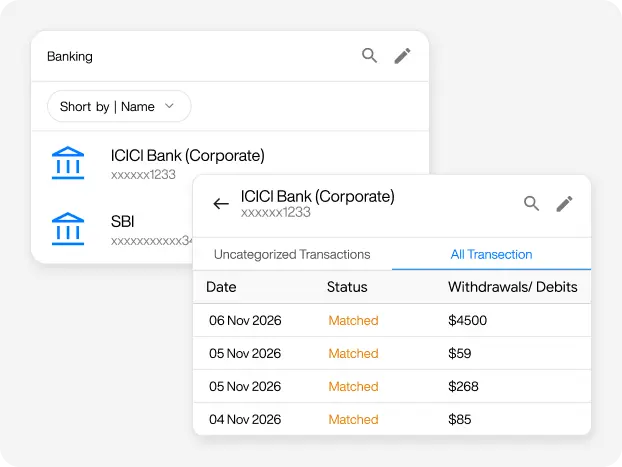
Link bank accounts and credit cards, import statements, and reconcile transactions inside Moon Invoice. Keep your books clean and audit-ready for important tax seasons.
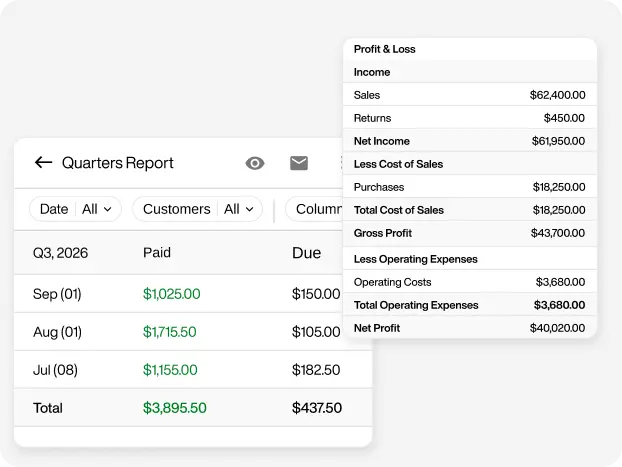
Review business performance with reports such as P&L statements, quarterly reports, profit-by-product reports, sales reports, and more. These reports bring financial clarity and help assess the business's current position.
Centralize your billing records, track project expenses, and send invoices in 60 seconds.
AI quick scan20+ payment modesAudit-ready reportsTime tracking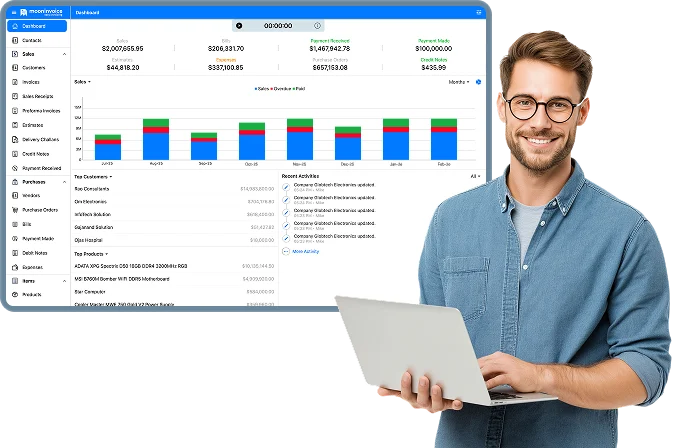
Find the best Invoicera alternative by comparing key features with Moon Invoice, an AI-powered invoicing software. Start a free trial now.

Discover a powerful Invoice Simple alternative with Moon Invoice. Compare features, billing tools, customization options, and business management capabilities with a free trial.
Compare Moon Invoice and Bookipi side by side to explore invoicing features, pricing, automation, and support. Find the right billing solution for your business.
If you have any queries or concerns, please do not hesitate to contact our customer support team for assistance.
Yes, Moon Invoice is worth considering if your primary focus is invoicing, estimates, receipts, expense management, along with AI-powered automation. Paymo can be a good choice for businesses where accounting isn't required, whereas Moon Invoice stands out for both invoicing and accounting needs.
Yes, Moon Invoice offers AI-powered invoicing features such as Quick Scan, AI contact creation, AI image creation, AI payment extraction, and AI prediction. However, AI-powered features depend on the pricing plan you choose.
Paymo combines time tracking, project management, and invoicing. Moon Invoice focuses on invoicing and billing. What makes Moon Invoice stand out from Paymo is its features that go beyond just invoicing, such as POS billing, inventory management, bank reconciliation, and AI contact creation.
Yes, Moon Invoice offers a 7-day free trial with no credit card required. During the trial, users can access all top-tier features and decide later whether it meets their requirements.
For my business, one of the headaches was managing both stocks and expenses. Luckily, I switched to Moon Invoice and found the hassles of stock and expense management getting faded. Thanks to this amazing invoicing app.


Try Moon Invoice Today!
For my business, one of the headaches was managing both stocks and expenses. Luckily, I switched to Moon Invoice and found the hassles of stock and expense management getting faded. Thanks to this amazing invoicing app.
Try Moon Invoice Today!
For my business, one of the headaches was managing both stocks and expenses. Luckily, I switched to Moon Invoice and found the hassles of stock and expense management getting faded. Thanks to this amazing invoicing app.
We will send you an email with instructions to reset it.
For my business, one of the headaches was managing both stocks and expenses. Luckily, I switched to Moon Invoice and found the hassles of stock and expense management getting faded. Thanks to this amazing invoicing app.
Enter Password to link your account with Gmail
For my business, one of the headaches was managing both stocks and expenses. Luckily, I switched to Moon Invoice and found the hassles of stock and expense management getting faded. Thanks to this amazing invoicing app.
Try Moon Invoice Today!