




At a glance
A contractor invoice is a payment request that a contractor must issue to receive timely payment. To create an invoice, one can manually design it from scratch. The other approach is to use templates to include all the necessary information and easily create a professional invoice.
It is often difficult for independent contractors to keep their business billing active and healthy. They often face late payments due to errors and an unsystematic flow. However, these challenges can be overcome with structured billing and a professional contractor’s invoice.
This invoice is slightly different from a general sales invoice. Unlike a standard invoice, which consists of basic billing details, it includes project details, working hours, and a breakdown of labor and material costs.
Creating and issuing accurate invoices is essential while working as an independent contractor. It helps ensure timely payments and strengthens contractor-client relationships. If you are unsure how to create an invoice as an independent contractor, here is the comprehensive guide you need.
📌 Key takeaways
- A contractor invoice is a payment request issued by a contractor to its clients for construction services provided.
- Contractors can create invoices manually or use the ready-made invoice templates to save time.
- Clean and professional invoices help construction companies maintain financial records and simplify tax filing.
- It is a good practice to thoroughly review the invoice before sending it to the client.
What should a contractor invoice include?
Certain information is essential to include in an invoice for clear communication and to enhance payment flow. A typical contractor’s invoice covers the following data:
- Invoice details including invoice number, invoice date, and due date.
- Purchase order number (if required)
- Business logo for easy identification.
- Business name, address, and contact information.
- Client’s name, address, and contact information are needed to ensure you issue an invoice to the correct person.
- A clear breakdown of the construction services offered, including labor and material costs. Also mention tax and discount if applicable.
- Total payable amount including tax and discount.
- Terms and conditions of payment, including net payment terms.
- Payment methods reflect the available payment options to the client.
- Thank you note
How to create an invoice as an independent contractor?
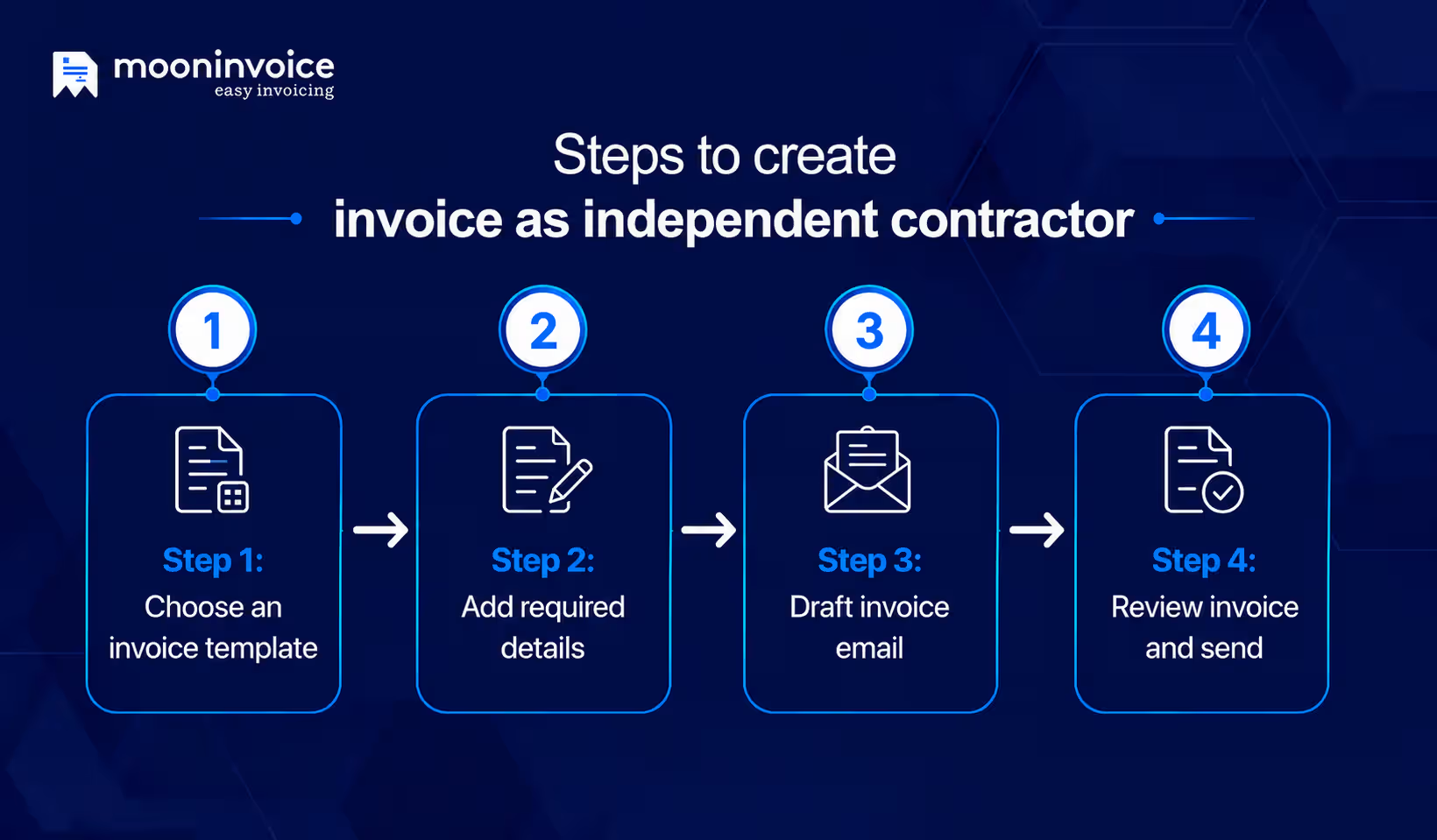
A clear and accurate invoice is very important to enhance on-time payment for any contractor. A well-structured invoice includes complete details of the contractor, client, line items, and amount. Here’s how to write an invoice for contract work in four simple steps:
Step 1: Choose or design an invoice template
Start by designing an invoice that reflects your brand. Keep the design simple, professional, and aligned with your business brand. Place all the data in the structured flow that showcases your business logo and other information.
One of the best ways to design an invoice is to choose the right contractor invoice template. The ready-to-use sample allows you to perform custom designing. You can set the invoice color and font style that perfectly aligns with your business brand.
Step 2: Add the required details
Once you draft an invoice or customize your template, the next step is filling in the following information:
- Contractor’s business information – Construction company name, address and contact details.
- Company logo – An impressive and clear logo reflecting the brand identity.
- Client information – Client name, address, and contact details for whom you are issuing the invoice.
- Invoice number – Unique identifier of the invoice for the contractor.
- Purchase order number – Include the purchase order number (if required)
- Invoice date and due date – Date at which the invoice was issued and the last date of payment.
- Description of services – Brief description of the offered construction services. A proper breakdown of material and labor costs is crucial for a clear understanding. Also mention the hourly rates and flat rates, whichever applies.
- Total amount – Total payable amount, including applicable tax and discount.
- Accepted payment methods – Contractor invoice must include the acceptable payment method. It helps clients to have a clear idea of how to make the payment. As a result, it boosts on-time payment.
- Payment terms – Mention the net payment terms, late payment fee, and other terms and conditions.
- Thank-you note – End your invoice with a thank-you note to give a professional touch.
Step 3: Draft an invoice email
When your invoice is ready, you can send it to the client via email. However, just attaching the invoice and sending an email does not work. You must draft a professional email with a clear subject line and description. For any email to stand out, an impressive subject line is crucial. In case of an invoice email, you can create a subject line as follows:
Invoice #101 for house renovation: Due date: 20th July 2026
Or
Find Your Invoice – Invoice #101 [Your company name]
In addition to the subject line, you must also focus on the body of your message. Keep the content brief, straightforward, and professional. Include the invoice amount and payment date within the body. Also, encourage your client to reach out to you for any clarifications, and end the email with thanks.
Drafting and saving an email template is a good idea. This allows you to reuse it for similar work with every client. Thus, saves time and increases productivity.
Step 4: Review the invoice and send
Never send your invoice before reviewing it. You must thoroughly check the details, spelling, and calculations. Ensure you mention the correct payment terms and methods. Once you are sure that all the information is accurate, send the invoice via email. Contractor invoice software such as Moon Invoice allows you to send an invoice directly to the client via WhatsApp or email.
Take your contractor invoicing to the next level with Moon Invoice.
66+ personalized templates designed for construction. Customize, download, and send your invoice in seconds.
Why is invoicing for independent contractors so important?
So far, we have covered the right information on how to invoice as an independent contractor. Let’s unlock the value of invoicing for independent contractors
Ensure on-time payments
A clean invoice always contributes to on-time payment for construction companies. It is because the client quickly grasps the amount, due date, and payment terms. This reduces confusion and keeps the payment flow on the right track.
Provides financial documentation
A professional invoice is a supporting document for legal work. It includes all the details, such as the services offered, pricing, taxes, and terms & conditions. This makes it an important document for legal, taxation, and auditing purposes.
Track outstanding payments
Invoices are very helpful for tracking paid, unpaid, and overdue payments. Thus, businesses gain a clear understanding of outstanding payments and take appropriate action.
Improves bookkeeping
A well-organized invoice helps to maintain a clean bookkeeping system. Construction companies can maintain financial records with these invoices. Thus, professionals can easily track the income and overall business performance.
AIA billing guide
Common contractor invoicing mistakes to avoid
Mistakes are common in contractor invoicing. However, minor errors can delay payments and affect overall business cash flow.
Filling in incorrect details
Any incorrect entry on a construction invoice can disrupt your billing game. One can make mistakes in the data of an invoice, business, client, or amount. So always ensure you include all relevant and accurate details.
Wrong calculation
One common invoicing mistake is calculating the wrong amount, discount, or tax. A single mistake can make your business finances suffer. Additionally, it can affect your company’s reputation. So, always double-check the calculation before sending an invoice.
Invoicing to the wrong recipient
Am I sending the invoice to the right person? You must focus on this question. Cross-check the recipient information well before sending the invoice. Never hesitate to call the customer before sending the invoice if you are unsure to whom you should send the invoice.
Unclear terms
This is another common mistake in contractor invoicing. Unclear payment terms can significantly affect your billing. Whether it is about net payment terms or late payment fees, you should present it in easy-to-understand language.
Best practices for contractor invoicing
If you want to reduce your challenges in contractor invoicing, you can adopt the following techniques:
Send the invoice immediately
Late invoicing directly impacts your cash flow. It is a good idea to send your invoice right after the final review. For long-term construction projects, one must send the invoice upon achieving a milestone. This keeps the billing active and prevents transaction delay.
Maintains the records
Record all invoices to easily track paid and outstanding payments. Companies gain clear insights into revenue by tracing these invoices. A proper record also helps a business to simplify taxation.
Follow-up wisely
Send a polite payment reminder to your client if the payment is not received by the due date. Regular invoice follow-up helps ensure on-time payments and keeps cash flow on track. However, avoid too frequent follow-up.
Leverage invoicing software
Using invoicing software such as Moon Invoice is another good way to streamline contractor invoicing. From invoice creation to final sending, one can simplify the entire billing process. This easy-to-use system helps contractors to speed up their billing, ensure accuracy, and get paid on time through the following features:
- Customizable templates: Use customizable construction invoice templates to easily create invoices in PDF, Word, Excel, Google Docs, and Sheets. Similarly, contractors can create professional estimates and receipts.
- Recurring invoices: Automate invoicing by setting up recurring billing.
- AI feature: Quickly create a receipt, estimate, invoice, and PO by scanning the documents. Similarly, upload details and automatically record payments and customer details. It reduces manual efforts and speeds up the work.
- Send invoice online: Send the invoice directly to the client via WhatsApp or email in a few clicks.
- Automate reminder: Set payment reminders for invoices and prevent late payments.
- Payment tracking: Easily track paid, unpaid, and partially paid invoices.
- Automate calculations: The ready-made templates calculate the total amount, including applicable tax and discount. This enhances accuracy and fast calculation.
- Generate reports: Generate more than 15 financial reports to track revenue, outstanding balance, profit and loss.
- Expense management: Managing business expenditures by categorizing and setting up recurring expenses.
- Customer & vendor management: Manage customer and vendor details in one centralized system.
- Project management: Manage construction projects and track billable hours to ensure accurate billing.
- Purchase order management: Create a purchase order to track purchased materials and vendor orders.
Struggling with late payments for your construction work?
Create professional invoices, automate payment reminders & get paid on time with Moon Invoice. Rated 4.5/5 by professionals worldwide.
Common Questions on how to bill as a contractor
Do independent contractors need to invoice?
How do you generate an invoice for freelance work?
How often should an independent contractor send an invoice?
How can contractors track unpaid invoices?
What are the payment terms useful in a contractor invoice?



Jayanti Katariya is the founder & CEO of Moon Invoice, with over a decade of experience in developing SaaS products and the fintech industry. He holds a degree in engineering. Since 2011, Jayanti's expertise has helped thousands of businesses, from small startups to large enterprises, streamline invoicing, estimation, and accounting operations. His vision is to deliver top-tier financial solutions globally, ensuring efficient financial management for all business owners.