


Contactless payment definition:
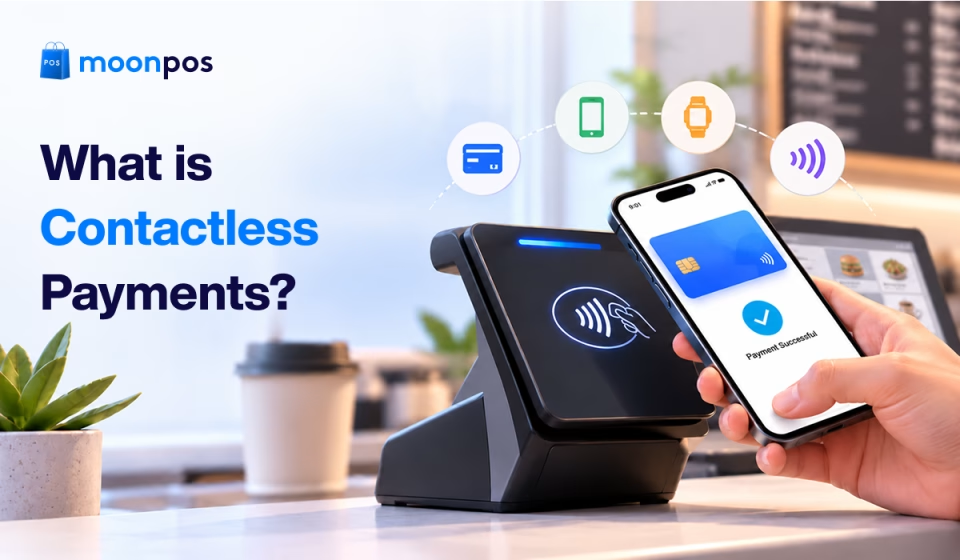
Contactless payment means customers can pay with a tap of their credit card, debit card, smartphone, or wearable device on a payment terminal, without inserting or swiping a card.
Contactless payment has become the norm at retail checkouts because it lets customers pay by tapping a card, phone, or wearable device. The growing popularity of digital wallets and contactless cards has made these transactions convenient for customers and merchants alike.
But how does contactless payment actually work? Is it as secure as it seems, and how does it differ from other cashless payment methods?
Let’s answer your questions about contactless payment in this blog, where we will explore what is a contactless payment, its types, and how contactless and cashless payments differ.
📌 Key takeaways
- Payments made using NFC technology with a tap on contactless cards or smartphones are known as contactless payments.
- Contactless-eligible cards and digital wallets are the most common types of contactless payments.
- Contactless payments use NFC technology to transmit payment data wirelessly.
- Cashless payments use bank transfers and online payment systems to complete a payment.
- Benefits of contactless payments for customers include faster checkout and enhanced security.
What is a contactless payment?
It is a method where customers don’t need to insert a card into a payment terminal or swipe for purchases. Instead, they can tap a contactless debit or credit card, smartphone, or wearable device near a payment reader to complete a transaction.
Many in-store contactless payments use Near Field Communication (NFC) technology to exchange payment information over a short distance. Digital wallets such as Apple Pay, Google Pay, and Samsung Wallet also support contactless payments on compatible devices.
Think of those four curved lines you see on your credit/debit card. That symbol indicates contactless-eligible payments. If you see that symbol on your credit card and on the payment terminal, you can make contactless payments. However, contactless payment availability depends on the card provider, device, payment provider, and terminal compatibility.
Ditch outdated checkout methods
Make checkout smoother with 20+ cashless payment options and eliminate unnecessary delays.
Types of contactless payments
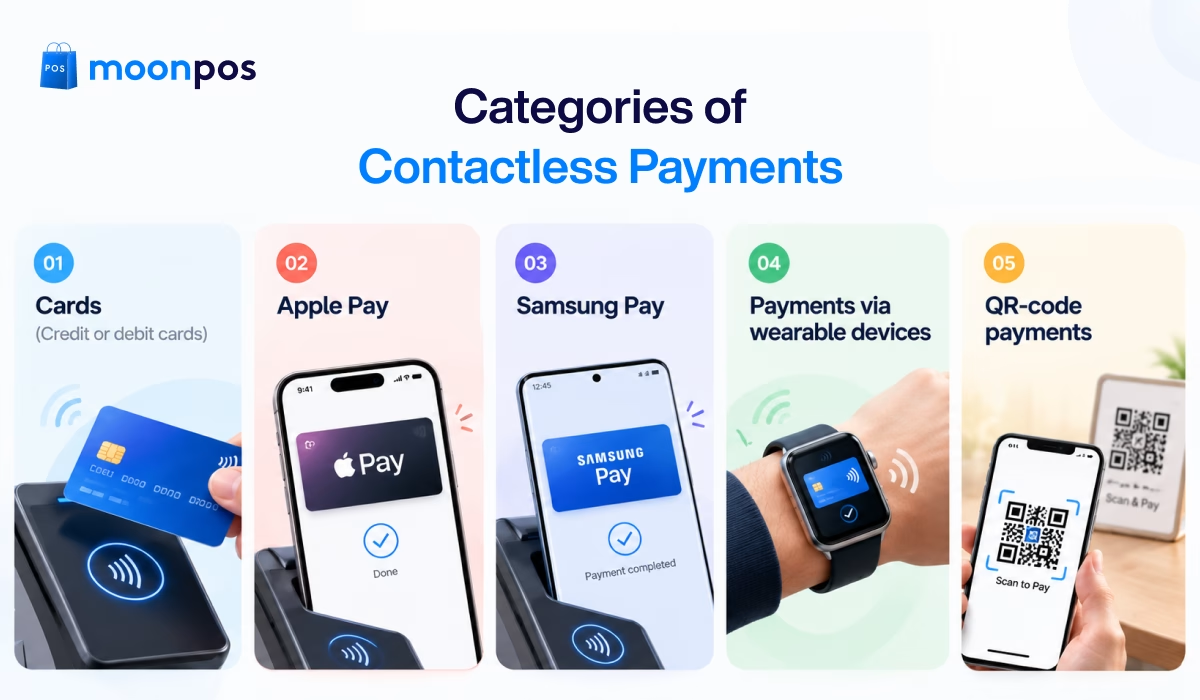
Contactless payment offers a convenient way to complete transactions without any need for physical cash or card details. Here are the five most common types of contactless payments.
1. Cards (Credit or debit cards)
Contactless credit or debit cards allow customers to make payments by tapping their card near (within 2 inches or less) a compatible payment terminal. Look for the contactless symbol on your card and the terminal to see whether contactless payment is available.
Depending on the bank and transaction, additional verification may be required to complete the purchase.
2. Apple Pay
Apple Pay is a mobile payment service that lets users make contactless transactions with compatible iPhones and Apple Watches. Customers can add an eligible debit or credit card to Apple Wallet by authenticating their identity with Face ID, Touch ID, or a device passcode. After completing this process, customers can make contactless payments at different stores.
Apple Pay uses tokenization and device-specific security features to help protect payment information during transactions.
3. Samsung Pay
Samsung Pay is another contactless payment option available through Samsung Wallet. It enables users to make touchless payments using eligible Samsung smartphones and smartwatches. Customers can add a supported card and authenticate their identity to make contactless payments.
Samsung Pay uses NFC technology for tap-to-pay transactions, but availability depends on the device, card issuer, region, and payment terminal.
4. Payments via wearable devices
It is a type of contactless payment in which customers use payment-enabled smartwatches, fitness bands, or other compatible wearables to make purchases. Customers must link a card or digital wallet to the wearable device to make touchless payments.
Making payments via wearable devices is generally convenient when carrying a phone or card isn’t practical.
5. QR-code payments
QR-code payments let customers pay by scanning a merchant’s QR code with a smartphone camera or payment app. Depending on the payment system, customers need to scan a displayed code or show their own code for the merchant to scan.
Unlike NFC-based tap-to-pay methods, QR payments rely on scanning a code and following the provider’s payment flow.
How does contactless payment work?
The terms used in contactless payment could be a bit technical. So, let’s understand how contactless payment works at retail checkout in detail:
1. Cashier enters the purchase amount
At checkout, the cashier scans all cart items and adds them to the POS system. Next, the cashier sums the amounts and displays the total due on the payment terminal.
2. Customer makes payment
Next, the customer uses a contactless card, smartphone, or a wearable device by standing close (within 2 inches) to the terminal’s contactless symbol to make the payment. The technology used to exchange payment data with the terminal is called NFC, a form of radio frequency identification (RFID).
3. Payment authorization and confirmation
Once the POS terminal detects the contactless card, it forwards the transaction through the payment processor. The transaction information is also forwarded to the card network and the customer’s card issuer, which checks the request and approves or declines it.
Upon approval, the POS system displays the transaction status as successful, and the merchant completes the sale by providing a receipt.
Pro Tip:Businesses willing to accept contactless payments must choose a POS solution that supports multiple payment methods and integrates smoothly with their existing checkout workflow.
Contactless vs cashless payments
Although “contactless payments” and “cashless payments” are closely related, they aren’t exactly the same. Let’s understand how they differ by looking at the comparison table below.
| Basis of comparison | Contactless payments | Cashless payments |
|---|---|---|
| Meaning | Payments made without inserting or swiping a card, normally by tapping a card or compatible device on a reader. | Payments made without using physical cash, including electronic and card-based transactions. |
| How it works | Usually uses NFC technology to transmit payment data wirelessly between a card or device and a payment terminal. | Uses different methods, such as card networks, bank transfers, or online payment systems. |
| Technology required | In-store tap-to-pay requires a compatible card or device and a contactless-enabled terminal. | Requirements vary by method. Payments may use a POS terminal, payment gateway, banking app, or other payment infrastructure. |
| Where it’s used | Retail stores, restaurants, cafes, grocery stores, and other locations that accept tap-to-pay transactions. | Physical stores, e-commerce websites, service businesses, and online or in-person billing environments. |
| Why it’s used | Offers a quick checkout experience without physically inserting or swiping a card. | Provides an alternative to cash and supports a wide range of in-person and remote transactions. |
| Transaction limit | There is no federal cap on tap payments in the US. Depending on card networks and issuers, larger purchases may require a PIN to complete payment. | Limit depends on the payment method and provider. Card issuers, banks, and payment apps each set their own rules. |
Are contactless payments secure?
Contactless payments generally have strong security. Today’s contactless card technology uses security features that help protect payment data during transactions.
In contactless payment, the information associated with your credit or debit card on file is encrypted and constantly changing. So, if fraudsters hack a system and steal your information, it would be useless to them.
One of the best examples of contactless payment security is digital wallets such as Apple Pay. It adds a strong layer of protection through tokenization and replaces the actual card details with a payment-specific digital credential.
Although contactless payments are highly secure, they aren’t entirely risk-free. If cards are lost or accessed without authorization, this poses a serious risk.
Customers should enable device authentication and monitor bank statements to identify potential fraud. Businesses should use secure, up-to-date POS terminals and reputable payment processors to reduce the risk of transaction fraud.
Benefits of contactless payment
Contactless payments offer benefits for both customers and businesses, especially retail shops where checkout speed matters a lot.
For customers
- Reduce wait times: No need to enter long payment information or the hassle of exchanging cash in hand at the checkout counter, reducing your overall wait times.
- Lower security-related concerns: A unique, dynamic one-time code or token is generated for every tap payment instead of the static card number. This keeps your financial information secure.
- Multiple payment options: Customers can pay using their preferred method, such as a contactless card, mobile wallet, or wearable device.
- Integrated rewards: Many mobile wallets and contactless devices automatically link with store loyalty programs, cashback offers, and digital receipts.
For businesses
- Moves queues faster: Contactless payments are completed within seconds, which saves time spent on filling in payment information.
- Smoother peak-hour operations: During festive seasons, sales events, or rush hours, quick payment processing keeps transactions moving smoothly.
- Better record-keeping: Successful contactless payments automatically generate an electronic transaction ID. This ID helps with reconciliation and other accounting-related work.
- Fewer abandoned sales: Along with regular payment methods, contactless options give customers more ways to pay. This results in higher sales numbers.
Slow checkouts frustrating your customers?
Speed up billing and handle payments smartly with advanced POS software.

20+ payment options
One-click sharing
Thermal prints
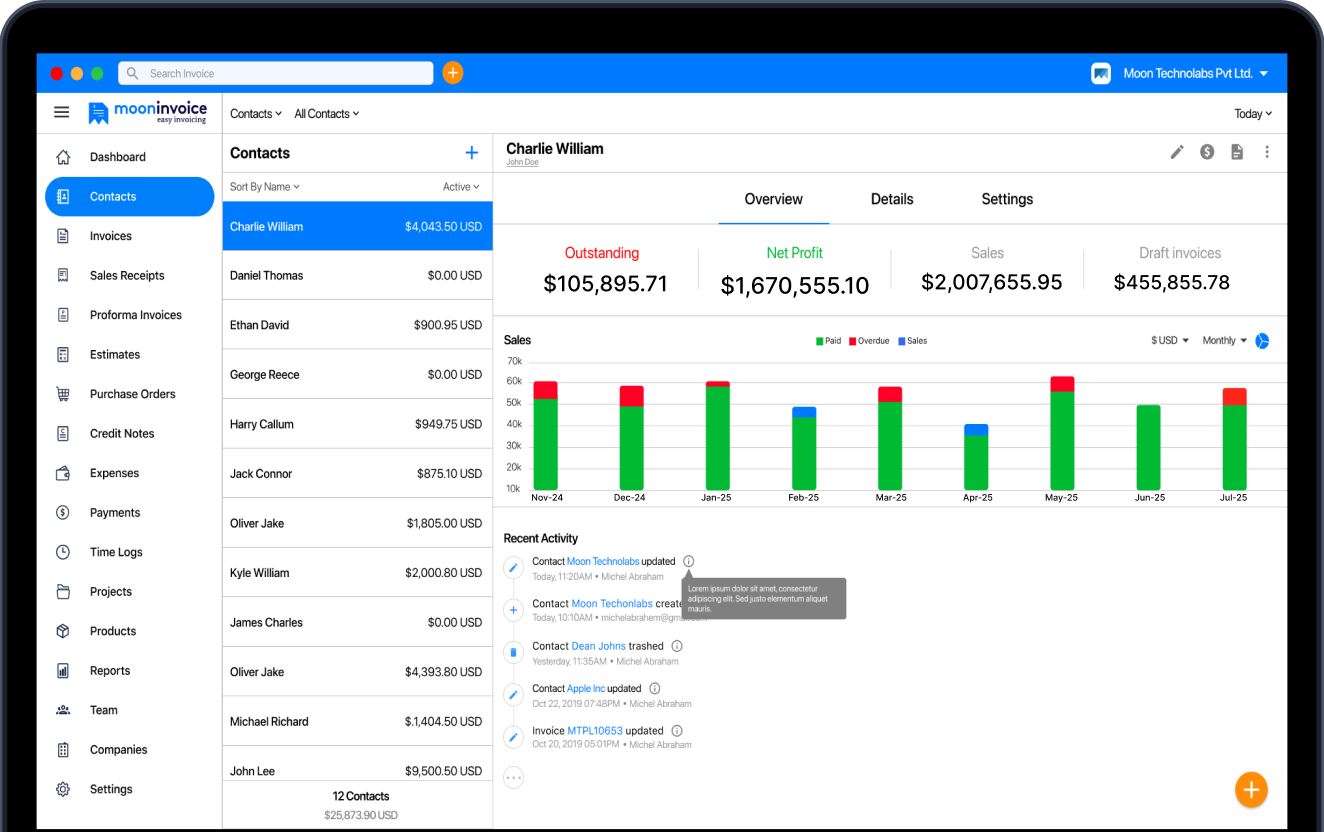
Try contactless payment using Moon POS
Long checkout queues and limited payment options can make the buying experience frustrating for customers. Offering convenient payment methods and keeping transactions organized can help businesses manage checkout more efficiently.
A suitable POS solution can simplify this process by combining payment acceptance and sales management into a single workflow. Moon POS offers 20+ payment integrations, along with the option to add custom payment methods to suit your business needs.
Plus, Moon POS lets you generate barcodes for your inventory items to track them effectively. Low-stock alerts and custom PDFs make it an excellent choice for your retail business.
So, don’t waste your time on manual billing. Utilize Moon POS today and keep daily sales operations organized.
Frequently asked questions
What does contactless payment mean?
How can a small business accept contactless payments?
What is the difference between NFC and QR-code payments?
Do contactless payments require an internet connection?



Jayanti Katariya is the founder & CEO of Moon Invoice, with over a decade of experience in developing SaaS products and the fintech industry. He holds a degree in engineering. Since 2011, Jayanti's expertise has helped thousands of businesses, from small startups to large enterprises, streamline invoicing, estimation, and accounting operations. His vision is to deliver top-tier financial solutions globally, ensuring efficient financial management for all business owners.