




In a Nutshell
The AIA G703 Continuation Sheet is used with the AIA G702 Form and provides a line-by-line breakdown of the construction work. Before filling out this form, you must gather documents such as the schedule of values, approved change orders, documentation of stored materials, and previous payment applications. Fill each column carefully while referring to these documents, review the form, and then send it to the owner and architects.
Construction billing is one of the most complex aspects of project management, especially for large-scale projects. Contractors often struggle to track project work, handle change orders, and maintain accurate documentation.
The American Institute of Architects developed standardized payment application forms to simplify the payment process. AIA G703-1992 Continuation Sheet is such an important document. Used alongside the AIA G702 Form, it showcases the continuous progress in the line-by-line breakdown of completed construction work.
However, many contractors find it challenging to fill out this form due to unfamiliarity with its sections and calculations. Even a small mistake can delay the payment application process.
This guide will reveal the right answer to the question of how to fill out the AIA G703 Form. You will understand each section of the form.
📌 Key takeaways
- AIA G703 is an important AIA contract document.
- Contractors use the AIA G703 Continuation Sheet with AIA G702 Application and Certificate for Payment. Together, they provide a detailed summary of construction billing.
- Using the G703 AIA Continuation Sheet provides a clear view of project progress and payment status.
- Contractors must carefully track the work and materials stored on-site to ensure accurate billing.
- Always consider the approved change orders before calculating the payment amounts to ensure the contract value reflects the latest project scope.
- It is a good practice to review the form carefully and match the details corresponding to the G702 form before the final submission.
What is the AIA G703 Form and why is it important?
AIA G703 Continuation Sheet is a standardized document for AIA billing. It is completed and used alongside the AIA G702 Application and Certificate for Payment to provide a detailed breakdown of the construction project progress. In addition to the work, it also includes information about stored materials and payment amounts for each line item in the project’s schedule of values.
AIA G703 includes the following information
- Schedule of Values (SOV) line items
- Materials currently stored
- Total completed and stored to date
- Work completed from previous billing periods
- Job done during the current billing period
- Percentage of completion
- Balance remaining
- Retainage for each line item
Importance of AIA G703
- AIA G703 provides a detailed breakdown of the work along with stored materials, retainage, and remaining contract balance.
- AIA G703 promotes consistency in the construction billing process.
- It reflects the approved change orders and ensures payment applications align with the latest contract values.
- G703 Form eliminates confusion and chances of disputes in construction billing.
- It streamlines the project approval process through proper documentation.
- Property owners and architects get the complete overview of the project, enhancing transparency.
- AIA G703 is quite useful in auditing, project closeout, and resolving future disputes.
How to fill out the AIA G703 Form? Key steps to follow
At first glance, it might seem like a simple form, and you expect a straightforward filling process. Here is the right approach that you must follow:
AIA G703 Part I: Project information
This is the header part of the form that requires some basic information.
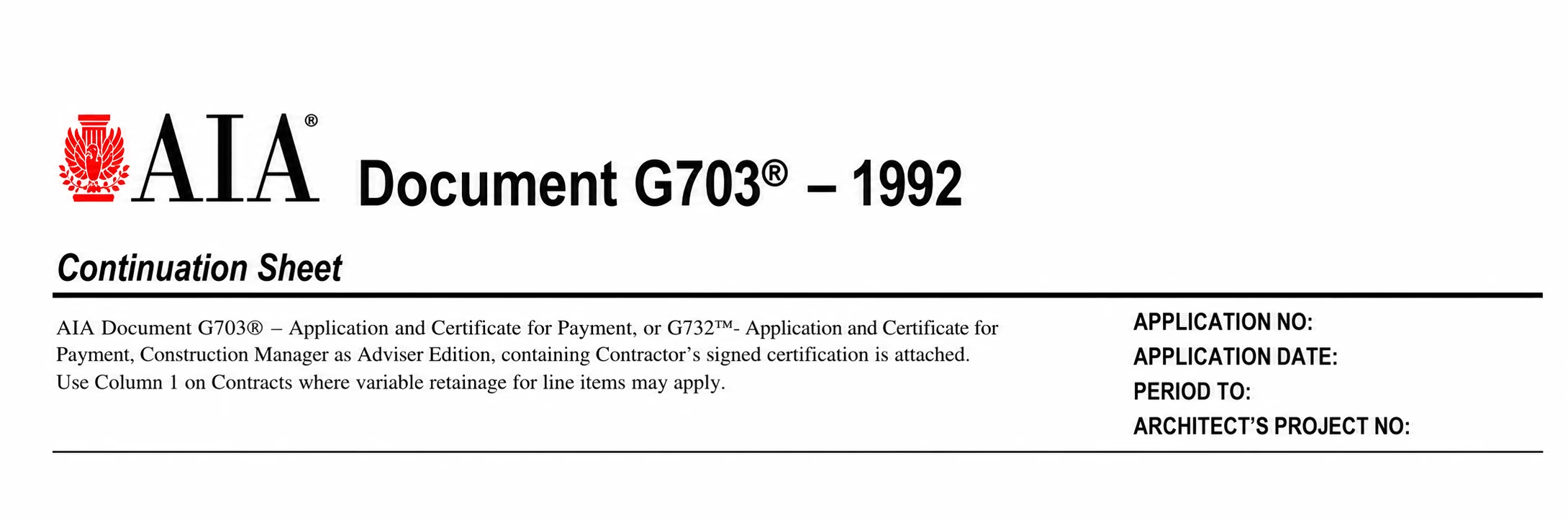
You need to mention the following information:
- Application number
- Application date
- Period to
- Architect’s project number
To fill out the accurate information, you can refer to the AIA G702 Form.
AIA G703 Part II: Table of work and values
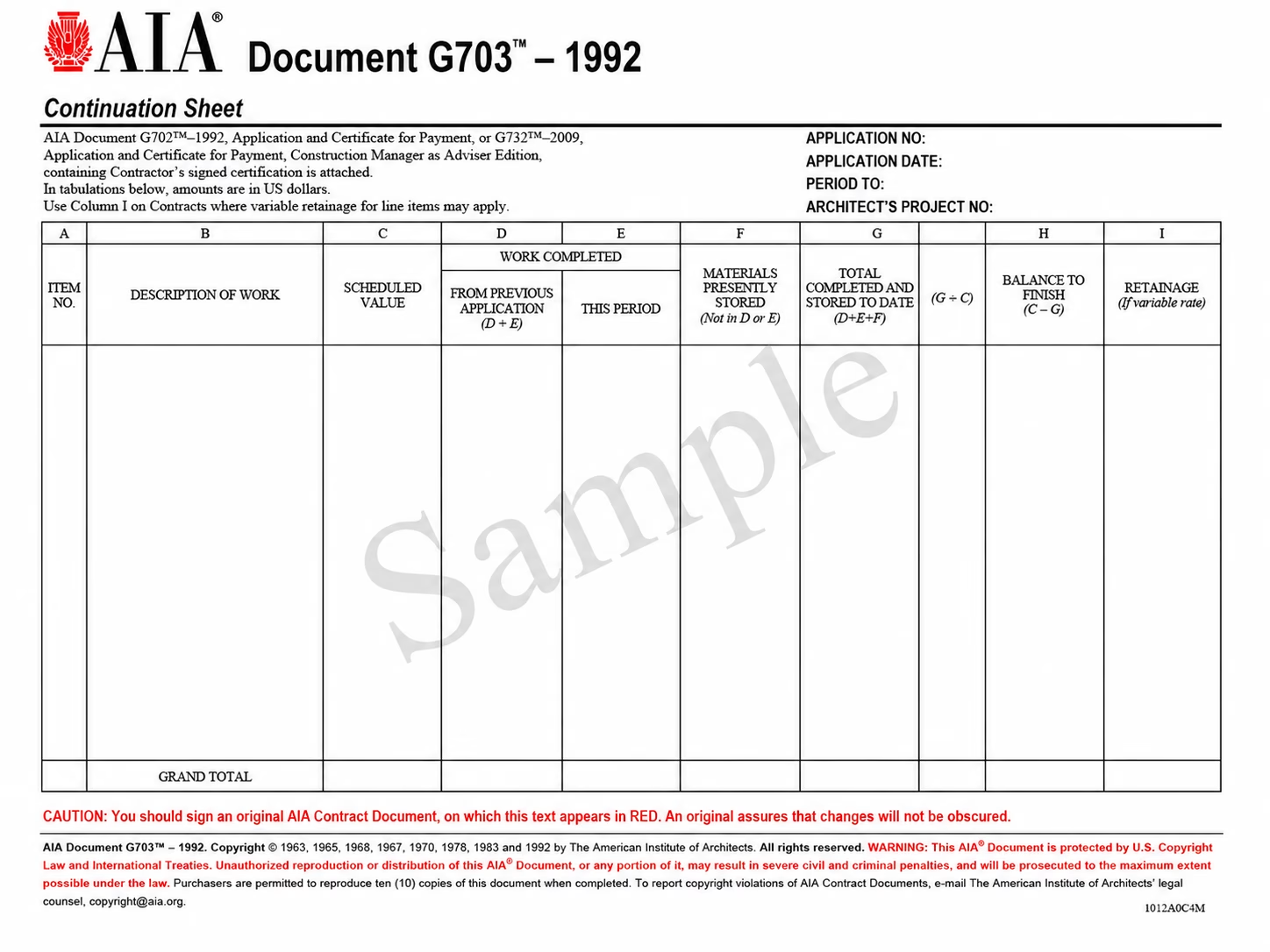
This is the next section you need to fill carefully, as it will reflect each work line item. You need to enter numerical values in all columns except the first and second. Once you record the values, calculate the amount and record it in the grand total row of each column.
Column A: Item number
The first column in the G703 Form represents the item number, such as 1, 2, 3, 5, etc. However, in the construction industry, contractors prefer to use the MasterFormat number, provided by the Construction Specifications Institute (CSI). Under this approach, each work category is assigned a specific code.
For instance, if there is plumbing work, the number would be 22 00 00.
Column B: Description of work
Next comes the work description. You do not need to include an in-depth description; just mention the type of work done and the materials used. However, in some large projects, you need to add multiple pages to include all relevant information.
Column C: Schedule of Values
In this column, you need to add the amount of money it will take to complete each item. The amount in this column should match the schedule of values and equal the contract sum at the beginning of the project.
Column D: Work completed from previous application
Here, add all the previously performed work and completed before the current pay application. Make sure you do not include any retainage, previous payments, or any stored materials on site. You need to leave this column blank if you are creating your first payment application.
Column E: Work completed this period
In this column, you need to add the work completed in this period. You must show how much work you did and the value of that work.
Column F: Materials presently stored
This column of the AIA document G703 represents the value of materials stored on site. It means it will consist of values of materials that have already been purchased but haven’t been used for the construction work yet. Here, you must be careful to include only the value of the materials you purchased through the end of the current application billing period. If some materials have been used in the project work, then include their value in column E because their values are no longer considered “stored”.
Column G: Total completed and stored to date
This is the left-hand side of the column that covers the combined value of columns D, E, and F. In short, it will represent the total value of completed work along with the value of stored materials.
Column G: Percentage (%)
This is the right-hand side of the column showing the work completed as a percentage. To get the value, you need to divide the value of G (Total completed and stored to date) by Column C (Schedule of Value).
Column H: Balance to finish
This column will tell you the amount of money you’ll need to finish the work. It is very easy to calculate this value: subtract column G (total completed and stored to date) from column C (scheduled value).
Column I: Retainage
This column is useful only if you are using a variable retainage rate. You can leave this column blank if you are using a fixed retainage percentage.
Final recheck and submission
At last, you have to review the details and submit the form. Rechecking the completed form is necessary because a single mistake can affect the entire payment application process.
Here are the common practices you must follow:
- Cross-check the change orders.
- Confirm you mention retainage and stored materials.
- Ensure you record the correct previous and current work values.
- Always verify all the line items against the schedule of values.
- Attach all the required documents.
Don’t let outstanding invoices slow down your business.
Automate payment reminders with Moon Invoice, speed up collections, and get paid on time for every construction project.
Common mistakes to avoid while filling out the AIA G703 form
Often, contractors can make some mistakes when filling out the AIA G703 Form. These errors negatively impact the overall operation of the payment application. They can lead to late payment approvals, disputes, and rejection of payment applications. Therefore, you must avoid them to keep the process simple, fast, and effective.
Incorrect or missing information
It is one of the most common mistakes that contractors make. Contractors may record incorrect information or leave the associated cost and brief description blank. As a result, it delays the process and also takes time to correct those mistakes.
Review the form and compare it with the schedule of values sheet. One should verify that stored materials and completed work are accurate. Using construction billing software is also helpful, as it maintains a consistent record.
G702 and G703 Mismatch
When reviewing the G703 Form details, contractors often overlook the corresponding G702. The mismatch values in both documents are another cause of delaying the payment application process.
Contractors should compare the G702 and G703 forms and ensure the totals match exactly. This helps prevent major issues by allowing you to identify discrepancies early.
Not reviewing the calculation
The calculations in the AIA G703 Form should be accurate. A small mistake in digits, dollar amounts, percentages, or a misplaced value can result in late payment. Therefore, always ensure accuracy in your calculations.
The best practice to overcome this problem is to ask an accountant or project manager to review the calculation. This helps to catch the mistakes early. Automating the calculation part where possible is another great approach.
Ignoring approved change orders
It is necessary to include the approved change orders in the schedule of values. However, contractors forget to do so. This leads to an incorrect contract value and incorrect payment calculations.
Contractors can maintain a centralized log of approved change orders. When sending G703 AIA, always verify the form against this log to ensure the orders are correct.
Missing supporting documents
Certain documents are mandatory for the AIA billing process. Failure to attach these documents slows down the operation. Approved change orders, supplier invoices, and delivery receipts are crucial documents you must consider.
Similar to changing the order log, contractors must maintain all documents in a single centralized location. This helps ensure a systematic approach to documentation and keeps you from missing any documents.
Relationship between AIA G702 and G703
In the AIA payment application process, contractors use the AIA G702 and G703 Continuation Sheet together. The AIA G702 serves as the Application and Certificate for Payment, while the G703 provides a breakdown of work to support the G702 form.
AIA G702 summarizes the project’s payment application for the specific billing period. It includes the total project sum, total completed work, approved change orders, the retainage percentage, the previous payment, and the current payment due.
AIA G703 is structured around the project’s schedule of values. The columns in this form show the value of work done in previous periods, work done in the current period, materials currently stored on-site, retainage, total percentage complete, and remaining balance to finish.
In AIA billing, the contractor first completes the AIA G703 form by calculating the values of each line item. Later, the relevant totals are transferred to the corresponding fields on AIA Form 702. The two documents are then submitted together to the owner and the architect.
Both documents are designed to be used together in the construction billing application. The contractor cannot use either document alone.
How does Moon Invoice simplify construction billing?
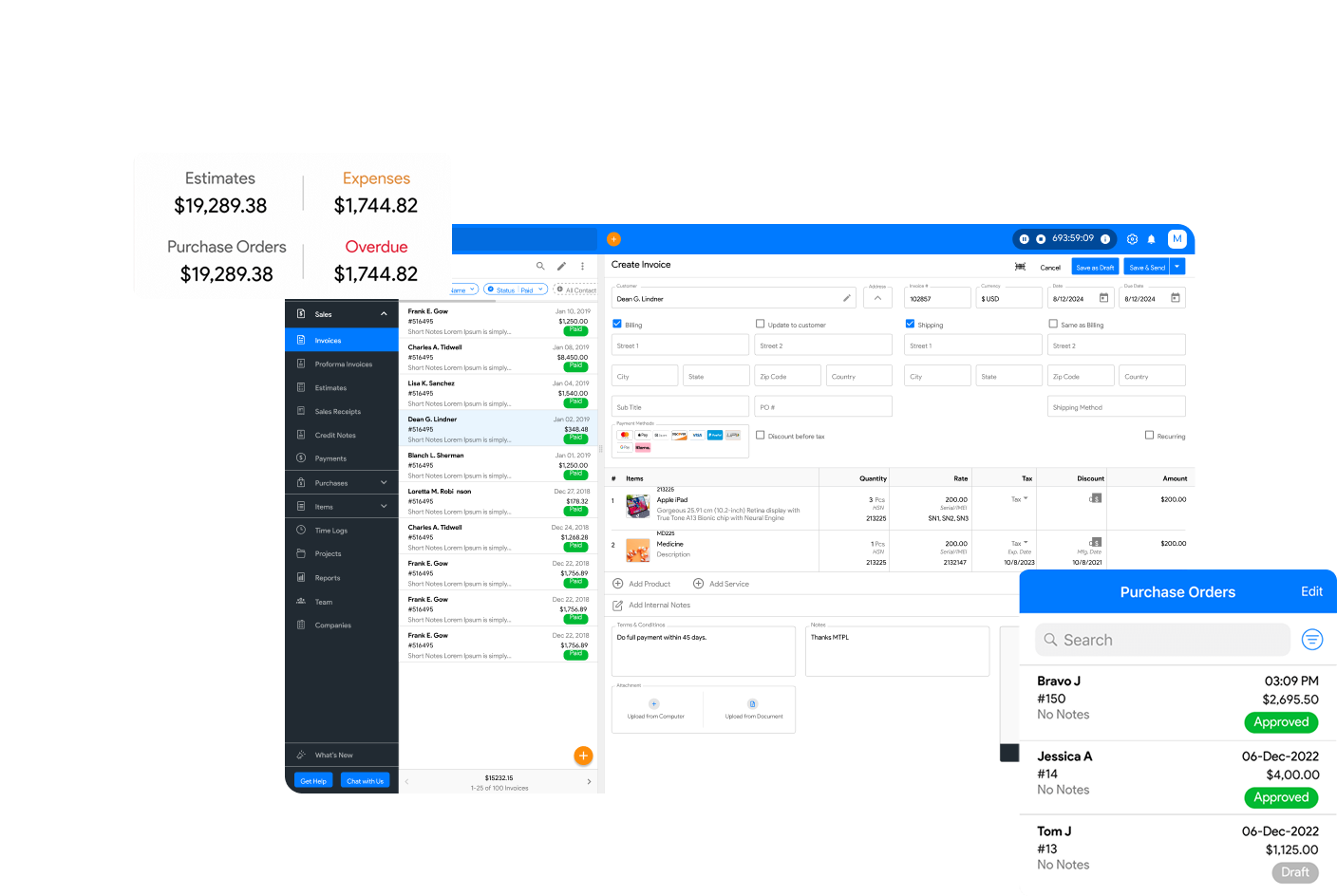
Moon Invoice is a leading invoicing software trusted by millions of users worldwide, helping streamline construction billing. Whether it’s about tracking project billable hours, estimating, invoicing, or receipts, the platform has everything you need.
Some of the outstanding features of Moon Invoice are:
- Free and customizable templates: The invoicing software offers 66+ templates for creating estimates, invoices, and receipts. Construction professionals can ensure professionalism and accuracy for these documents by using these templates.
- Automated invoicing: Professionals can set up recurring invoices to automate billing. This saves time and enhances productivity.
- AI-powered features: The invoicing software allows you to create invoices, POs, estimates, and receipts using OCR while uploading documents. Additionally, you can record contacts and payments quickly with the help of AI. It speeds up the process and saves time.
- Project management: Manage construction projects from a single centralized location and track the exact billable hours. This leads to accurate billing.
- Payment management: Easily manage advance payments to ensure no errors in the payment calculation for construction projects.
- Automated payment reminders: Set reminders for specific customers to ensure timely payments and improve cash flow.
- Generate estimate:Create professional estimates and easily convert them into an invoice in a single click.
- Automated calculation: All templates support automated calculation. This reduces errors and enhances accuracy.
- Expense management: Manage project expenditures within a single platform. Record, categorize, track, and set recurring expenses easily.
- Customer and vendor management: The software allows contractors to manage customer and vendor details from a single, centralized location.

FAQs about the AIA G703 form guide
How to bill for retainage on G703?
What is the Schedule of Values (SOV) in the AIA G703 Form?
Can I modify the Schedule of Values (SOV) after submitting the first G703?
How often should the AIA G703 form be submitted?
Is the AIA G703 mandatory for every construction project?



Jayanti Katariya is the founder & CEO of Moon Invoice, with over a decade of experience in developing SaaS products and the fintech industry. He holds a degree in engineering. Since 2011, Jayanti's expertise has helped thousands of businesses, from small startups to large enterprises, streamline invoicing, estimation, and accounting operations. His vision is to deliver top-tier financial solutions globally, ensuring efficient financial management for all business owners.