


Core to accounts payable (AP), the vendor payment process aims to strike a balance between operational readiness and working capital management. On one hand, it ensures that every outgoing dollar corresponds to whatever items you actually received. On the other hand, it aids your finance teams in strategically completing the payment without losing early payment discounts.
The vendor payment process revolves around two things:
- Speed
- Security
If you move too slowly, remember you are only ruining vendor relationships or probably missing out on sweet discounts. Moving too fast, however, without checking the details, opens the floodgates to duplicate invoices, overbilling, or outright fraud.
Here, we will discuss vendor payment meaning, how the vendor payment process works, and also share the best tips to organize vendor payments.
📌 Key takeaways
- The vendor payment process is an act of verifying and paying vendor invoices.
- The entire payment process consists of 5 steps, from accumulating invoices to reconciliation.
- Late approvals and poor visibility are a few challenges in the vendor payment process.
- Accountants can utilize Moon Invoice to manage vendor payments effectively.
What is a vendor payment process?
A vendor payment process is the standard business practice for verifying and paying incoming vendor invoices. This process revolves around the entire lifespan of order purchase, starting the moment a company decides to buy something, continuing through the arrival of the invoice, and concluding after the settlement of funds.
With the vendor payment process in place, every incoming invoice must be validated by cross-referencing it with purchase orders and proof of delivery. So, it’s not just about handing over cash, but something that acts as an internal security system.
The process confirms the company only pays for things it actually ordered and received. Following this process, businesses can get rid of duplicate charges, math errors, and even scam invoices.
Vendor payment example
Let us understand this process through a vendor payment example. Imagine you, as a business owner, decided to buy new laptops and tablets worth $5,700 from a local vendor. Now, the vendor payment process comes into play, from issuing the original purchase order to confirming the laptops actually arrived at the desk.
It involves verifying the vendor’s $5,700 invoice matches the agreed payment terms, routing the bill for manager approval, and eventually depositing the funds on day 30 so the company’s bank records line up cleanly.
Are vendor payments holding you back?
It’s time to switch to Moon Invoice where you can pay vendors on time and avoid costly human errors.
How does the vendor invoice payment process work?
Below, we explain the 5-step vendor payment process, from capturing invoices to reconciling payments.
1. Accumulating invoices
The first step is all about capturing and centralizing incoming vendor invoices. These invoices typically arrive through multiple offline and online channels. Some vendors issue PDFs and emails, while others prefer to mail a physical copy or submit them directly through vendor portals.
No matter how they arrive, be sure to centralize every bill into one unified file or folder. Nowadays, modern accounting firms use automated software equipped with Optical Character Recognition (OCR). This technology automatically extracts crucial invoice data from paper copies. The best part is your team gets full visibility into outstanding bills and can trim down human errors drastically.
2. Verification (three-way matching)
Invoice verification is a crucial step for any small or mid-size business because it assures you only pay for what you actually received. At this point, every vendor invoice goes under the lens of the accounting manager. The process follows three-way matching, where the AP team matches three important documents:
- Purchase Order (PO)
- Goods Receipt Note (GRN)
- Vendor invoice
Here, the aim is to confirm there are no discrepancies. Notably, this stage also involves reviewing tax calculations, confirming vendor bank details, and scanning for duplicate payments.
3. Payment approval
Following invoice verification, the accounting team now seeks approval from the head of the accounting department or CFO. This approval path follows the internal standardized process. For example, an invoice asking to pay $1,000 or less only requires a nod from the accounting head. While bills demanding $5,000 or more must get approved by the CFO or CEO.
Amid high invoice volumes, what the AP team does is use the right accounting software to track invoices’ real-time status and escalate stalled approvals. This way, no invoice sits idly in email boxes and can be processed at the right time.
4. Scheduling & executing
With approval secured, what follows is payment scheduling and execution for corresponding vendor or supplier invoices. And for that, most firms schedule payments in advance to automatically pay invoices without the hassle of handing over a paper check. Some businesses also opt for automated scheduling, where payments are triggered instantly following approval from authorized persons.
This vendor payment system executes payments through ACH transfers, virtual cards or wire transfers for overseas fund settlement. Scheduling payments works so well that you can avoid late fees and, simultaneously, claim early discounts whenever they are available. Better yet, it keeps cash predictable for your business.
5. Reconciliation
Lastly comes the essential stage of the process: payment reconciliation. A step that confirms that the correct amount left your bank account and has been deposited in the vendor’s account successfully. With reconciliation, every transaction is matched against your bank statements and logged in your accounting ledgers.
Doing this manually means spending endless hours through bank feeds and cross-referencing ledger entries. So, no wonder why AP teams embrace automation software that integrates directly with other tools to sync transaction records and update your balance sheets in real time. As a result, your financial reporting is always audit-ready, and your books are clean and up to date.
What are the challenges in processing vendor payments?
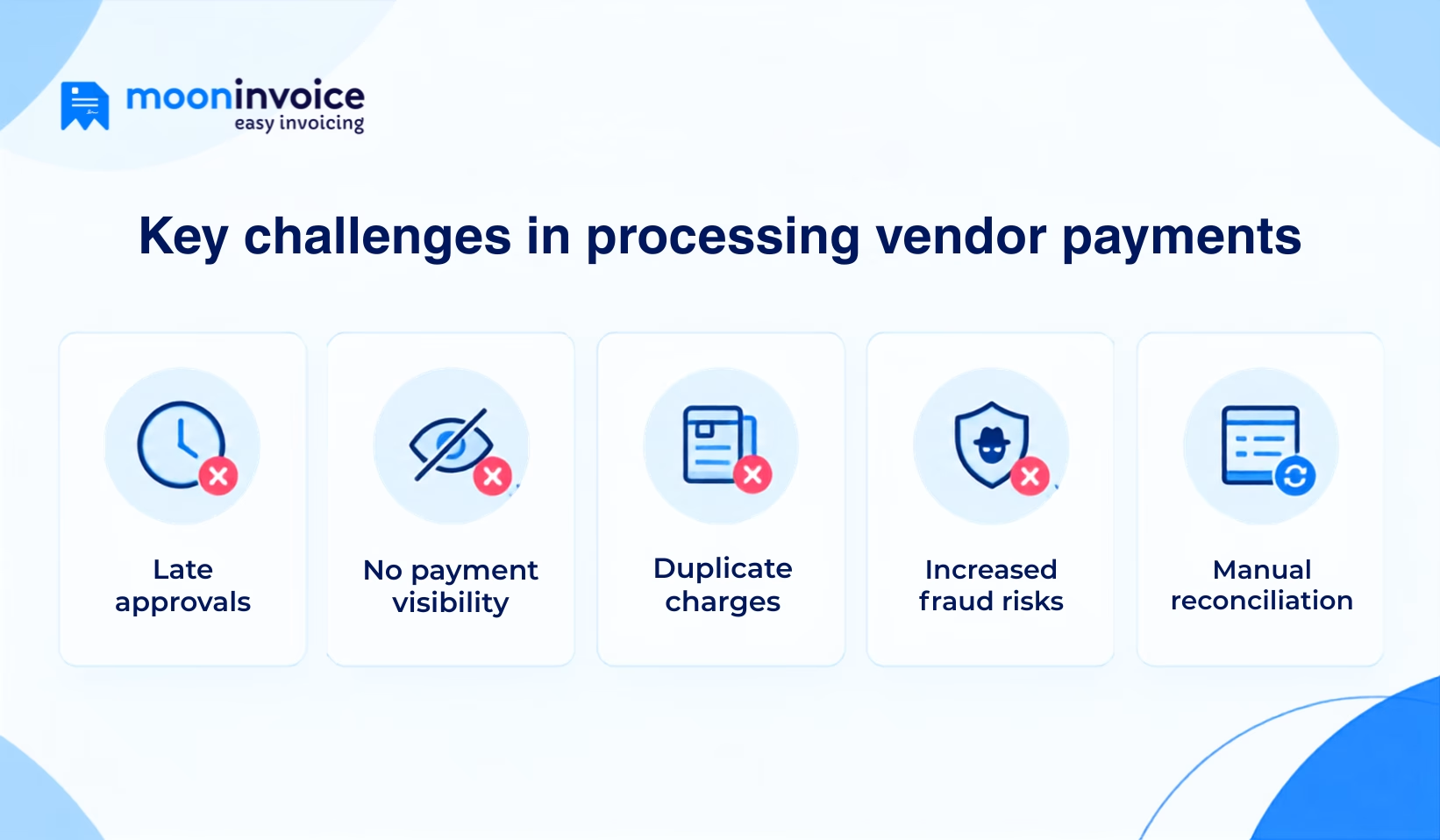
Here are several challenges the accounting team faces while processing vendor invoice payments.
1. Late approvals
Delays in payment approvals usually stem from clogged email threads or invoices sitting unnoticed on managers’ desks. These internal delays lead to missed payment deadlines, attract late fees, and further dent your vendor relationships, following which they may pause future orders.
2. No payment visibility
Without a centralized platform, neither your finance team nor your vendors can view the invoice status. Such lack of transparency forces accounts payable teams to waste valuable time answering inquiries. If this continues, finance professionals struggle to forecast short-term cash flow accurately.
3. Duplicate charges
Accounting firms still relying on a manual approach make it dangerously easy for billing mistakes. Incorrect line items and duplicate charges frequently sneak past, even when multiple team members review the invoice. So, the risk of paying for more than what you owe looms large.
4. Increased fraud risks
In addition to duplicate charges, there are always increased fraud risks that come with no warning signs. Invoice verification, when done manually, leaves businesses highly exposed to sophisticated threats, including phishing scams and fake invoice schemes. It costs your business thousands before anyone realizes fraudulent activities.
5. Manual reconciliation
Businesses may fulfill vendor payments successfully, but they still face reconciliation issues after processing the payouts. In simpler words, your team needs to invest more than usual time in matching bank statements against payment entries. This manual reconciliation further makes audits far more painful than they need to be.
Pro Tip:Get reliable software that does not force you to work like a robot, but instead automatically reconciles payment data and generates audit-ready reports.
Vendor payment management – best practices
If you are still overseeing vendor invoices and payments the traditional way, adopting automated best practices can help take your business to new heights.
- Always build strict approval guidelines by setting explicit rules for payment terms, approval limits, and escalation paths.
- Regularly audit tax IDs, banking information, and vendor details to keep fraudsters at bay and avoid compliance penalties.
- Divide invoice entry, verification, and payout authorization among different team members in order to strengthen internal security controls.
- Ask your team to continuously monitor metrics like Days Payable Outstanding (DPO) and on-time payment percentages.
- Whenever possible, regularly evaluate your payout workflows to eliminate inefficiencies and leverage reliable payments as well.
How to manage vendor payments with Moon Invoice?
Overseeing vendors and their payments often feels messy and time-consuming, especially when your business starts growing. Adopting software like Moon Invoice feels like upgrading to a brand new smartphone, which can itself do it all for you.
Moon Invoice, an advanced billing software, notifies you the moment an invoice arrives in your inbox. From there, it automatically fires off approval requests to the right decision-makers so invoices never get left out in the cold or buried beneath messages.
Here’s how Moon Invoice helps in organizing vendor invoices and payments:
Built-in vendor portal
Moon Invoice comprises a self-service portal for vendors and suppliers, through which they can view, submit, and edit invoices. Plus, they can also check the payment status, whether it is paid or unpaid, allowing both parties to remain on the same page.
Keeps contacts under one roof
Besides vendors, it empowers businesses to keep important contacts like local suppliers and customers under one roof. Moon Invoice’s AI contact creation lets you add a new contact by just dropping their visiting card. Having all contacts neatly organized allows your team to access critical data instantly.
Promotes transparency
There’s no way Moon Invoice keeps your team and managers in the dark about vendor invoices and payments. What it brings in is absolute clarity by allowing your team to track incoming bills in real-time and review their current status. Finance professionals can monitor pending approvals right from their smartphones.
Auto-schedule payments
Accounting firms can enable automatic payment schedules with plenty of online payment methods like Cash App, Apple Pay, eWallets, Stripe, and more. Right, that’s basically putting the payment execution on cruise control. This way, businesses not only settle bills but also make the most of early-payment discounts.
Automated reconciliation
With Moon Invoice, your AP team no longer spends hours manually verifying bank statements and payment entries. It automatically verifies settled payments against bank transactions and updates balance sheets in real time. This hands-off reconciliation process does not need human intervention.
Shields data from fraudsters
Moon Invoice offers multi-layered bank-grade security to combat cybersecurity threats like phishing scams. It never leaves your business vulnerable to fake invoice schemes. Neither does it allow unauthorized users to retrieve important business information. Accountants can give role-based access to fellow teammates, limiting permissions strictly to what each role requires.
Overbilling often sneaks past?
Automate vendor payment with Moon Invoice and shield your business from costly billing mistakes.
General queries about the vendor payment process
How do vendor payments work?
What are the ways to optimize the vendor payment process?
How long does it take to pay a vendor?
Which is the best payment method for vendor invoices?



We at Moon Invoice, are the best minds behind smarter invoicing and seamless business growth. We love to solve financial problems and keep providing effective tips through our blogs, newsletters, and social media channels. As a team, we continue exchanging ideas about growing financial challenges and smart use of automation tools.