


As a consultant, you juggle many projects, tasks, and responsibilities. Manual billing adds an extra burden that can distract you from your core business. The right invoicing software can help reduce manual billing, speed up workflows, and streamline your work.
However, finding the right invoicing software isn’t easy, since not all tools fit a consulting business. You need to check its features and pricing to see whether they align with your requirements and budget.
Here, you’ll explore the best invoicing software for consultants, including features, pros, cons, and pricing. This comparison helps you to decide the right tool for your business.
📌 Quick insights
- The right tool depends on your billing model, whether you charge hourly, by fixed project rate, or a combination of both.
- Features like expense tracking and recurring billing can reduce manual work.
- Moon Invoice and FreshBooks are best for those who want more than invoicing.
- For consultants looking for broader accounting solutions, QuickBooks is worth considering.
- Zoho Invoice is a good option when you need a dedicated invoicing tool.
- Bonsai is especially useful for freelancers and other independent consultants.
- Sage and Xero suit those who need broader accounting with invoicing.
- Wave offers a straightforward invoicing solution with basic yet essential features.
9 best invoicing software for consultants
| S. No. | Software | Best for | Billable time tracking | Recurring billing | Starting price |
|---|---|---|---|---|---|
| 1 | Moon Invoice | Small to mid-sized businesses | ✔ | ✔ | $6.67 per month (billed annually) |
| 2 | FreshBooks | Small service businesses | ✔ | ✔ | $12 per year |
| 3 | Ramp | Growing businesses | X | ✔ | Free |
| 4 | QuickBooks | Small & growing businesses | ✔ | ✔ | $19 |
| 5 | Zoho Invoice | Small businesses | ✔ | ✔ | Free |
| 6 | Xero | Solopreneurs and small businesses | ✔ | ✔ | $5.80 |
| 7 | Wave | Solopreneurs | X | ✔ | Free |
| 8 | Bonsai | Small-to-mid-sized agencies | ✔ | ✔ | $9/user/month (billed yearly) |
| 9 | Sage | Small to large entrepreneurs | ✔ | ✔ | $1,448 per year |
1. Moon Invoice
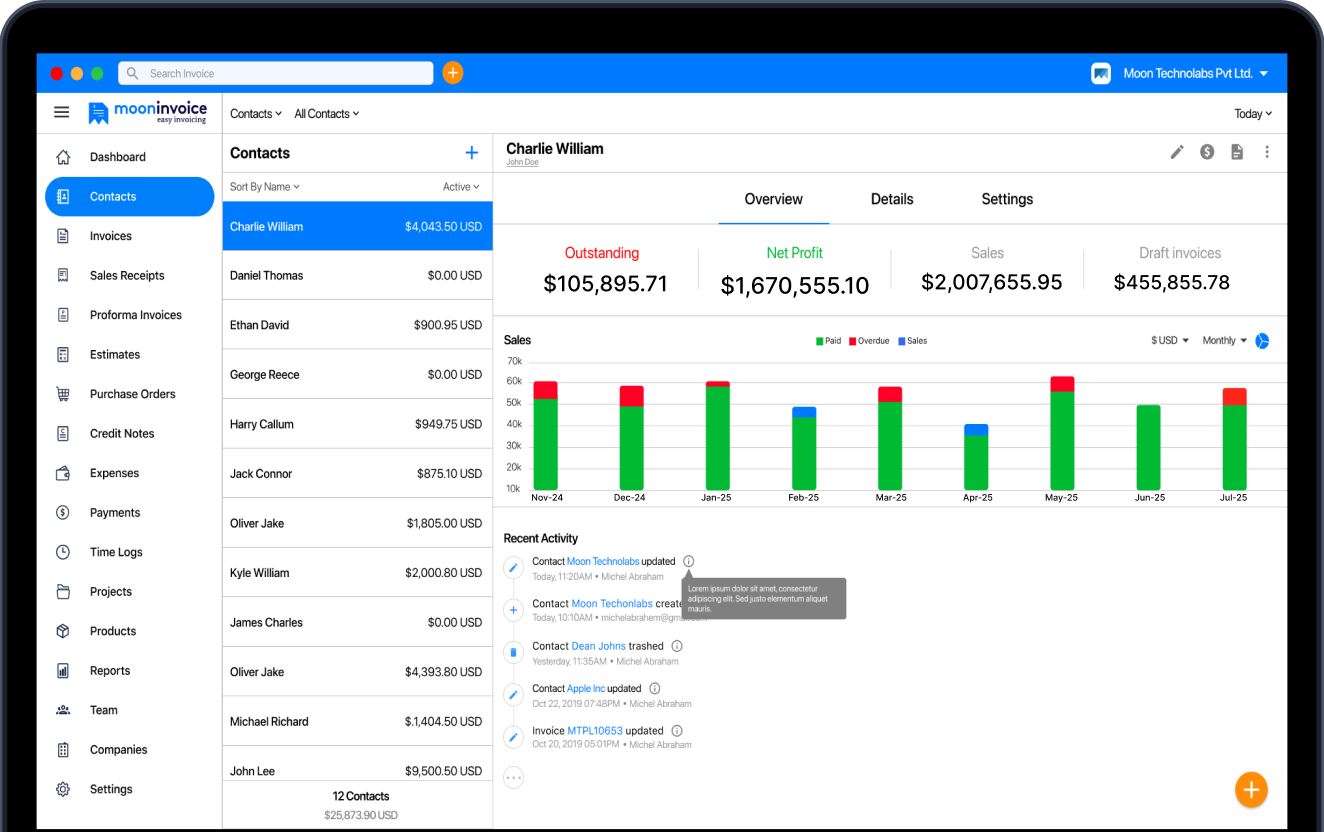
Trusted by 1.7M+ global businesses, this easy-to-use invoicing software is ideal for freelancers and small businesses. The platform offers 66+ customizable templates to create unlimited estimates, invoices, and receipts. This AI-powered tool offers features like quick scanning and AI-powered contact and payment recording to reduce manual work and improve accuracy.
Professionals can manage billing and accounting tasks in a single platform. From issuing invoices to accepting final payments, it streamlines the entire process. The support team is available 24/7 via call, email, WhatsApp, and chat. It also offers a help center and a tool to schedule demos.
What makes it ideal for consultants?
- Dedicated project management feature
- Tracking billable hours to issue accurate invoices per hourly rate
- Direct estimate-to-invoice conversion in one click
- Record, track, and manage expenses and recurring expenses in one platform
- Record payments to keep the right track
- Set up recurring billing for ongoing services
- Supports project-based and hourly billing
- Customer and vendor management
- Supports 15+ business reports to get financial insights
Pros
- Simple and user-friendly interface
- Offers AI features that simplify tasks
- Supports 20+ payment integrations
- Supports multilingual and multicurrencies
- Simplified financial management
- Reduce administrative workload
Cons
- Due to advanced features, it may require time to set up
Pricing (billed annually)
- Starter – $6.67 per month
- Standard – $8.33 per month
- Premium – $12.50 per month
- Enterprise – $16.67 per month
Platform availability
- Android
- iOS
- MacOS
- Windows
- Web App
Focus more on client service while automating billing.
Try Moon Invoice and save 60 hours per month to streamline billing.
2. FreshBooks
FreshBooks is another top invoicing software that helps businesses simplify their billing. Like Moon Invoice, it lets you create estimates and invoices using templates. Additionally, it offers auto-billing, secure payment acceptance, and auto-reminders for outstanding balances.
What makes it ideal for consultants?
- Flexible project billing
- Built-in time tracking to identify billable hours
- Easy setting up of recurring billing
- Recording and tracking of business expenses
- Proposal and estimate creation within the platform
- Mileage tracking for professionals who travel to client locations
Pros
- Built-in time tracking
- Expense and mileage tracking
- Project profitability tracking
- Easy billing and payment collection
Cons
- May not be ideal for complex businesses
- Some advanced features are available on higher plans only
- Payment processing fees apply
Pricing
- Lite – $248.40 per year
- Plus – $464.40 per year
- Premium – $756.00 per year
Platform availability
- Android
- iOS
- Web App
3. Ramp
Ramp is another popular tool on this list of best invoicing software for consultants, streamlining billing actions for businesses. It is especially useful for businesses that want to automate expense management, control employee spending, and simplify accounts receivable.
What makes it ideal for consultants?
- It allows you to draft invoices with AI
- Tracking expenses in real time
- Easy setting up recurring billing
- Employee spending controls
- Strong expense management
Pros
- Automates invoice creation
- Offers third-party integrations
- This tool is useful for growing companies
- Automates receipt matching that reduces manual work
Cons
- Lack of tracking billable hours
- Its geographic availability is restricted to many regions
- Customer support options are limited
Pricing
- Free – $0
- Plus – $15/mo/user
- Enterprise – Contact sales
Platform availability
- Android
- iOS
- Web App
4. QuickBooks Online
QuickBooks Online is especially useful for independent consultants and relevant firms that look for invoicing and accounting in one platform. This time-tracking and billing software for consultants is easy to use and includes all essential features.
What makes it ideal for consultants?
- Billable hours time tracking
- Managing and tracking project progress
- Setting up recurring invoices
- Expense tracking and billable expenses
- It offers automatic invoicing
- Allows you to connect a bank account to simplify bookkeeping
Pros
- It offers AI features that reduce manual effort
- The software helps to manage and track expenses
- Automates billing through recurring invoices
- Offers bank integration to simplify reconciliation
Cons
- It includes a learning curve for beginners
- Inventory management is quite basic
- It is not ideal for simple invoicing needs
Pricing
- Simple start – $19 per month
- Essentials – $42.50 per month
- Plus – $70 per month
- Advanced – $170 per month
Platform availability
- Windows
- Mac
- Web browser
- iOS
- Android
5. Zoho Invoice
If you are concerned about budget, then Zoho Invoice can be a good choice. This free consulting invoice software offers a solid invoicing solution, including creating estimates and invoices, managing expenses, and handling client billing. It is part of the Zoho ecosystem that offers a range of business tools.
What makes it ideal for consultants?
- Allows you to schedule recurring invoices
- Easy classification of business expenses
- Conversion of billable expenses to invoices
- Tracking working hours of the projects
- Setting up payment reminders for unpaid invoices
- Exploring financial reports
Pros
- It’s free to use, making it ideal for small businesses
- Billable time tracking
- Easy expense tracking
- Automated payment reminders
- Easy insights into sales and outstanding invoices
- Supports various payment options
Cons
- Scalability is quite limited
- Limited subscription management
- Includes learning curves
- The payment gateway may vary as per region
Pricing
- Free plan
Platform availability
- Windows
- Android
- iOS
- Web app
6. Xero
Xero is cloud-based time-tracking and billing software for consultants that helps to create invoices, track billable hours, and manage expenses. It is a good tool for consultants who need invoicing and broader accounting tools to handle business finances.
What makes it ideal for consultants?
- Easy invoice creation
- Tracking project time and cost
- Easily preparing and sending estimates and quotes
- Financial report analysis
- Bank reconciliation to match bank transactions with accounting records
- Supports multiple currencies for international deals
Pros
- Record business expenses
- Bank reconciliation
- Access reports to monitor business performance
- It offers third-party integration
- Easy project cost tracking
Cons
- Consultants need to learn this platform
- There is no dedicated phone support
- Additional cost may apply
- Limited invoice customization
Pricing
- Starter – $5.40 per month (for the first 3 months, then $27 per month)
- Standard – $11.80 per month (for the first 3 months, then $59 per month)
- Premium – $19.40 per month (for the first 3 months, then $97 per month)
Platform availability
- Windows
- macOS
- Linux
- Android
- iOS
7. Wave
Wave is another cloud-based invoicing software for consultants designed for small businesses and freelancers. It is easy, straightforward invoicing software that helps professionals create invoices, track payments, manage expenses, and handle financial reporting.
What makes it ideal for consultants?
- Online payment collection to boost cash flow
- Automating billing through recurring invoicing
- Systematically recording and tracking business expenses
- Sending payment reminders to the client for outstanding billing
Pros
- Simple and easy to use
- Allows tracking expenses
- Easy setting up of recurring billing
- Supports payment reminder
- Combines invoicing with bookkeeping
- Free invoicing plan
Cons
- No built-in inventory management system
- It is geographically limited to the USA and Canada
- Limited payment methods
- Lack of built-in time tracking system
- No dedicated project management
Pricing (billed annually)
- Starter plan – Free
- Pro plan – $190 per year
Platform availability
- Android
- iOS
- Web browser
8. Bonsai
Bonsai offers a range of billing solutions essential for freelancers and consultants. It lets you create professional estimates and invoices, manage projects and client tasks, and track billable hours. This invoicing software for consultants offers financial and reporting tools to track payments and expenses.
What makes it ideal for consultants?
- Auto billing with easy setting up of recurring invoices
- Supports third-party integrations that reduce workload
- Estimate templates that support faster estimate creation
- Easy payment acceptance through credit cards and bank payments
Pros
- Helps to track accurate billable hours
- Combines estimates and invoicing in one platform
- Easy task assignment within the team
- It supports recurring invoicing and payment reminders
Cons
- May not fit well for those looking for a basic invoicing solution
- Advanced customization options may be limited
- Availability of features may vary depending on the regions
- The entry-level plan excludes basic features such as invoicing and contracts
Pricing (billed annually)
- Basic – $9/user/month
- Essentials – $19/user/month
- Premium – $29/user/month
- Elite – $49/user/month
Platform availability
- Android
- iOS
- macOS apps
- Web browser
9. Sage
Sage is another AI-powered accounting and invoicing software, designed for freelancers and small business professionals. They can easily create invoices, track payment flow, and expenses. Sage is quite ideal for small businesses, growing consulting firms, and other service-based companies.
What makes it ideal for consultants?
- It helps to track project costs
- Invoice creation and monitoring outstanding payments
- Easy recording of billable hours
- The tool offers scalability
- Financial reporting to track expenses and revenue
Pros
- Offers detailed financial reporting
- It helps to track expenses
- Scalable solution for growing businesses
- It supports bank reconciliation
Cons
- It may be complex for those who seek simple invoicing
- Some features may vary depending on the region
- Advanced features are available on higher plans
Pricing
- Pro accounting – $1,448 per year
- Premium accounting – $1,947 per year
- Quantum accounting – $2,841 per year
Platform availability
- Android
- iOS
- Web browser
- Windows
- macOS
Disclaimer: The above prices are based on the current information available on their website, which may change.
Why do consultants need invoicing software?
Consultants often handle multiple clients and their projects. Doing this manually can be time-consuming and error-prone. Therefore, invoicing software helps consultants manage projects, billing, and other tasks faster and more accurately. Additionally, the software offers the following advantages:
- Quickly generating professional invoices.
- Recording consulting time and converting it to invoices
- Set recurring billing and payment reminders to boost cash flow
- Automate various billing actions to reduce administrative tasks
- Record and manage business expenses systematically
- Maintain organized income and expenses to streamline the tax filing process
How to choose the best invoicing software as a consultant?
Choosing the best invoicing software depends on the individual consulting business needs. Factors include the business’s billing model, client volume, and budget. However, the basic necessary features that one must look for are as follows:
Estimate and invoice template
The tool must offer customizable templates for estimates and invoices. This reduces the need to create documents from scratch, saves time, and produces clean, professional results.
CRM and Project management
An invoicing tool must possess client and project management features if the consultant handles multiple clients. This helps record client data, manage contracts, and monitor billable hours accurately. However, solo consultants with simple billing needs may not need a full project management solution.
Check billable hours
Tracking billable hours is crucial for consultants who manage client projects and charge hourly rates. This helps ensure accurate invoicing while reducing the chance of errors.
Expense tracking
Consultants often incur various expenditures such as travel, software, and more. Choose software that makes it easy to record and track business expenses.
Compare pricing and scalability
When choosing software, compare pricing and subscription plans. This helps you determine whether the tool fits your budget. Also, look for scalability so you can keep the same services as your business grows and takes on more clients.
Closing thoughts
Consultants can improve their billing with invoicing software. It streamlines daily operations by enabling easy invoice creation, recurring invoices, and other billing tasks. However, the best software depends on your business requirements. Choose the right tool after reviewing requirements, features, and pricing, because the right selection can significantly improve your overall workflow.

FAQs on Consultants Invoicing
What is the best invoicing software for consultants?
Can consultants automate recurring billing with invoicing software?
How do I invoice as a consultant?
Can consultants track billable hours and add them to an invoice?



Jayanti Katariya is the founder & CEO of Moon Invoice, with over a decade of experience in developing SaaS products and the fintech industry. He holds a degree in engineering. Since 2011, Jayanti's expertise has helped thousands of businesses, from small startups to large enterprises, streamline invoicing, estimation, and accounting operations. His vision is to deliver top-tier financial solutions globally, ensuring efficient financial management for all business owners.





















![How to Send an Invoice Via Email [Steps & Best Practices]](https://cdn.mooninvoice.com/mi-live/blog/wp-content/uploads/2022/12/13105719/send-an-invoice-blog-final.jpeg "How to Send an Invoice Via Email [Steps & Best Practices]")



























































![How to Write a Consulting Proposal? Key Steps [Template & Example]](https://cdn.mooninvoice.com/mi-live/blog/wp-content/uploads/2023/11/04134146/GuidetoWriteaConsultingProposal1.jpeg "How to Write a Consulting Proposal? Key Steps [Template & Example]")





![How to Calculate Retained Earnings [Example + Formula]](https://cdn.mooninvoice.com/mi-live/blog/wp-content/uploads/2023/12/29115729/HowtoCalculateRetainedEarning.jpeg "How to Calculate Retained Earnings [Example + Formula]")






























![How to Calculate Net Sales [Net Sales Formula]](https://cdn.mooninvoice.com/mi-live/blog/wp-content/uploads/2024/04/25100739/How-to-Calculate-Net-Sales-Updated-Guide-2024.jpg "How to Calculate Net Sales [Net Sales Formula]")




















































































![Chart of Accounts 101 for Small Businesses [Definition & Chart of Accounts Example]](https://cdn.mooninvoice.com/mi-live/blog/wp-content/uploads/2025/06/09100111/Chart-of-Accounts-101-for-Small-Businesses-Definition-Chart-of-Accounts-Example.jpg "Chart of Accounts 101 for Small Businesses [Definition & Chart of Accounts Example]")




































![QR Code Menu: How to Create a Contactless Menu [A Complete Blueprint]](https://cdn.mooninvoice.com/mi-live/blog/wp-content/uploads/2025/12/15112114/QR-code-menu-feature-imag-01.jpeg "QR Code Menu: How to Create a Contactless Menu [A Complete Blueprint]")









![What is Payment Reconciliation? [Types, Examples & Best Practices]](https://cdn.mooninvoice.com/mi-live/blog/wp-content/uploads/2026/02/26071955/Payment-Reconciliation.jpg "What is Payment Reconciliation? [Types, Examples & Best Practices]")